Best AI Anime Generators: How to Create Anime Art from text

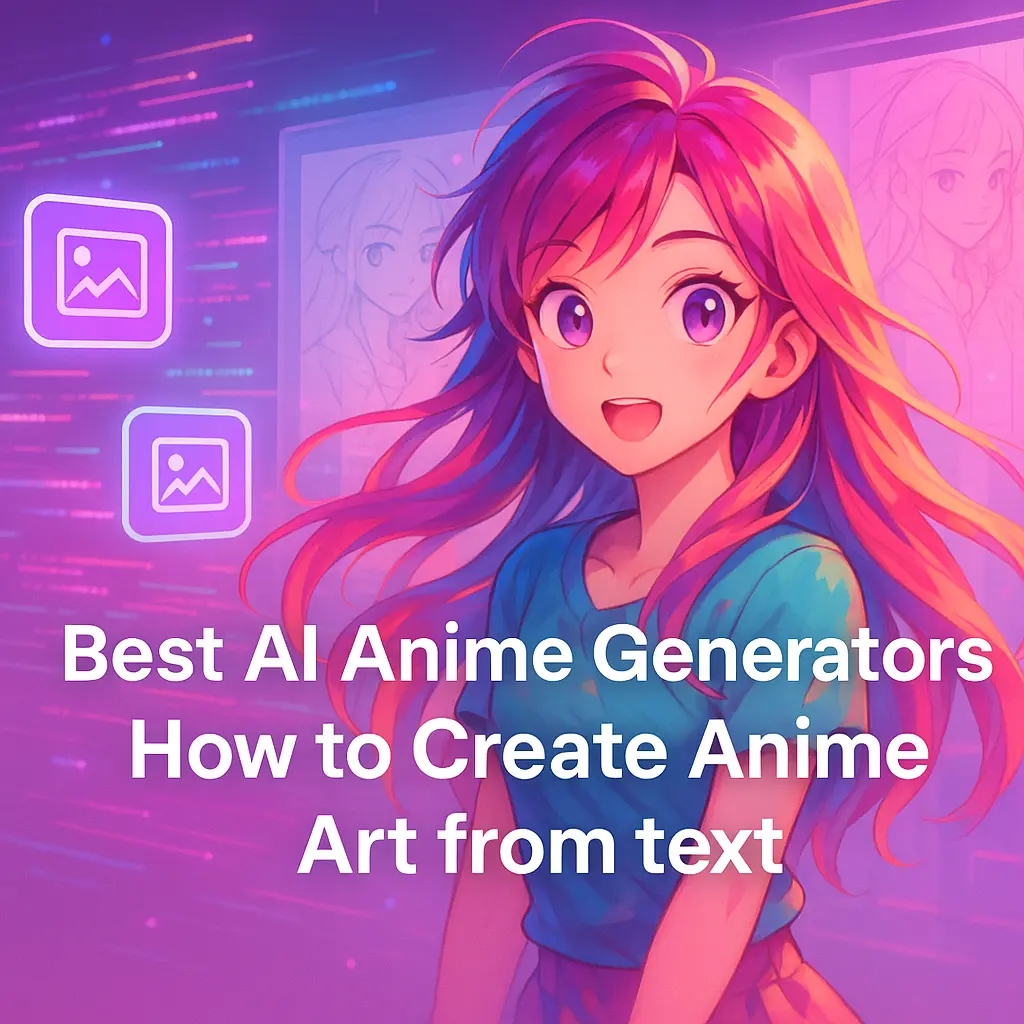
A vibrant digital anime scene with flowing hair, floating icons, glowing code streams, layered sketches, and bold text: "Best AI Anime Generators: How to Create Anime Art from text"

Imagine this: You wake up tomorrow morning, grab your phone, type “a magical anime girl with starlight eyes standing in a cyberpunk cityscape,” hit generate, and watch as your exact vision materializes in stunning detail within seconds.

No drawing skills required. No years of art school. Just pure creative magic powered by advanced AI technology.

This isn’t science fiction anymore — it’s Tuesday morning in 2025, and anime AI generators have fundamentally changed what’s possible for anyone with an imagination.

I’ve spent the last six months testing every major anime AI art generator on the market, from free tools that anyone can use to professional-grade AI anime video generators that cost hundreds per month. I’ve generated thousands of anime characters, transformed photos into anime-style images, and watched as these tools evolved from novelty toys into legitimate creative powerhouses.

Here’s what I’ve learned: the best AI anime art generators aren’t just replacing traditional art creation — they’re opening up endless possibilities for anime fans, content creators, and anyone who’s ever wanted to bring their original character to life.

What Actually Makes an Anime AI Generator Work

An anime AI art generator is essentially a sophisticated AI image generator that’s been specifically trained on anime-style art.

Think of it as an incredibly talented artist who’s studied every frame of Dragon Ball, absorbed the essence of Studio Ghibli, and memorized the character designs from thousands of anime series — except this artist can work at superhuman speed and never gets tired.

The magic happens through machine learning models, primarily Stable Diffusion and the newer FLUX.1 systems, that have been trained on massive datasets of anime images.

When you type “anime girl with blue hair,” the AI doesn’t just randomly generate pixels — it understands anime style conventions, character proportions, and visual aesthetics that make anime visuals distinctly recognizable.

These AI art tools can handle multiple types of generation: text-to-image creation for building anime characters from scratch, image-to-image transformation for converting regular photos into anime-style images, and even pose-to-image generation where you can control exactly how your anime avatar stands or moves.

The technology has reached a point where AI-generated images often rival hand-drawn anime artistry.

We’re not talking about crude approximations anymore — modern anime AI generators can produce character designs that look like they stepped out of a professional anime production.

The Heavy Hitters: Professional Anime AI Art Generators

Midjourney Niji 6: The Gold Standard

Midjourney’s Niji 6 model is what happens when you take already impressive AI image generation and optimize it specifically for anime aesthetics.

This isn’t just another AI anime art generator—it’s a creative powerhouse that understands anime style at a fundamental level.

What sets Niji 6 apart is its artistic composition capabilities.

It doesn’t just generate anime characters; it creates scenes with proper lighting, dynamic poses, and that ineffable quality that makes anime visuals so compelling.

The recent 2025 updates added Japanese text rendering, which means you can finally generate manga-style panels with authentic text elements.

The pricing runs from $8 to $96 per month depending on your usage needs, which puts it firmly in professional territory.

But for content creators and anyone doing serious creative projects, the quality justifies the cost.

Flux AI: Speed Without Sacrifice

Flux AI has solved the biggest problem in AI art generation: the waiting game. According to benchmark tests, Flux generates comparable quality images 3-5 times faster than other leading tools.

When you’re iterating on character designs or working on commercial purposes projects with tight deadlines, that speed advantage is massive.

The platform offers specialized anime character templates that help maintain consistency across multiple generations — crucial if you’re developing an original character for a story or game.

The freemium model starts free and scales up to $49/month for professional features.

Stable Diffusion: The Customization King

Stable Diffusion, particularly through ComfyUI workflows, offers unparalleled control over the creative process.

This is the tool for users who want to fine-tune every aspect of their anime AI creations. You can control character consistency, style preservation, and even train custom models for specific anime aesthetics.

The learning curve is steep, but the payoff is complete creative control.

If you’re serious about anime artistry and don’t mind getting technical, Stable Diffusion can produce results that other tools simply can’t match.

User-Friendly Options: Great Results Without the Complexity

AnimeGenius: The Free Powerhouse

AnimeGenius proves that you don’t need to spend money to get impressive results. This free AI anime generator offers over 100 different filters and styles, from classic anime characters to more specialized aesthetics like cyberpunk or fantasy themes.

What impressed me most about AnimeGenius is its variety of generation methods.

You can do standard text-to-image creation, transform photos into anime style, use pose control with 3D models, or even do face swaps to put yourself into anime scenarios.

The daily credit system is generous enough for serious experimentation.

The platform has reached 2.5 million users, and browsing the community gallery shows the incredible range of anime AI art people are creating.

It’s become a popular choice for anime fans who want professional-quality results without the professional price tag.

MyEdit: Social Media Ready

MyEdit by CyberLink bridges the gap between AI art generation and practical content creation.

With 23 distinct anime aesthetics and built-in photo editing tools, it’s designed for content creators who need anime-style images for marketing materials, profile pictures, or social media content.

The integration of background removal, filters, and automatic cropping for various social media formats makes this more than just an AI anime art generator — it’s a complete content creation workflow.

The free daily credits system is sustainable for regular use, and the paid tiers are reasonably priced.

Canva’s AI Arsenal

Canva has integrated multiple AI image generators (Magic Media, DALL-E, and Imagen) into their platform, making anime art creation part of a larger design ecosystem.

If you’re already using Canva for other creative projects, their anime AI capabilities slot seamlessly into existing workflows.

The template library approach works particularly well for marketing materials and social media content.

You can generate anime-style art and immediately incorporate it into professionally designed layouts.

Specialized Tools Worth Knowing

WaifuLabs: Portrait Perfection

WaifuLabs does one thing extremely well: creating personalized anime portraits.

The 4-step process guides you through character creation with an intuitive interface that requires no technical knowledge.

It’s completely free, requires no registration, and consistently produces high-quality anime avatars.

For anime fans who want custom profile pictures or character designs, WaifuLabs often produces better portraits than more complex tools. Sometimes specialization beats versatility.

GetImg.ai: The Technical Powerhouse

GetImg.ai offers 14 anime-based AI models plus advanced features like ControlNet integration and custom model training through DreamBooth.

This is where you go when standard anime AI generators aren’t specific enough for your creative needs.

The ability to train custom models means you can create an AI anime art generator specifically tuned to your preferred style or character types.

It’s technical, but the results can be uniquely yours.

What to Look for in an Anime AI Art Generator

After testing dozens of tools, here are the features that actually matter:

Generation Quality and Consistency: The best AI anime art generators produce images that look genuinely anime-inspired rather than generic art with anime elements slapped on.

Look for tools that understand anime character proportions, facial features, and style conventions.

Variety of Styles: Anime encompasses everything from classic 80s aesthetics to modern digital art.

Great tools offer multiple anime styles rather than just one interpretation of what anime should look like.

User Interface Design: Complex doesn’t mean better.

The most effective anime AI generators balance powerful features with intuitive interfaces that don’t require a manual to understand.

Speed and Reliability: If you’re doing serious creative work, generation speed matters.

Tools that take minutes per image slow down the creative process significantly.

Commercial Rights: Check the terms of use and privacy policy if you plan to use AI-generated images for commercial purposes.

Some tools restrict commercial use or require attribution.

The Creative Process: Making AI Work for You

The key to great anime AI art isn’t just picking the right tool — it’s learning to communicate effectively with AI systems. Here’s what I’ve learned works:

Be Specific About Style: “Anime girl” produces generic results.

“Anime girl in Studio Ghibli style with flowing hair and determined expression” gives the AI much more to work with.

Understand Anime Conventions: AI anime art generators trained on anime data understand common visual tropes.

Reference popular series like Astro Boy or Dragon Ball if you want specific aesthetic qualities.

Iterate and Refine: The best anime AI creations usually aren’t first attempts. Generate multiple variations, identify what works, and refine your prompts accordingly.

Combine Tools: Different AI art tools excel at different aspects.

You might generate a character in one tool and then use another for background elements or style transfer.

Free vs. Paid: What’s Actually Worth Your Money

The free AI anime generator landscape has improved dramatically.

Tools like AnimeGenius and WaifuLabs can produce professional-quality results without any cost.

For casual anime fans or occasional creative projects, free tools are often sufficient.

Paid tools become worthwhile when you need:

    • Unlimited generation for content creation workflows
    • Commercial usage rights for business purposes
    • Higher resolution outputs for print or professional use
    • Advanced customization options for specific artistic visions
    • Priority processing when deadlines matter

The sweet spot for most users is starting with free tools to understand your needs, then upgrading to paid services only when free limitations become actual obstacles.

Real-World Applications: Beyond Just Making Cool Pictures

Content Creation: YouTube creators, bloggers, and social media influencers use anime AI art generators for thumbnails, channel art, and visual content that would be expensive to commission traditionally.

Game and App Development: Indie developers use AI-generated anime characters for prototyping, concept art, and even final game assets.

The speed advantage over traditional art pipelines is substantial.

Marketing and Branding: Companies targeting anime demographics use AI anime art for marketing materials, product visualization, and brand mascot development.

Personal Projects: From custom profile pictures to original character designs for fiction writing, anime AI generators have democratized character creation for hobbyists and aspiring creators.

The Ethical Landscape: Using AI Responsibly

The rise of AI-generated art has sparked legitimate discussions about artist attribution, fair use, and the impact on traditional creative industries.

Here’s my take after months of testing:

AI anime art generators are tools, not replacements for human creativity.

The best results still require human judgment, artistic vision, and creative direction.

These tools lower the barrier to entry for visual creation, but they don’t eliminate the need for creative skills.

Be transparent about AI-generated content, especially for commercial purposes.

Many platforms now require disclosure when content is AI-generated, and it’s generally good practice regardless of requirements.

Respect original artists and anime studios.

While AI art tools are trained on public data, consider supporting human artists and official anime productions alongside your AI experimentations.

What’s Next: The Future of Anime AI

The trajectory is clear: anime AI art generators are getting faster, more accurate, and more accessible.

We’re seeing early experiments with AI anime video generators that can create short animated sequences.

Real-time generation is becoming possible, which could enable live anime avatar creation for streaming or virtual meetings.

The integration of voice synthesis with anime AI art could create complete animated characters from text descriptions.

VR and AR applications are on the horizon, potentially allowing people to step into anime worlds populated by their AI-generated characters.

But the most exciting development might be the democratization of anime creation itself.

Tools that once required professional teams and substantial budgets are becoming accessible to individual creators.

We’re likely to see an explosion of indie anime content created by small teams leveraging AI art tools.

Getting Started: Your Action Plan

    1. Start with free options like AnimeGenius or WaifuLabs to understand what’s possible without financial commitment.
    2. Define your goals early. Are you creating content for social media, developing characters for a story, or just having fun? Different tools excel at different use cases.
    3. Learn prompt engineering basics. The quality of your results is directly related to how well you can describe what you want.
    4. Join communities around your chosen tools. The anime AI art community is generous with tips, techniques, and inspiration.
    5. Experiment extensively before committing to paid tools. Understanding your creative needs takes time and experimentation.
    6. Keep practicing and stay curious. The technology evolves rapidly, and new techniques emerge regularly.

The Bottom Line

Anime AI art generators have crossed the threshold from interesting experiments to genuine creative tools.

Whether you’re an anime fan wanting custom artwork, a content creator needing visual assets, or someone exploring new forms of digital artistry, there’s probably an AI anime art generator that fits your needs and budget.

The technology isn’t perfect — it still struggles with complex scenes, hands are often problematic, and truly unique artistic vision requires human creativity.

But for the vast majority of anime art needs, AI generators now produce results that would have seemed impossible just a few years ago.

The dream of instantly creating professional-quality anime characters and scenes is no longer a dream.

It’s Tuesday morning in 2025, and the tools are waiting for you to start creating.

The only question left is: what anime world will you build first?

Google Veo 3: The New Era of AI Video Generation

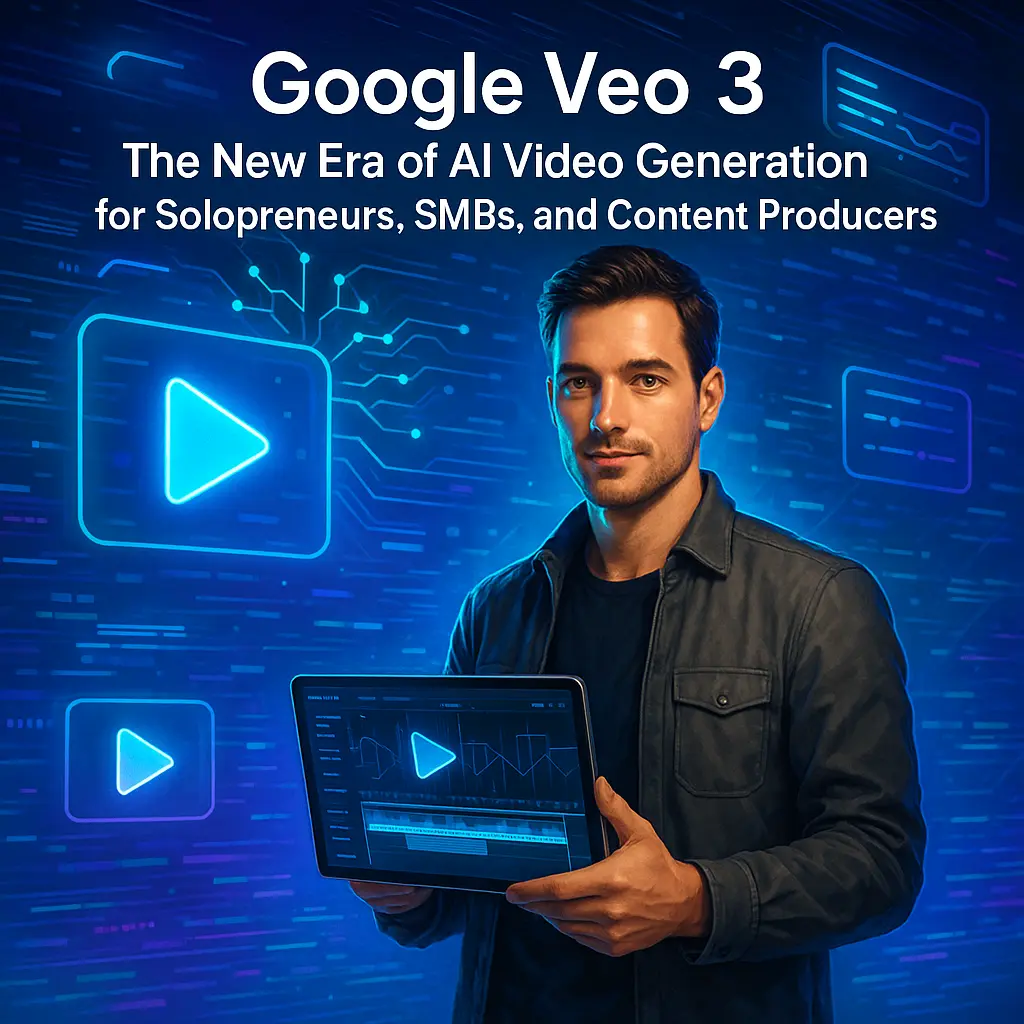
Futuristic infographic with glowing video icons, AI patterns, and a man holding a holographic tablet, emphasizing AI video creation. \nCentered bold text: **"Google Veo 3: The New Era of AI Video Generation for Solopreneurs, SMBs, and Content Producers"

If you’re a solopreneur, SMB owner, or content creator, you know how hard it is to keep up with the demand for high-quality video clips, highlight reels, and social media posts.

I’ve been there—juggling content creation, social media marketing, and business development, all with limited time and resources.

The moment I saw Google Veo 3, something clicked.

This video is hosted on YouTube. It will load automatically after you accept cookies.

This isn’t just a technical leap. It’s a revolution in how human creativity meets technology.

Now, even solo creators can produce high-quality video content that used to require a full camera operator, editor, and sound designer.

That’s the power of the latest camera technology and AI video models.

What Is Google Veo 3?

Google Veo 3 is Google’s latest generative video model, announced at the developer conference and now available through the mobile Gemini app, Flow, and Vertex AI.

It’s designed for rapid prototyping, short-form content, and social media feeds. With Veo 3, you can generate 8-second videos with native audio, realistic sound effects, and visible watermark protection.

This video is hosted on YouTube. It will load automatically after you accept cookies.

The Veo 3 AI video generator is packed with new features:

    • Native audio generation (dialogue, music, ambient sounds)
    • Cinematic camera movements and action sequences
    • Consistent main character and style control
    • Digital watermark and SynthID watermark for AI-generated content detection
    • Integration with Google Flow and Gemini’s outputs
    • Support for diverse styles and logical reasoning in user prompts

Veo 3 Plans and Pricing

Google offers two main subscription plans for Veo 3:

    • Google AI Pro Plan ($19.99/month): Great for solopreneurs and SMBs who need fast video generation for social media posts, highlight reels, and product demos.
    • Google AI Ultra Plan ($249.99/month): Designed for power users, agencies, and AI filmmakers who want the highest level of access, more video clips, and higher visual quality.

Both plans are available in the United States, United Kingdom, and other regions, with the highest access reserved for Google AI Ultra subscribers.

You can use Veo 3 directly in the Gemini app or through the Veo editor in Flow for a seamless video editing experience.

Key Features That Set Veo 3 Apart

Let me break down what makes Veo 3 such a standout among video generators:

    • 8-Second Videos: Perfect for social media marketing, highlight reels, and rapid prototyping.
    • Visible Watermark and Digital Watermark: Every Veo video includes a visible watermark and SynthID watermark to help prevent the spread of misinformation and fake news segments—a crucial step for responsible AI-generated videos.
    • Native Audio Generation: Adds a personal touch with realistic audio, music, and sound effects.
    • Cinematic Camera Movements: Pan, zoom, and angle changes for professional, dynamic shots.
    • Diverse Styles and Drawing Tools: Supports everything from funny memes to short films and action sequences.
    • Extensive Red Teaming and Important Safety Steps: Google DeepMind has implemented extensive red teaming and logical reasoning to prevent harmful requests and misuse by bad actors.
    • Integration with Google Gemini and Vertex AI: Use Veo 3 as part of a broader AI-powered content creation workflow.

Real-World Use Cases for Veo 3

Here’s how I—and many others—are using Veo 3:

    • Social Media Posts: Generate eye-catching video clips for platforms like Instagram, TikTok, and YouTube.
    • Short Films and Highlight Reels: Create professional-quality content for marketing, storytelling, and special moments.
    • Product Concepts and Rapid Prototyping: Bring new ideas to life with realistic videos and sound.
    • Funny Memes and Personal Touch: Add humor and personality to your brand.
    • Sports Camera and Action Sequences: Use Veo Cam and Veo 3 for sports highlights and dynamic video content.

AI Tools Adoption: Productivity and ROI

The Solopreneur AI Tools Adoption Report shows that AI video generation tools like Veo 3 can save solopreneurs and SMB owners 8–20 hours per week.

That’s like hiring a part-time employee—without the overhead.

For content producers, the time savings are even greater, especially when it comes to editing automation and post-production.

The ROI is clear: at $50/hour, that’s nearly $30,000 in annual value creation. Early AI adopters are scaling faster, serving more clients, and avoiding creative blocks and burnout.

The use of our AI tools like Veo 3 is becoming a competitive necessity.

Safety, Watermarking, and Misinformation

As AI-generated content becomes more common, Google has taken important safety steps.

Every Veo 3 video includes a visible watermark and a SynthID watermark, making it easy to detect AI-generated videos with tools like the SynthID detector.

This helps prevent the spread of misinformation, fake news segments, and harmful requests from bad actors.

Google DeepMind’s extensive red teaming ensures that Veo 3 outputs remain safe, responsible, and aligned with human creativity.

Getting Started: Veo 3 Access and New Capabilities

If you want to try Veo 3, Google AI Pro subscribers in selected countries get limited access to Veo 3 in Flow, and a 10-pack of trial video generations to test it out in the Gemini app.

The mobile Gemini app and Veo editor in Flow make it easy to start generating videos with just a few user prompts in the prompt bar.

With every update, Veo 3 gains new capabilities—longer videos, more diverse styles, and even better integration with Google’s ecosystem.

The future of AI video generation is bright, and the new model is just getting started.

The Competitive Landscape: Why AI Adopters Win

The gap between AI adopters and non-adopters is growing.

Those using Veo 3 and other generative AI tools are working fewer hours, producing more high-quality video content, and gaining a real competitive advantage.

Whether you’re making highlight reels, short films, or social media posts, the latest AI video generator is your ticket to the next level.

Conclusion: The Real Thing for Real People

Google Veo 3 isn’t just another video generator—it’s the real thing for real people.

For solopreneurs, SMBs, and content creators, it’s a new era of AI-powered filmmaking.

With visible watermark protection, native audio generation, and the ability to generate high-quality video clips in real time, Veo 3 is the ultimate tool for anyone looking to boost productivity, creativity, and business growth.

Ready to see what Veo 3 can do for you?

Try it out, explore the new features, and join the next wave of creative, responsible, and high-impact content production.

UberDuck.ai Review: Best Music AI Voice Generator Guide

Futuristic soundwave scene with a confident man, neural nodes orbiting, and inspiring text overlay.

Here’s a wild thought experiment: What if you could sound like Morgan Freeman reading your grocery list?

Or have Darth Vader narrate your YouTube video? Or better yet, clone your own voice so perfectly that even your mom couldn’t tell the difference?

That’s not science fiction anymore — that’s Tuesday afternoon with Uberduck AI voice technology.

I’ve spent the last three months diving deep into Uberduck’s platform, testing everything from their starter plan to their advanced features, and I can tell you this: we’re witnessing something genuinely transformative in content creation.

This isn’t just another AI voice generator throwing robotic speech at you. Uberduck has built something that’s equal parts powerful AI technology and creative playground, and it’s changing how content creators think about audio.

Here’s what I discovered, why it matters, and whether you should jump on this particular AI bandwagon.

What Actually Makes Uberduck Different

Uberduck AI voice isn’t trying to be everything to everyone — and that’s exactly why it works.

While most text-to-speech tools focus on corporate presentations and accessibility (important stuff, don’t get me wrong), Uberduck went a different direction. They asked: “What if we made AI voices that could actually sing, rap, and have personality?

uberduck's supported languages

The result is a platform that offers over 4,000 AI-generated voices, 70+ supported languages, including celebrity voices, cartoon character voices, and the ability to create custom voice clones from your own voice.

But here’s the best part: it actually sounds good.

We’re not talking about the robotic, stilted AI voices of five years ago. These are expressive voices with personality, inflection, and genuine character.

uberduck's simple test-to-speech user interface

The user-friendly interface immediately signals that this isn’t enterprise software trying to masquerade as consumer tech.

Everything is laid out logically, with clear categories for different voices, straightforward controls for customization options, and a design that actually makes sense.

You can be generating audio content within minutes of signing up.

The Starter Plan: It’s Actually Good, I Swear

Let’s talk about Uberduck’s Starter Plan, because — let’s be real — this is where most of us are going to start, and it’s way better than it has any business being.

For a low 4$ monthly fee, you get a solid 1,000 credits to play with every month.

That’s enough to experiment with a ton of voices, try out private voice features for a few months, and basically get a feel for what Uberduck can do without feeling like you’re being nickel-and-dimed.

This isn’t some crippled demo that leaves you wanting more — it’s a legit, usable tier that actually lets you do stuff.

You can create custom voices, mess around with celebrity impressions (for fun, not for profit), and generate audio for your own projects.

I spent a month cranking out everything from dramatic readings of public domain poetry to AI-generated renditions of “Happy Birthday” in various accents. The results were consistently impressive, and the platform is so easy to use that you’ll actually enjoy yourself instead of wrestling with a clunky interface.

Sure, there are limits: you can’t use your creations for commercial purposes, and you’re capped at 1,000 credits a month.

But for dabblers, educators, or anyone who just wants to turn text into audio for accessibility or entertainment, the Starter Plan is a shockingly good deal. Honestly, at 4$ per month, it’s the rare  cheap plan that doesn’t feel like a bait-and-switch.

Voice Cloning: The Technology That Changes Everything

Here’s where Uberduck gets genuinely impressive: custom voice cloning.

uberduck's voice cloning user interface

You record a short sample of your own voice — we’re talking seconds, not hours — and their AI technology creates a voice model that can speak, sing, or rap anything you type.

I tested this extensively with my own voice, and the results were unsettling in the best possible way.

The cloned version captured not just my vocal tone but subtle inflections and speech patterns I didn’t even realize I had.

When I had colleagues listen to original recordings versus AI-generated clips, they struggled to identify which was which.

The custom voice cloning opens up new creative possibilities that go way beyond traditional text-to-speech applications.

Content creators can maintain consistent narration across projects without recording sessions.

Authors can create audiobook versions of their work in their own voice without spending days in a recording studio.

Business owners can create AI voiceovers for marketing materials that maintain their personal brand voice.

But it’s the creative applications that really showcase the technology’s potential.

I watched one user create an entire podcast episode where historical figures debated modern issues, another who made custom voice clones for video game characters, and countless creators using celebrity voices for meme content that actually sounds convincing.

AI Music and the Rap Generator: Where Things Get Fun

Most AI voice platforms stick to speech.

Uberduck said “hold my beverage” and built an entire AI music creation system.

uberduck's music generation user interface

The AI vocals feature lets you type lyrics and have them performed in singing voices across different musical styles.

But the rap generator is where the platform really flexes its creative muscles. You input a topic, select from various rap styles (Boom Bap, West Coast, East Coast, etc.), and the AI generates both lyrics and vocal performance with authentic flow and rhythm.

I spent way too much time creating AI-generated rap tracks about everything from software reviews to cooking recipes.

The results ranged from surprisingly good to hilariously entertaining, but they were always listenable.

The AI music capabilities transform the platform from a utility into a creative instrument.

Content creators are using this for YouTube video intros, podcast themes, and social media content that stands out in crowded feeds.

Musicians are experimenting with AI vocals as creative inspiration or placeholder vocals during songwriting.

Even businesses are creating branded audio content with personality that traditional corporate voiceovers can’t match.

The Wide Range of Applications (And Why That Matters)

After extensive testing, I’ve identified where Uberduck excels and where it doesn’t quite hit the mark.

Content Creation and Social Media: This is Uberduck’s sweet spot. YouTube video creators can generate character voices for animated content, add celebrity voice cameos for entertainment value, or create consistent narration without repetitive recording sessions.

TikTok and Instagram creators are using the platform for viral audio content that leverages recognizable voices and characters.

Educational Content and Accessibility: Teachers and course creators can generate diverse voices for different characters in educational narratives.

The variety of voices helps maintain student engagement, while the text-to-speech functionality provides crucial accessibility support for users with visual impairments or reading difficulties.

Professional Use and Business Applications: Here’s where things get more nuanced.

While Uberduck offers API access and enterprise features, it’s clearly optimized for creative projects rather than corporate communications.

Customer service applications work well for brands with personality, but traditional business communications might be better served by more conservative AI voice platforms like ElevenLabs.

Gaming and Interactive Media: Video game developers and interactive media creators are finding significant value in Uberduck’s character voices and customization options.

The ability to generate diverse character voices quickly and affordably makes it practical for indie developers and small studios to add professional-quality voice acting to their projects.

What Doesn’t Work (And Why That’s Important to Know)

Uberduck isn’t perfect, and being honest about limitations is crucial for making informed decisions.

The AI-generated voices, while impressive, still occasionally hit uncanny valley territory.

Complex emotional content or highly technical material sometimes comes out stilted or unnatural.

The celebrity voices are good enough for entertainment and meme content but might not pass close scrutiny for professional applications.

The seamless integration with other platforms is limited compared to more enterprise-focused competitors.

If you’re building complex workflows or need deep API integration with existing business systems, you might find the current feature set constraining.

Sound effects and background audio mixing aren’t Uberduck’s strength.

While you can generate great vocal content, you’ll need other tools for comprehensive audio production workflows.

Pricing That Actually Makes Sense

The Creator Plan at $60 annually (effectively $5 monthly) represents remarkable value for the feature set. You get 3,600 render credits monthly (12 times the free allotment), commercial usage rights, API access, and the full voice library, AI image generation, custom AI image clones, and AI-generated raps.

For content creators, small businesses, or educators, this pricing is almost embarrassingly reasonable.

The Pro Plan, at $360 annually (effectively $30 monthly), is designed for power users and fast-growing businesses that need serious scale.

You get a massive 25,000 monthly credits — enough for high-volume projects — plus commercial usage rights, API access, the full voice library, AI image generation, custom AI image clones, and AI-generated raps. On top of all that, Pro users benefit from priority support with a 24-hour response time, making it a robust package for creators who need both flexibility and reliability.

The Enterprise plan offers custom pricing for organizations with specific needs like bulk voice cloning, collaboration features, and dedicated support. While pricing isn’t public, the value proposition scales well for teams and larger organizations.

Most competitors charge significantly more for comparable features, particularly for voice cloning and music generation capabilities.

Uberduck’s pricing strategy clearly prioritizes accessibility over premium positioning.

The Technology Under the Hood

Uberduck’s AI technology represents a thoughtful approach to voice synthesis that balances capability with usability.

The platform uses advanced neural networks trained on diverse voice datasets to achieve the natural-sounding speech and expressive character voices that set it apart from traditional text-to-speech tools.

The voice actor library includes not just celebrity voices and famous voices, but also purpose-built character voices optimized for different content types.

Whether you need a trustworthy narrator, an animated cartoon character, or an energetic game show host, the voice selection covers most creative scenarios.

What impresses me most is how the platform handles different features without overwhelming users.

Voice conversion, custom voice cloning, AI music generation, and traditional text-to-speech all coexist in a simple interface that doesn’t feel cluttered or confusing.

Real-World Testing: What Actually Works

I put Uberduck through practical scenarios that mirror real content creation workflows:

    • YouTube Video Production: Generated character voices for animated explainer videos, created consistent narration across multiple episodes, and added celebrity voice cameos for entertainment segments.  Results were consistently usable, often impressive.
    • Podcast Enhancement: Used voice cloning to maintain consistent audio quality across recording sessions, generated intro/outro content with AI music, and created character voices for narrative segments.  The platform handled episodic content production well.
    • Educational Material Creation: Developed course content with diverse character voices to maintain student engagement, created accessible audio versions of written materials, and generated language learning content in various languages.  The educational applications proved particularly strong.
    • Marketing and Business Content: Created branded audio content with custom voice clones, developed short-form promotional materials, and tested customer service applications.

Results were mixed — great for creative brands, less ideal for conservative business communications.

The Competition Landscape (And Where Uberduck Fits)

ElevenLabs offers superior speech realism but lacks Uberduck’s music and entertainment focus.

Speechify excels at accessibility applications but doesn’t match Uberduck’s creative capabilities.

Descript provides better audio editing integration but can’t match the voice variety and generation options.

Uberduck occupies a unique position in the AI voice landscape: it’s the platform for creators who want personality, character, and creative flexibility rather than just functional speech synthesis.

If you need corporate-grade speech for business applications, other platforms might serve better.

If you want to create engaging, entertaining, or genuinely creative audio content, Uberduck is currently unmatched.

Getting Started: The Practical Approach

    1. Start with the Starter Plan and experiment extensively. The 1000 monthly credits provide enough testing to understand whether the platform fits your specific needs.  Focus on voice selection first — the sheer variety can be overwhelming, but finding 3-4 voices that work for your content style creates a foundation for consistent results.
    2. Test voice cloning early if it’s relevant to your use case. The technology is impressive, but understanding its capabilities and limitations early prevents unrealistic expectations later.
    3. Explore the AI music features even if you’re not primarily interested in music creation. The creative possibilities often inspire content directions you hadn’t considered.
    4. Join the community and Discord channels. The user base is genuinely helpful, and seeing how others use the platform often reveals applications you hadn’t thought of.

The Future Implications

Uberduck represents something bigger than just another AI tool — it’s part of the democratization of content creation.

Professional-quality voice work, previously requiring expensive voice actors or extensive recording equipment, is now accessible to anyone with internet access and creative vision.

This accessibility shift creates opportunities for independent content creators, small businesses, and educational institutions that couldn’t previously afford professional audio production.

It also raises important questions about voice ownership, celebrity likeness rights, and the changing nature of voice acting as a profession.

The platform’s emphasis on creative applications rather than pure utility suggests a future where AI tools serve as creative partners rather than simple automation.

The best results I achieved came from using Uberduck as a creative instrument rather than a replacement for human creativity.

The Bottom Line

Uberduck AI voice technology has reached the sweet spot where capability, usability, and accessibility converge into something genuinely useful.

It’s not perfect — no AI platform is — but it’s good enough to create real value for content creators, educators, and creative professionals.

The starter plan eliminates barriers to experimentation, the pricing is reasonable for serious users, and the feature set addresses real creative needs rather than theoretical use cases.

Most importantly, it’s fun to use, which matters more than you might think for tools that rely on creative experimentation.

Whether you’re a content creator looking to enhance your audio production, an educator seeking engaging instructional materials, or just someone curious about AI voice technology, Uberduck offers a compelling entry point into a technology that’s reshaping how we think about voice and audio content.

The question isn’t whether AI voice technology will become ubiquitous — it already is.

The question is whether you’ll be among the early adopters who figure out how to use it creatively, or someone playing catch-up later.

Based on my testing, Uberduck makes a strong case for jumping in now, while the technology is still novel enough to give creative users a genuine advantage.

The learning curve is manageable, the results are immediately useful, and the creative possibilities are genuinely exciting.

Your voice, amplified by AI, creating content you never thought possible.

That’s not a marketing pitch — that’s Tuesday afternoon in 2025, and it’s pretty remarkable.

Try UberDuck.ai: Best AI music voice generator today!