Table of Contents Toggle The Uncomfortable Truth About Large Language Models Starting With Direct Instruction and Best Practices (Even Though You Want to Skip the Basics) The Real Process: The Iterative Process of Optimizing Prompts Getting Systematic About Prompt Engineering Skills and Best Practices Advanced Prompting Techniques and Best Practices (For When You’re Ready) The Game-Changer: Self-Improving AI Systems with Claude Connectors or ChatGPT Connectors Building Your Prompt Engineering Skills: When Good Enough Actually Delivers Your Desired Outcome The Bigger Picture of Prompt Engineering Techniques and Best Practices What’s Next for Prompt Engineers and Best Practices Ready to Build Your Own Self-Improving AI System? Reading time: approx. 13 minutes
Look, I’m going to level with you here. If you think you’re going to nail effective prompts on your first attempt, you’re probably the same person who thinks they can set up a smart home without reading any documentation. Spoiler alert: it’s not happening.
After spending way too many hours wrestling with different models — ChatGPT, Claude, Perplexity, and every other large language model that’s crossed my laptop screen — I’ve learned something crucial:
Prompt engineering techniques are a lot like debugging code, except the compiler is a black box that sometimes decides your semicolon is actually a philosophical statement about existence.
What Changed in Prompt Engineering in 2026
Update (April 2026): The prompt engineering landscape has shifted a lot since this guide first went live. Here’s what actually matters now:
Reasoning models changed the game. OpenAI’s o3 and Claude’s extended thinking modes use chain-of-thought processing internally. For complex tasks, you’ll get better results by giving the model room to think instead of micromanaging every detail of the output format.
Context windows got massive. GPT-5.4 handles 1M tokens. Claude supports 200K+. You can now dump entire reference documents into your prompts without blinking. The old “chunk and summarize” workaround? Mostly dead.
System prompts carry real weight now. Both ChatGPT and Claude support persistent custom instructions across conversations. Set your iterative prompt framework once — it sticks everywhere.
Agentic prompting is where things are heading. Instead of firing off single prompts, you can chain multi-step instructions where the AI plans, executes, evaluates, and iterates on its own. The principles in this guide still apply — they’re just running inside the model now.
The core iterative methodology below hasn’t changed. If anything, it’s *more* important now that models are more capable. Better prompts still get dramatically better results.
The Uncomfortable Truth About Large Language Models
Here’s what nobody tells you when you first start playing with these AI tools: they’re incredibly powerful and frustratingly unpredictable at the same time.
It’s like having a sports car with a manual transmission — except the gear labels are written in a language you only sort of speak. Sure, you can get it moving. But consistently getting well-crafted prompts that deliver your desired outcome? That’s a different story.
The problem? Most people approach prompt engineering like they’re typing into Google. Throw in some keywords, hit enter, expect magic. But AI prompt systems aren’t search engines. They’re more like that brilliant friend who gives great advice but occasionally veers into a ten-minute story about their childhood hamster when all you wanted was a straight answer for a specific task.
Most prompt engineers figure this out the hard way. There’s no shortcut to good prompts. You’ve got to work through the iterative process — refining your approach, testing different prompt engineering techniques across various use cases, and building up your prompt engineering skills through actual experimentation. Not theory. Practice.
Starting With Direct Instruction and Best Practices (Even Though You Want to Skip the Basics)
Before we get into advanced prompting techniques, let’s cover the fundamentals. I know — you want to jump straight to chain-of-thought prompting and zero-shot prompting. But I’ve watched too many people try to run elaborate few-shot prompting chains before they could write a basic direct instruction that actually works.
Don’t be that person.
Effective prompt engineering starts with one thing: understanding that your AI prompt needs to be three things at once. Clear about what you want. Specific about how you want it. And loaded with enough specific information that the AI doesn’t have to guess what’s in your head.
Think of it like writing instructions for someone who’s ridiculously capable but has never seen your particular use case before.
Here’s what I mean. Instead of “write a product review,” try something like: “Write a 300-word review of the iPhone 15 Pro focusing on camera improvements, written for a tech-savvy audience who already owns the iPhone 14 Pro.”
See the difference? One leaves the AI flailing. The other gives it specific information and a clear target for your desired outcome.
This is where prompt design actually matters. Well-crafted prompts aren’t just about cramming in details — they’re about providing the right framework for
large language models to understand your intent and deliver exactly what you need for specific tasks. And here’s the thing — each model responds differently to the same prompting techniques. What nails it with GPT-4 might fall flat with Claude. That’s why getting a handle on these best practices matters so much if you’re serious about prompt engineering.
The Real Process: The Iterative Process of Optimizing Prompts
This is where it gets fun. Also where most people bail.
The secret to effective prompt engineering? It’s not writing the perfect prompt on your first try. It’s getting comfortable with iteration. Your first attempt will probably be mediocre. That’s fine. That’s how it works.
I treat prompt engineering like I treat reviewing gadgets: start with the basics, figure out what’s broken, then fix each piece one at a time through smarter prompting techniques. Same methodology I use when testing a new phone or laptop — except instead of benchmark scores, I’m checking whether my prompt actually produced better results for my specific use case.
Here’s how my typical process looks:
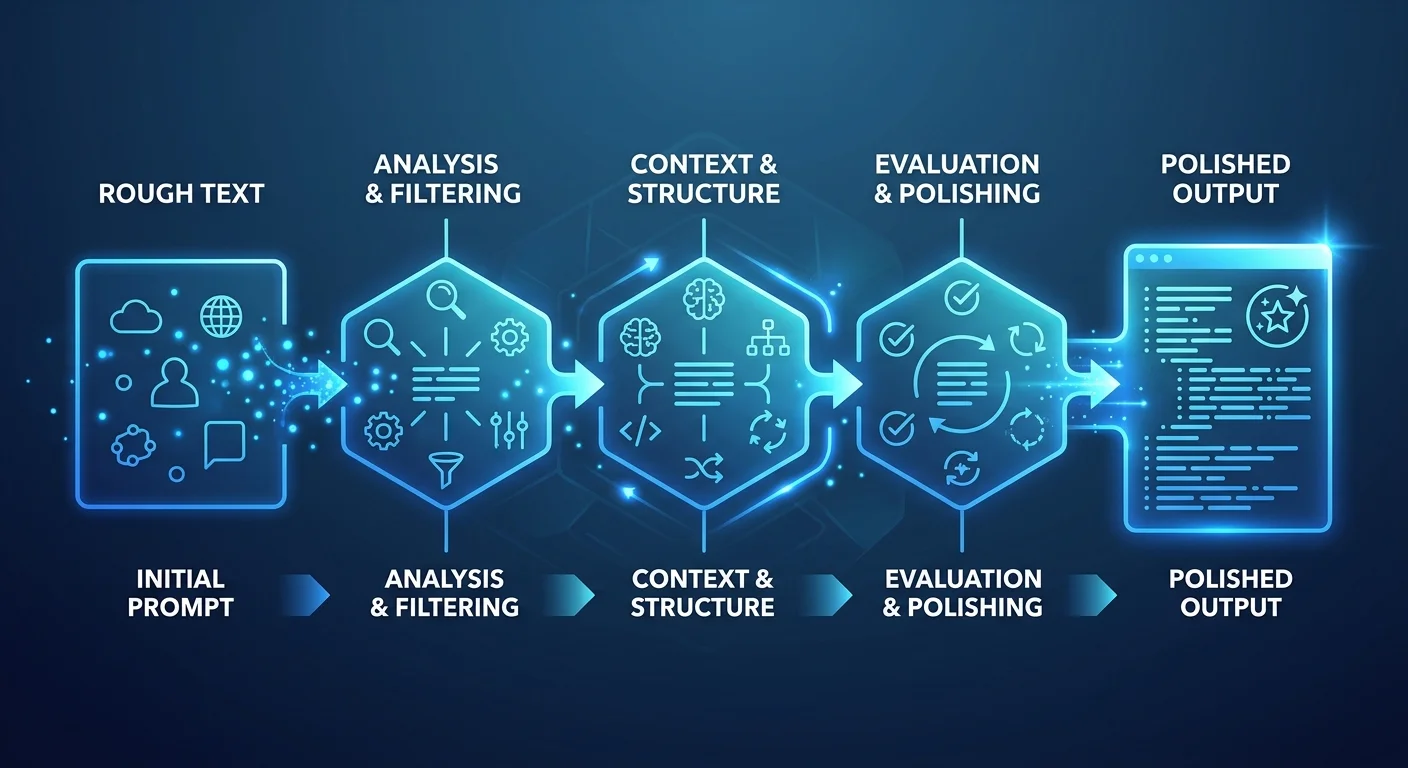
I start with a simple, straightforward AI prompt and run it a few times across different models. Then I pick apart what went wrong. Did it miss the tone? Did it dump in information I never asked for? Did it completely whiff on the assignment? Each failure becomes a specific fix for the next round — building toward effective prompts through actual, systematic improvement.
Let me show you what this looks like in practice.
I was trying to get Claude to help me write product comparison charts — a use case that needed careful prompt design. My first prompt? “Compare these two phones.” The result was technically correct and completely useless. Generic comparison that could’ve been written by someone who’d never touched either device. Not exactly the effective prompt engineering I was going for.
So I started refining. Version two got more specific:
“Create a detailed comparison chart between the iPhone 15 Pro and Samsung Galaxy S24 Ultra, focusing on features that matter to power users: camera quality, performance, battery life, and ecosystem integration. Format as a table with clear pros and cons for each category.”
Better. But still off. Too formal, and it wasn’t capturing the practical insights I actually include in my reviews.
Version three added context about what I really wanted:
“Write this comparison from the perspective of a tech reviewer who has used both devices extensively and is addressing an audience of enthusiasts who want honest, practical advice.”
That’s when it clicked.
The AI started producing content that actually sounded like something I’d write — nuanced takes rooted in real-world usage, not just spec sheet regurgitation. This is what effective prompt engineering looks like. Not perfection on attempt one. Systematic improvement through iteration until you land on your desired outcome.
Getting Systematic About Prompt Engineering Skills and Best Practices
Once you accept that iteration is inevitable, you might as well get organized about it.
I’ve started keeping a simple document where I track what I change and why — basically building my own prompt templates for different use cases. Nothing fancy. Just a running log: “tried this prompt, got that result, changing X because Y.”
This one habit has saved me a ridiculous amount of time and sharpened my prompt engineering skills across different models. Instead of starting from scratch every time I need a similar prompt for a specific task, I just check what’s worked before. It’s like keeping notes on which camera settings nail different lighting conditions. Over time, you build a library of techniques that actually deliver.
But here’s where people trip up: they don’t test enough.
Don’t just run your prompt once and call it done. Try it multiple times. Use different inputs. Test across different models when you can. Large language models have surprisingly variable outputs — what works great once might completely fall apart the next time if you haven’t locked down the right structure through proper prompt design.
Too many prompt engineers make this exact mistake. They craft what seems like a solid prompt, get one decent result, and assume they’ve cracked it.
effective prompt engineering. But real prompt engineering skills? They come from watching how your prompts actually perform — across different scenarios, edge cases, and models. It’s about consistency, not one-off wins.
Advanced Prompting Techniques and Best Practices (For When You’re Ready)
Once you’ve nailed the basics, there are some more sophisticated approaches worth playing with.
Chain-of-thought prompting
Chain-of-thought prompting works best for complex specific tasks. You’re essentially asking the AI to show its work instead of just spitting out a final answer in natural language.
Here’s what that looks like in practice. Say someone wants to know if they should buy a particular gadget. Instead of asking for a straight recommendation, I’ll structure my prompt so the AI first analyzes what the user actually needs, then evaluates how well the product fits those needs, and *then* makes its call.
Why bother with the extra steps? Because those intermediate steps tell you something important — whether large language models are genuinely reasoning through the problem or just pattern-matching from training data.
Zero-shot prompting
Zero-shot prompting is where you hand the AI specific tasks it hasn’t been explicitly trained on, but you give it enough context and structure to figure out your desired outcome on its own. It’s different from few-shot prompting, where you provide examples of the output format you want. Few-shot is a best practice that shines when you need consistent results across different models.
Self-improving prompting
I’ve been experimenting with prompts that build in self-correction mechanisms. Something like: “After writing your initial response, review it for accuracy and practical usefulness, then provide a revised version if needed.”
Does it always work? No. But when it does, the difference in quality is hard to ignore.
The real power here is combining these techniques. You might layer chain-of-thought prompting inside a few-shot framework, or weave direct instructions into a zero-shot approach. The key is understanding how these prompt engineering techniques play off each other across different models — that’s what creates effective prompts that deliver your desired outcome reliably.
The Game-Changer: Self-Improving AI Systems with Claude Connectors or ChatGPT Connectors
OK, this is where things get genuinely exciting. And honestly, it’s where prompt engineering is heading.
I’ve been testing Claude’s new connectors, and they’re not just another automation toy. They’re creating something I’d call self-improving AI systems — systems that get smarter every single time you use them for specific tasks.
Think about it for a second. What if your prompt engineering techniques could improve themselves based on what actually works and what flops for a specific use case? What if your AI prompt could learn from each interaction and rewrite its own instructions to deliver better results next time?
That’s not hypothetical. It’s happening right now with these connectors.
Instead of static prompt templates you have to manually tweak over and over, you can build AI systems that handle the iterative process on their own — developing better effective prompts through real experience with specific tasks.
Here’s my setup. Instead of hardcoding prompt engineering techniques directly into Claude projects, I store them in a Notion document that Claude or ChatGPT can access and modify through its connectors. Then I add one crucial instruction to my AI prompt:
*”Important: Once the session is over, please work with the user to update these instructions based on things that were learned during the recent session.”*
That single line changes everything.
The result is an AI system that doesn’t just follow your prompt design — it actively improves it. After each interaction, it suggests refinements to its own techniques based on what delivered better results and what fell flat. It’s like having a prompt engineer on staff who never stops optimizing for your desired outcome.
And I’m not just theorizing here. I’ve watched my research-to-social-media workflow evolve over dozens of iterations. It automatically incorporated better prompting techniques, refined its understanding of my writing style across different models, and developed more sophisticated prompt engineering skills than I could’ve programmed by hand.
The three-phase approach that works consistently:
- Process Documentation – Write down exactly what you want the AI to do for specific tasks, but store it in a connected document (Notion, Google Docs) rather than static instructions
- Creating Instructions – Convert your process into step-by-step prompt engineering techniques that keep you in the loop for approval, providing examples where needed
- Iterative Improvement – Let the AI refine its own prompt design based on real-world performance and actual results
What makes this different from traditional prompt engineering? Large language models become active participants in optimizing prompts rather than just following them. They’re developing their own prompt engineering skills through
experience, creating more effective prompts over time without needing a prompt engineer babysitting the whole thing.
Building Your Prompt Engineering Skills: When Good Enough Actually Delivers Your Desired Outcome
Here’s something that took me way too long to figure out: you don’t need to optimize every AI prompt to perfection. Sometimes good prompts are good enough. Especially for one-off tasks or quick content generation.
The iterative process can become weirdly addictive. I’ve absolutely fallen into the trap of spending an hour fine-tuning prompt engineering techniques for a task that would’ve taken ten minutes to do manually. You know that feeling when you spend all day reorganizing your desk instead of actually working? Same energy — satisfying in the moment, totally counterproductive.
So when should you stop tweaking?
If your prompt design is producing consistently useful results and you’re not hitting major failure modes across different models, move on. Save the perfectionism for prompts you’ll use hundreds of times, or for high-stakes tasks where effective prompt engineering genuinely moves the needle.
This is what separates experienced prompt engineers from beginners. The goal isn’t a perfect prompt. It’s an effective one that reliably gets you the specific information or outcome you need. Sometimes a simple, direct instruction outperforms an elaborate advanced technique. And that’s fine. Actually, that’s a best practice.
The Bigger Picture of Prompt Engineering Techniques and Best Practices
What’s genuinely interesting about all this? How much prompt engineering looks like other kinds of technical problem-solving. The iterative process. The systematic testing. Documenting what works across different use cases. We already do this when troubleshooting network issues or optimizing site performance.
The difference is predictability.
With traditional debugging, you eventually understand the underlying system well enough to predict its behavior. With large language models? That level of predictability might never come. The models are too complex, and they keep changing as companies update them.
But that’s not a bad thing for prompt engineers. It just means we need to get comfortable with a different kind of workflow — more experimental, more adaptive than the linear processes we’re used to in traditional software development. When the underlying system is constantly evolving and you’re working across different models, the iterative process becomes your anchor.
This is exactly why building solid prompt engineering skills matters more than memorizing specific prompt templates. Clarity, specificity, systematic testing, iterative improvement — these fundamentals will stay relevant even as large language models keep evolving and new use cases pop up.
What’s Next for Prompt Engineers and Best Practices
The tools for prompt engineering are improving fast. We’re seeing platforms that automatically test prompt variations and track performance metrics across various use cases. Some can even suggest improvements based on common failure patterns in your prompt design.
But the fundamental skill — thinking clearly about what you actually want, then systematically working toward it through effective prompting — that’s not going anywhere. If anything, it’s becoming *more* important as these AI tools get more powerful and more widely adopted.
Here’s the tension, though. The companies building large language models are making them more intuitive for natural language interaction. But they’re also making them more capable. Which means the complexity ceiling for advanced prompting techniques keeps rising.
Learning the iterative process isn’t just about getting better results today. It’s about building the prompt engineering skills you’ll need for whatever comes next.
Whether you’re working with zero-shot prompting, few-shot prompting, chain-of-thought prompting, or developing entirely new techniques, the core best practices stay the same: start with clear direct instruction, test systematically across specific tasks, iterate based on results, and focus on creating effective prompts that deliver your desired outcome — not perfect ones.
And trust me, based on where things are headed with large language models and prompt engineering, whatever comes next is going to be pretty wild. The prompt engineers who master the iterative process now, who learn to work across different models and follow these best practices? They’ll be the ones ready to take advantage of whatever advanced techniques emerge.
Ready to Build Your Own Self-Improving AI System?
If you’re tired of manually iterating on the same prompt engineering techniques over and over across different use cases, it’s time to let your AI do the heavy lifting. Here’s your challenge: pick one repetitive specific
task you do weekly — content creation, research synthesis, email management, whatever — and build a self-improving AI system using Claude’s or ChatGPT’s connectors with these best practices.
Start simple. Document your process, convert it to instructions (throw in examples where they’d actually help), then add that magic line about updating based on learned experience.
Give it a month. You’ll have an AI assistant that’s genuinely gotten better at understanding exactly what you need for your desired outcome.
Set up your first self-improving AI system in Claude →
Why keep optimizing prompts manually when you could be building AI that optimizes itself? The prompt engineers who figure this out first are going to have a huge edge over everyone still grinding through the manual iteration cycle across different models.
**Looking for more AI tools?** Browse our complete AI Tools directory with 169+ tools across every business category.
**Explore:** Best AI Apps in 2026.