AI Photo Editing Showdown: Which Tool Handles Real-World Edits Best?

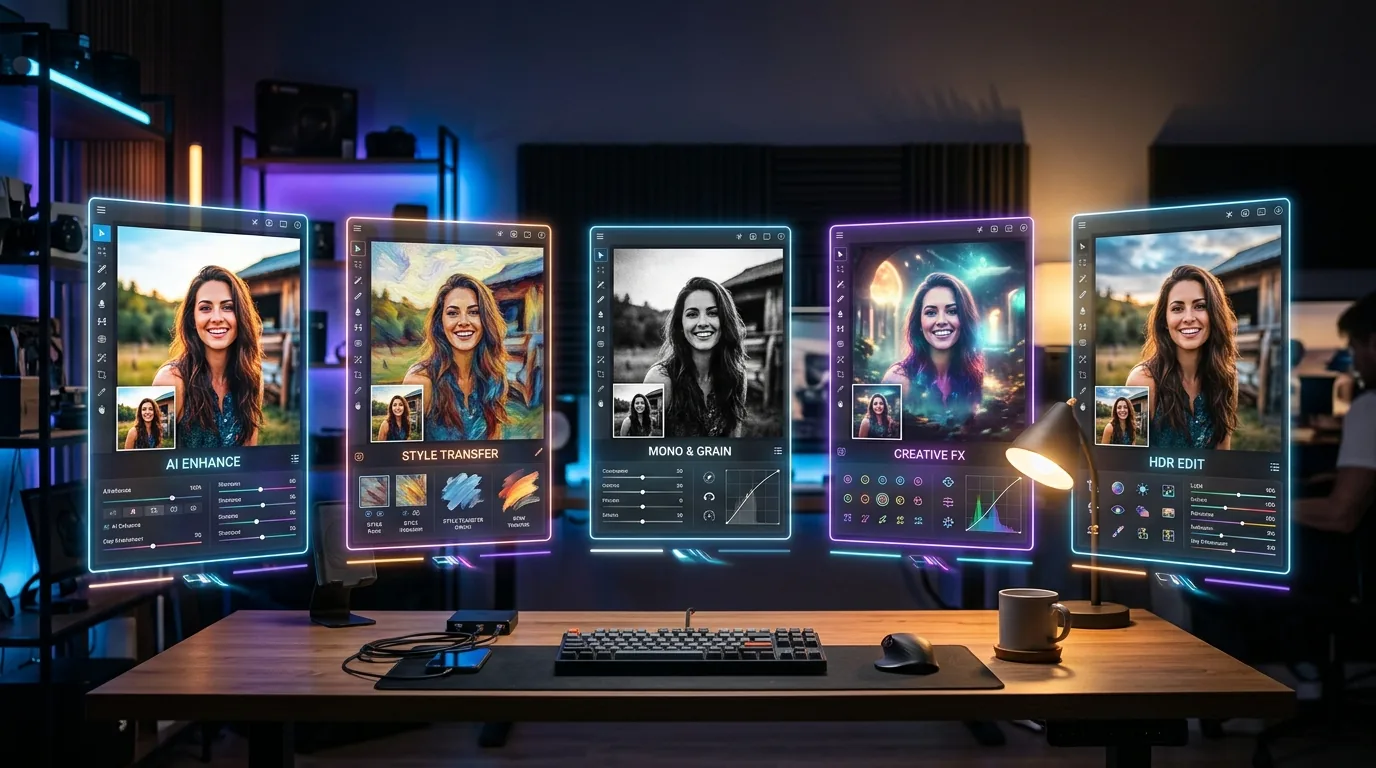
Five AI photo editing tools displayed side by side on floating screens, each editing the same photograph differently in a head-to-head comparison test.

Everyone claims their AI photo editor is “the best.” So I decided to actually test that. I took 5 common real-world editing tasks — the kind you’d actually need done on a Tuesday afternoon — and ran them through the top AI photo editing tools to see which ones deliver.

No cherry-picked results. No sponsored picks. Just honest, side-by-side comparisons on the edits that actually matter.

(If you’re looking for a full breakdown of features and pricing, check out our companion listicle: 9 Best AI Photo Editing Tools in 2026.)

The 5 Editors I Tested

I narrowed this down to the five tools that come up most often in “best AI photo editor” conversations:

  1. Adobe Firefly (built into Photoshop)
  2. Pixlr (free-tier powerhouse)
  3. Canva AI (the non-designer favorite)
  4. Luminar Neo (photographer-focused)
  5. Clipdrop (Stability AI’s toolkit)

Each tool got the exact same source images. No preprocessing, no prep work. Just raw photos and real tasks.

Test 1: Background Removal (Product Photo)

The task — remove the background from a product shot on a cluttered desk. Think a coffee mug with cables, papers, and a keyboard behind it.

Winner: Canva AI

Surprising, right? Canva’s Background Remover nailed the edges — including the handle and the subtle shadow underneath. One click, done. Adobe Firefly was a close second, but it left a faint halo around curved edges that needed manual cleanup.

Pixlr handled it well but struggled with the semi-transparent shadow. Clipdrop was solid but slightly over-cropped the bottom edge. Luminar Neo isn’t really built for this type of task — it’s more about photo enhancement than cutouts.

Ranking: Canva AI > Adobe Firefly > Clipdrop > Pixlr > Luminar Neo

Test 2: Object Removal (Unwanted Person in Background)

The task — remove a random person walking through the background of an otherwise great outdoor portrait. This is the edit that separates good AI from mediocre AI.

Winner: Adobe Firefly

Not even close. Firefly’s Generative Fill didn’t just remove the person — it reconstructed the scene behind them. Trees, grass, light gradients — all seamlessly filled in. You’d never know someone was there.

Clipdrop did a respectable job but left subtle texture inconsistencies where the person stood. Canva’s Magic Eraser worked for simple cases but left a noticeable blur patch. Pixlr‘s eraser was adequate for small objects but struggled with the full-body removal. Luminar Neo doesn’t have a dedicated object removal tool.

Ranking: Adobe Firefly > Clipdrop > Canva AI > Pixlr > Luminar Neo

Test 3: Portrait Enhancement (Low-Light Selfie)

The task — take a grainy, poorly-lit selfie and make it look professional. Noise reduction, color correction, skin smoothing without looking fake.

Winner: Luminar Neo

This is exactly what Luminar Neo was built for. The AI Portrait Enhancer reduced noise, corrected white balance, and enhanced skin texture — all while keeping things natural. The subject still looked like themselves, not like an AI-smoothed mannequin.

Adobe Firefly’s enhancement was good but slightly over-sharpened. Clipdrop’s upscaler helped with resolution but didn’t address color/lighting. Canva’s enhance tool was too aggressive — everything looked like an Instagram filter. Pixlr‘s AI enhance was decent but lacked fine-tuning controls.

Ranking: Luminar Neo > Adobe Firefly > Pixlr > Clipdrop > Canva AI

Test 4: Image Upscaling (Old Low-Res Photo)

The task — take a 640×480 photo from 2008 and upscale it to something printable. This is about recovering detail that isn’t really there.

Winner: Clipdrop

Clipdrop’s Image Upscaler (powered by Stability AI) produced the most natural-looking result at 4x zoom. It added realistic texture without the “AI sharpening artifacts” that plague most upscalers. Faces looked human, text remained readable, and fabric textures were convincing.

Adobe Firefly’s upscaling was solid but introduced slight hallucinations in text areas. Luminar Neo preserved colors beautifully but was slightly softer overall. Pixlr and Canva both produced usable but noticeably “AI-enhanced” results.

Ranking: Clipdrop > Adobe Firefly > Luminar Neo > Pixlr > Canva AI

Test 5: Creative Edit (Sky Replacement)

The task — replace a flat, overcast sky with a dramatic sunset. The catch? The original photo has trees with complex branch patterns silhouetted against the sky. This is where AI edge detection really gets tested.

Winner: Luminar Neo

Luminar has been doing AI sky replacement longer than anyone, and it shows. The new sky blended perfectly with the tree branches — no halos, no color bleeding, no weird masking artifacts. It even adjusted the ambient lighting on the ground to match the new sky’s warmth.

Adobe Firefly could do this through generative fill, but it required more manual selection work and the lighting adjustment wasn’t automatic. Clipdrop’s approach was creative but less refined. Canva and Pixlr don’t have dedicated sky replacement features.

Ranking: Luminar Neo > Adobe Firefly > Clipdrop > Canva AI = Pixlr

The Overall Scorecard

Here’s how the tools stacked up across all five tests:

Tool BG Removal Object Removal Portrait Upscaling Sky Replace Overall
Adobe Firefly 2nd 1st 2nd 2nd 2nd Best All-Rounder
Luminar Neo 5th 5th 1st 3rd 1st Best for Photography
Clipdrop 3rd 2nd 4th 1st 3rd Best Toolkit
Canva AI 1st 3rd 5th 5th 4th Best for Quick Edits
Pixlr 4th 4th 3rd 4th 4th Best Free Option

Which One Should You Use?

After putting these tools through their paces, here’s my honest recommendation:

  • You want the best results across the board? Adobe Firefly. It’s not always the winner, but it’s consistently in the top 2 for every task. If you’re already in the Creative Cloud ecosystem, this is a no-brainer.
  • You’re a photographer? Luminar Neo. The portrait enhancement and sky replacement are unmatched, and it fits into a real photography workflow.
  • You need free and flexible? Pixlr gives you the most editing capability without paying a cent. It won’t win any individual category, but it handles everything adequately.
  • You’re not a designer and just need quick results? Canva AI. The background removal is actually the best tested, and everything integrates with your existing Canva designs.
  • You need a specific superpower (upscaling, relighting, variations)? Clipdrop has the best specialized tools.

Final Thoughts

The gap between these AI photo editing tools and traditional manual editing is shrinking fast. For 80% of editing tasks, AI tools now produce results that are good enough — or better — than what most people could do manually in Photoshop.

The question isn’t whether to use AI for photo editing anymore. It’s which tool fits your specific workflow.

Want to explore all your options? Browse our full AI tools directory for detailed reviews of every tool mentioned here — plus dozens more across categories like image generation, product photography, and design automation.

Best AI Tools by Category — The Only Guide You Need in 2026

A futuristic dashboard displaying AI tools organized by category including writing, video, images, and automation

Why Most “Best AI Tools” Lists Waste Your Time

Here’s the problem with most best AI tools guides: they list 50 tools with zero context about who should use what. A freelance writer doesn’t need the same stack as an e-commerce founder. A marketing agency has different needs than a solopreneur running everything solo.

This guide is different. I’ve organized the best AI tools by category, with honest recommendations based on actual testing. Each section tells you who the tool is for, what it costs, and whether it’s worth your money — no fluff, no affiliate-driven rankings.

Jump to the category you care about. Skip the rest. That’s how this is designed to work.

AI Writing Tools — For Content That Doesn’t Sound Like a Robot Wrote It

The writing category is the most crowded in AI right now. Dozens of tools, most of them wrappers around the same underlying models. Here’s who actually stands out.

Best Overall: Claude (Anthropic)

Claude 4 produces the most natural-sounding long-form content I’ve tested. It follows complex instructions better than any competitor, rarely hallucinates, and its writing has a quality that feels distinctly human. If you write anything longer than a tweet, start here.

Who it’s for: Bloggers, content marketers, anyone writing articles or reports.

Best for Marketing Teams: Jasper

Jasper’s brand voice feature is its killer app. Feed it your style guide and it maintains consistency across dozens of writers. The campaign workflow tools are genuinely useful for coordinating content across channels.

Who it’s for: Agencies and marketing teams managing multiple brands.

Best for SEO Content: Frase

Frase doesn’t just write — it researches. It analyzes the top 20 results for your keyword, identifies content gaps, and builds a brief before you write a single word. The AI writer then fills in the outline with optimized content. It’s the closest thing to an SEO content department in a box.

Who it’s for: SEO-focused bloggers and content teams.

Best Budget Option: Creaitor AI

Starting at $9/month with a generous free tier, Creaitor punches above its weight. The multilingual support is particularly impressive — it handles European languages better than tools charging three times as much.

Who it’s for: Solopreneurs on a budget, multilingual businesses.

AI Video Tools — From Zero to Published in Minutes

Video is where AI made the biggest leap in the last year. Tools that produced janky, obviously-fake output in 2025 are now generating content that passes the “would I actually post this?” test.

Best for Talking-Head Videos: HeyGen

HeyGen’s AI avatars finally look convincing. The lip sync is tight, the gestures are natural, and the instant dubbing feature translates your videos into 40+ languages without re-filming. I use this for every product walkthrough video now.

Who it’s for: Course creators, SaaS companies, anyone who needs professional video without a camera.

Best for Social Media Video: InVideo AI

Type a topic, pick a style, and InVideo generates a complete video with script, stock footage, voiceover, and music. The output quality varies — some videos need editing, others are publish-ready. But even the rough ones save hours compared to building from scratch.

Who it’s for: Social media managers, YouTubers, content marketers.

Best for Repurposing: Opus Clip

If you’re creating long-form video content (podcasts, webinars, tutorials), Opus Clip is non-negotiable. It identifies the most engaging moments, crops them for vertical format, adds captions, and scores them by viral potential. I’ve had clips it selected outperform ones I chose manually.

Who it’s for: Podcasters, webinar hosts, anyone repurposing long content.

Best for Product Ads: Creatify

Paste a product URL and Creatify generates a complete video ad — script, visuals, and AI spokesperson included. The quality legitimately shocked me. E-commerce brands spending thousands on video ads should test this immediately.

Who it’s for: E-commerce brands, DTC companies, performance marketers.

AI Image Generation — Beyond the Novelty Phase

AI image tools matured fast. The question isn’t “can AI make images?” anymore — it’s “which tool makes the right kind of images for my use case?”

Best Quality: Midjourney

Midjourney v7 produces the most aesthetically pleasing images, period. Photorealism, artistic styles, product shots — it handles everything with a level of polish that competitors are still chasing.

Who it’s for: Designers, marketers who need premium visuals, creative professionals.

Best for Versatility: GetImg AI

GetImg gives you access to multiple models (Stable Diffusion, DALL-E, custom fine-tunes) in one interface. The real-time editing canvas and batch generation features make it ideal for rapid iteration. Great for when you need variety, not just one perfect image.

Who it’s for: Content creators who need volume, designers exploring options.

Best for Quick Edits: Pixlr

Not everyone needs to generate images from scratch. Pixlr’s AI editing tools — background removal, object erasing, style transfer — handle the everyday tasks that used to require Photoshop. The browser-based interface means zero install time.

Who it’s for: Non-designers who need to edit photos quickly.

Best for Headshots: Aragon AI

Upload a few selfies and Aragon generates professional headshots that look like they were taken in a studio. The quality is good enough for LinkedIn, company websites, and even press kits. Way cheaper than a photographer.

Who it’s for: Professionals who need headshots, HR teams, personal branding.

AI SEO & Content Marketing Tools — Rank Without Guessing

Best for Keyword Research: RankIQ

RankIQ takes a different approach to keyword research. Instead of overwhelming you with data, it gives you a curated library of low-competition, high-traffic keywords. The content optimizer tells you exactly what to include to outrank existing results. Simple, effective, and worth every penny.

Who it’s for: Bloggers, niche site owners, solo content creators.

Best for Content Strategy: NeuralText

NeuralText automates the research-to-outline pipeline. Feed it a topic and it generates content briefs, keyword clusters, and competitive analysis. The AI writer is decent but the real value is in the research automation.

Who it’s for: Content strategists, SEO agencies, editorial teams.

Best for Social Media SEO: ContentStudio

ContentStudio bridges the gap between social media management and content marketing. It discovers trending topics, suggests content ideas, and schedules posts — all powered by AI that learns your audience’s preferences over time.

Who it’s for: Social media managers handling multiple accounts.

AI Automation & Productivity — Do More, Type Less

Best for Meetings: Fireflies AI

Fireflies records, transcribes, and summarizes your meetings automatically. The search function is what sells it — you can ask “what was the deadline we agreed on?” and it finds the exact timestamp. If you’re in more than three meetings a week, this is essential.

Who it’s for: Remote teams, consultants, anyone in meeting-heavy roles.

Best for Document Workflows: Coda

Coda turns documents into interactive tools. Build project trackers, CRMs, wikis, and dashboards — all with AI that summarizes data, generates insights, and automates routine updates. It’s what Notion would be if it leaned harder into automation.

Who it’s for: Solopreneurs, project managers, small teams.

Best for Visual Planning: Miro

Miro’s AI features transform brainstorming from “sticky notes everywhere” to “organized action plan.” The clustering, summarization, and mind-mapping tools are genuinely useful for turning chaos into clarity.

Who it’s for: Teams doing planning, design thinking, or strategy work.

AI Sales & Outreach — Scale Without Being Spammy

Best for Cold Email: Instantly AI

Instantly solved the two biggest cold email problems: deliverability and personalization. The warmup system keeps your emails out of spam, and the AI personalization goes beyond “Hi {first_name}” into genuinely tailored messages. The analytics dashboard shows you exactly what’s working.

Who it’s for: Sales teams, agencies, lead gen operations.

Best for Lead Data: Seamless AI

Seamless crawls the web in real-time to find verified emails and phone numbers. The data freshness is what sets it apart — you’re getting current information, not data that’s been sitting in a database for months.

Who it’s for: SDRs, account executives, B2B sales teams.

Best for Multi-Channel: Reply.io

Reply combines email, LinkedIn, calls, and SMS into automated sequences that feel personal. The AI adapts follow-up messages based on prospect engagement, so each touchpoint feels intentional rather than spammy.

Who it’s for: Sales teams that work multiple channels simultaneously.

AI Customer Service — Support That Doesn’t Sleep

Best for Small Business: Tidio

Tidio’s Lyro AI chatbot handles the repetitive questions that eat up your day — shipping times, return policies, product availability. It learns from your existing content and knows when to escalate to a human. Setup takes minutes, not weeks.

Who it’s for: E-commerce stores, small businesses with high-volume support.

Best for Custom Knowledge: Dante AI

Dante lets you build a chatbot that’s an expert on your specific business. Upload your docs, FAQs, and training materials, and it creates an AI that answers questions accurately. No coding required, and the accuracy is impressive for a no-code solution.

Who it’s for: Businesses with complex products or extensive documentation.

How to Pick the Right Tool for You

Don’t overthink this. Here’s the decision framework I use:

  1. Identify your biggest time sink. Where are you spending hours that AI could reduce to minutes?
  2. Start with one tool. Resist the urge to sign up for five things at once. Master one, then expand.
  3. Use free tiers first. Almost every tool on this list has a free plan. Test before you commit.
  4. Measure the impact. Track hours saved or output increased. If a tool doesn’t move the needle after 30 days, drop it.

The best AI tools are the ones you actually use consistently — not the ones with the most features or the highest ratings.

Ready to dive deeper? Explore our full AI tools directory with 170+ tested tools. Each listing includes pricing, features, use cases, and honest assessments to help you make the right call for your business.

9 Best AI Photo Editing Tools in 2026: From Quick Fixes to Pro-Level Edits

AI-powered photo editing workspace showing holographic before-and-after image transformations on a modern laptop, representing the best AI photo editing tools available in 2026.

AI photo editors went from “neat party trick” to “I genuinely don’t need Photoshop anymore” in about six months. If you haven’t checked in since 2025 — you’re in for a surprise.

I’ve tested over 30 AI photo editing tools this year. Most are mediocre. Some are outright bad. But these 9? They actually deliver. Whether you need a quick background removal or full-blown product photography — there’s something here for you.

And if you’re building an AI-powered workflow, make sure to browse our full AI tools directory — we’ve got 169+ tools reviewed and categorized.

What Makes a Great AI Photo Editor in 2026?

Before we dive in — here’s what I’m actually evaluating:

  • Output quality — Does it produce images you’d actually use in production?
  • Speed — How fast does it process edits?
  • Ease of use — Can a non-designer get results in under 5 minutes?
  • Free tier — Is there a usable free plan, or is “free” just marketing?
  • Specific strengths — What’s this tool uniquely good at?

1. Adobe Firefly (Best for Professional Workflows)

Adobe Firefly is the elephant in the room — and honestly, it deserves to be. The generative fill is absurdly good now. You can erase objects, extend backgrounds, and swap textures with results that look like a human spent 30 minutes in Photoshop.

The killer feature? It’s built directly into Creative Cloud. If you’re already paying for Photoshop or Lightroom, you get Firefly baked in. No extra subscription, no separate app.

Best for: Professionals already in the Adobe ecosystem.
Pricing: Included with Creative Cloud; standalone free tier available (25 credits/month).

2. Pixlr (Best Free All-Rounder)

Pixlr has been quietly becoming the best free photo editor on the internet. The AI-powered tools — background removal, object eraser, AI enhance — all work surprisingly well. And the interface is clean enough that you won’t feel lost.

The free tier is genuinely usable (not a “here’s 3 pixels” situation). You get enough credits for day-to-day edits without hitting a paywall.

Best for: Solopreneurs and small teams who need solid editing without paying Adobe prices.
Pricing: Free tier with AI credits; Premium from $7.99/month.

3. Canva AI (Best for Non-Designers)

Look — Canva isn’t a “photo editor” in the traditional sense. But their AI editing tools have gotten really good. Magic Eraser, Magic Edit, Background Remover — they all work with one click, and the results are honestly better than most dedicated editing apps.

If you’re already using Canva for social media graphics (and let’s be honest, you probably are), the AI photo editing is just… there. No extra tool needed.

Best for: Content creators and social media managers who live in Canva.
Pricing: Free tier; Pro at $12.99/month.

4. Remove.bg (Best for Background Removal)

Sometimes you don’t need a full editor. You just need to remove a background — fast, clean, no fuss. That’s Remove.bg, and it’s still the best at this one thing.

The AI handles hair, transparent objects, and complex edges better than anything else I’ve tested. Process time? Usually under 5 seconds. It’s the tool I reach for when I need a cutout and nothing else.

Best for: Quick background removal for product photos, headshots, or marketing assets.
Pricing: Free (low-res); credits from $1.99 for high-res downloads.

5. Luminar Neo (Best for Photographers)

Luminar Neo is built specifically for photographers, and it shows. The AI tools are designed around real photography workflows — sky replacement, portrait retouching, noise reduction, AI structure enhancement.

What sets it apart is the layer-based editing system combined with AI. You get the creative control of a traditional editor with the speed of AI. Sky replacements look natural (not like those early 2024 disasters). Portrait edits are subtle, not plastic.

Best for: Photographers who want AI acceleration without sacrificing creative control.
Pricing: From $14.95/month or one-time purchase available.

6. GetImg AI (Best for AI-Generated Product Photos)

GetImg AI is a different beast. Instead of just editing existing photos, it generates entirely new images from text prompts — and the quality has reached a point where you can use these for actual product marketing.

Need a product shot on a marble countertop with morning light? Type it. Need 20 variations? Batch generate. The real-time editor lets you paint regions and regenerate just those areas — incredibly useful for e-commerce.

Best for: E-commerce sellers and marketers who need product imagery at scale.
Pricing: Free tier (100 images/month); Pro from $12/month.

7. Photoroom (Best for E-Commerce)

Photoroom is what happens when you build a photo editor specifically for product listings. Background removal, shadow generation, batch processing, brand-consistent templates — it does everything an e-commerce seller needs.

The magic is in the batch workflows. Upload 50 product photos, apply the same background/shadow/resize combo, and download them all in minutes. For Shopify and Amazon sellers, this is a genuine time saver.

Best for: E-commerce businesses with high-volume product photography needs.
Pricing: Free tier; Pro from $12.99/month.

8. Clipdrop (Best for Quick Creative Edits)

Clipdrop (by Stability AI) gives you a suite of AI editing tools that each do one thing really well — upscaling, relighting, uncropping, text removal, sketch-to-image. Think of it as a Swiss Army knife for creative edits.

The Reimagine feature is wild — upload a photo, and it generates variations that keep the composition but change the style. Great for brainstorming creative directions without starting from scratch.

Best for: Creatives and content teams who need fast, varied edits.
Pricing: Free with limits; Pro at $9/month.

9. ProductScope AI (Best for AI Product Staging)

ProductScope AI takes your bare product photos and drops them into professional lifestyle scenes — all generated by AI. No photographer, no studio, no props. Just upload your product and describe the scene you want.

The results are consistently impressive. We’re talking product photos that look like they came from a real photoshoot. For brands that can’t afford (or don’t want to hire) a professional photographer for every SKU — this is a game changer.

Best for: DTC brands and Amazon sellers who want premium product imagery without studio costs.
Pricing: Free trial; plans from $29/month.

How to Pick the Right AI Photo Editor

Here’s the honest take — there’s no single “best” tool. It depends entirely on what you’re editing and why:

  • Running an e-commerce store? Photoroom or ProductScope AI.
  • Photographer who wants AI enhancement? Luminar Neo.
  • Non-designer who needs quick edits? Canva AI or Pixlr.
  • Just need background removal? Remove.bg. Don’t overthink it.
  • Want the most powerful option and already use Adobe? Firefly.

Most of these have free tiers, so test 2-3 before committing. Your workflow will tell you which one sticks.

The Bottom Line

AI photo editing in 2026 is genuinely impressive. Tasks that used to require Photoshop expertise and 30+ minutes now take seconds — with results that are often indistinguishable from manual edits.

The tools on this list represent the best of what’s available right now. Whether you’re a solopreneur editing product shots or a creative team producing content at scale, there’s an AI editor here that’ll save you serious time.

Want to explore more? Check out our full AI tools directory — we’ve reviewed and categorized 169+ tools across every category, including Pixlr, GetImg AI, and ProductScope AI.