
The Best AI Tools for Solopreneurs in 2026

Best AI tools for solopreneurs - high-impact productivity tools

The Best AI Tools for Solopreneurs in 2025

I’ve spent months testing AI tools across 70+ solopreneur categories. Most of the hype? Just that — hype.

But after digging into research data showing potential time savings from **4.5 to 35 hours per week** depending on your business type, I found the tools that actually deliver. Not “might help a little” deliver. **Transformative** deliver.

The data doesn’t lie: most successful solopreneurs can reclaim **11.5 hours per week** on average. Read the full study here. That’s nearly **600 hours annually** — basically a part-time employee without the overhead. Here’s what actually works for the highest-impact categories.

The Data-Driven Reality: Not All Categories Are Equal

Here’s something most AI tool lists won’t tell you: **your solopreneur category determines your automation potential.** Not your ambition. Not your budget. Your category.

Research analyzing 51 distinct categories shows that 61% fall into the “medium-impact” range of **8-15 hours saved weekly**, while 21% hit “high-impact” savings of **15+ hours per week**.

So what does that mean for you? If you’re in a data-heavy role — bookkeeping, transcription, content creation — you’ll see dramatically different results than someone running a landscaping business. Knowing where you fall is the first step to making smart decisions about which tools deserve your money.

Transcriptionists: The 35-Hour Revolution

This is the big one. Transcriptionists can potentially save **25-35 hours per week** with the right AI setup. We’re talking about automating 80-90% of manual transcription work — which doesn’t just save time. It fundamentally changes the business model from trading hours for dollars to scaling capacity.

**Otter.ai** leads the pack for real-time transcription with speaker identification and automated summarization. The interface is dead simple (minimal learning curve, which matters when you’re a one-person shop). The free plan gives you enough to actually test whether it works for your setup — not just a teaser.

**Rev.ai** is where you go when clients expect professional-grade accuracy. It handles video content transcription particularly well, which makes it a no-brainer for content creation workflows. When your reputation depends on getting every word right, consistency matters more than flashy features.

**Tactiq** does one thing really well: meeting transcription and summarization. I’m talking **3-4 hours saved weekly** just on post-meeting busywork. It auto-generates action items and key takeaways — so instead of spending your evening typing up notes, you’re already acting on them.

Bookkeepers: Automating 20-30 Hours Weekly

Bookkeeping is another category where AI hits hard. We’re talking **20-30 hours of weekly work** eliminated through automated data processing. The shift is dramatic — you go from manually entering receipts to providing strategic financial oversight. Way more valuable. Way less tedious.

**Zeni.ai** handles the full stack: invoicing, expense tracking, cash flow management. The real-time financial dashboards alone eliminate that Sunday-night stress of “wait, where did that money go?” For small businesses paying $500+/month for accounting services, this pays for itself fast.

**Docyt** is all about document processing. Receipts, invoices, financial documents — it categorizes everything automatically. And it actually learns your patterns over time, so accuracy improves the longer you use it. The free version offers enough to run a real test.

**Booke AI** catches the stuff humans miss. Error detection and financial reconciliation — those tiny discrepancies that snowball into tax nightmares. Think of it as a safety net for your books. Not glamorous, but you’ll be glad it’s there come April.

Videographers: 20-25 Hours of Creative Freedom

Video professionals, this one’s for you. **20-25 hours per week** back in your hands through AI-powered editing and post-production. These tools genuinely level the playing field between solo creators and teams with dedicated editing staff.

**Veo** generates professional-quality video footage from text prompts. No camera. No production crew. It creates realistic scenes and cinematic sequences on demand — which sounds wild until you actually try it. For social media managers and marketing teams burning cash on traditional video production, this changes the math entirely.

**Descript** takes a completely different approach to video editing. You edit the video by editing the transcript. Just… delete a sentence, and the video cuts accordingly. It auto-removes filler words, generates captions, and pulls social media clips from longer content. What used to take hours of timeline scrubbing now takes minutes of text editing.

Runway ML gives you AI-powered visual effects and background removal — stuff that used to require pricey software and a whole different skill set. You can create viral-worthy videos with a professional look, which is huge for social media content. Synthesia takes a different approach: it creates AI-generated presenter videos. No more awkward on-camera sessions, but you still get that personal touch. If you’re building online courses or educational content, think about how much time you’ve wasted recording the same segment five times. That’s gone.

Virtual Assistants: Scaling Without Limits

Virtual assistants can realistically save 15-20 hours a week using AI-powered tools for customer service, project management, and admin work. It’s one of those categories where the pain points stack up fast — and so do the solutions.

Notion AI works as an all-in-one workspace handling content creation, project management, and knowledge organization. Its AI helps you generate ideas, draft blog posts, and build marketing materials while keeping all your client info in one place. Coordinating across team members (even if that “team” is just you)? Notion’s interface is dead simple to pick up.

Cody AI learns your specific business patterns and automates accordingly. It’s particularly good at handling customer interactions and email management — automatically sorting and responding to routine inquiries so you don’t have to. Your response times get faster without the quality dropping off.

Zapier’s AI features connect your scattered tools into automated workflows. No more copy-pasting data between platforms. If you’re a VA juggling marketing campaigns and customer support across multiple clients, these integrations alone can save hours of manual data entry every week.

Social Media Managers: Content at Scale

Here’s where AI tools really shine. Social media management is a high-impact category where you can easily save 15-20 hours weekly on content creation and engagement. The real shift? You stop being a posting machine and start focusing on strategy and relationships.

Buffer AI automates your posting schedule and delivers real-time analytics for optimization. The AI suggests when your target audience is most active and generates variations of your social posts automatically. Managing multiple platforms as a small business owner? This eliminates that daily “what do I post today” stress.

Tweet Hunter is laser-focused on Twitter/X content and engagement. The AI studies viral patterns and suggests content that’ll actually resonate with your audience. The free plan is surprisingly generous for testing things out. Premium unlocks automated thread creation and engagement tracking — worth it if Twitter is a core channel for you.

Jasper handles marketing content across platforms like nobody’s business. It learns your brand voice and keeps it consistent whether you’re writing blog posts, social media updates, or email campaigns. Writer’s block? Not really a thing anymore when you’ve got Jasper drafting alongside you.

SaaS Founders: Technical Automation

SaaS founders can save 15-20 hours weekly through AI platforms that automate customer support, data analysis, and product development insights. I’ve seen solo founders running operations that look like a 10-person team. That’s not hype — it’s what happens when you stack the right tools.

Intercom’s AI provides chatbots that handle customer service inquiries on autopilot. The system actually gets smarter from each customer interaction. Your users get 24/7 support. You get to focus on building the product instead of answering the same questions over and over.

Mixpanel’s Spark AI automates data analysis and surfaces actionable product insights. It identifies user behavior patterns and flags optimization opportunities — no manual data mining required. Want to know why users drop off at step three of your onboarding? Spark tells you without you digging through spreadsheets.

GitHub Copilot accelerates coding and documentation so much it feels like adding another developer to your team. It suggests code completions, catches potential bugs, and cuts development time significantly.

Content Creators: The Universal High-Impact Category

Content creation touches 67% of all solopreneur categories. That makes AI tools in this space valuable to almost everyone. Content creators specifically can save 12-18 hours weekly through automation.

ChatGPT Plus and Claude Pro are powerhouses for content creation, research, and brainstorming. They’re great at drafting blog posts, email marketing copy, and marketing materials. The learning curve? Almost nonexistent. Both offer free versions so you can test before committing any money.

Grammarly’s AI does way more than catch typos — it optimizes style and tone. If you’re maintaining a consistent brand voice across multiple clients, Grammarly keeps everything polished and professional. It plugs right into your existing writing tools without any friction.

Canva’s AI design tools handle marketing materials and social media graphics automatically. The Magic Design feature generates professional visuals from text prompts — no graphic design skills needed. Creating video thumbnails and promotional materials used to eat up hours. Now it takes minutes.

The ROI Reality: Why These Tools Pay for Themselves

Let’s talk numbers, because they’re hard to ignore. With median time savings of 11.5 hours per week, you’re looking at $29,900 in annual value creation (at $50/hour). Transcriptionists saving 30 hours weekly? That’s over $78,000 in annual value. Bookkeepers reclaiming 25 hours weekly generate about $65,000. Even conservative tool investments

of $3,000-5,000 annually deliver extraordinary returns.

Implementation Strategy: The 90-Day Transformation

Don’t try to adopt everything at once. That’s the fastest way to waste money and get frustrated.

**Phase one** is simple: pick your category’s highest-impact use case — usually content creation or admin tasks — and master one powerful tool completely. I’m talking really learn it. Not just sign up and poke around for twenty minutes.

**Phase two** brings in secondary automation. But here’s the key — it has to connect with what you’re already doing. For transcription pros, that might mean linking your transcription tool directly to your project management platform. For bookkeepers, it’s connecting your automation to customer service systems so data flows without you copying and pasting between tabs.

**Phase three** is where you optimize workflows and dig into advanced features. And here’s what I love about ai-powered tools right now: they keep getting better on their own. Features that feel advanced today? They’ll be standard routine tasks automation in six months.

What Doesn’t Work: Common Implementation Failures

Not every shiny helpful tool deserves a spot in your stack.

Free ai tools usually lack the sophistication you need for professional client work. They’re fine for experimenting — terrible for delivering.

Educational programs and online courses? They tend to oversell basic AI capabilities while completely underselling how tricky implementation actually gets.

To-do list apps with AI features sound great in theory. In practice, they rarely touch the core repetitive tasks eating up your hours. Your business strategy doesn’t need more digital complexity. It needs automation that eliminates real bottlenecks.

And those video content tools promising viral video creation? Most lack the nuanced understanding required for maintaining brand identity. AI-generated images can work for some marketing campaigns, but try getting consistent visual branding across social media platforms and you’ll see the cracks fast.

The Competitive Reality: Act Now or Fall Behind

Here’s the thing nobody wants to hear.

The business world is splitting into two camps: AI-adopters and everyone else still grinding through manual processes. High-impact categories show the sharpest divide — most successful solopreneurs in transcription, bookkeeping, and video editing are already using ai-powered tools to deliver better results at lower prices.

Small business owners who keep putting off adoption? They’re getting outrun by more efficient competitors. It’s happening right now.

The opportunity window shrinks as ai-driven platforms become standard in high-impact categories. Early adopters grab market share. Late adopters scramble with cash flow and capacity constraints. Which side do you want to be on?

Looking Forward: The Transformation Continues

The technology keeps evolving. But the real advantage belongs to solopreneurs who master current essential ai tools instead of sitting around waiting for the “perfect” solution. (Spoiler: it doesn’t exist.)

Business ideas built with AI from day one have a head start, sure. But existing small businesses can catch up fast through strategic implementation.

The power of artificial intelligence is in amplifying what you’re already good at — especially in high-impact categories. Data-driven decisions get easier when tools feed you insights. But success still comes down to executing on good ideas and showing up consistently.

The Bottom Line for High-Impact Categories

Whether you’re a transcriptionist, bookkeeper, videographer, virtual assistant, social media manager, SaaS founder, or content creator — ai-powered tools are the difference between sustainable growth and getting left behind.

The valuable resource isn’t the tools themselves. **It’s the time and mental energy they free up for strategic business growth.**

So here’s your playbook:

  • Start with your category’s highest-impact use case.
  • Master one powerful tool that solves your biggest time drain.
  • Expand systematically — make sure each addition plugs into your existing business operations.

That’s how you win.

The numbers back it up: high-impact categories can reclaim 15-35 hours weekly through strategic AI adoption. Whether you’re transcribing, bookkeeping, editing videos, or managing social media, the right ai tools exist today to shift your business model from trading time to scaling value.

Don’t get swept up in the hype. Focus on tools that solve real problems in your specific category, let you test through free plan options, and play nice with your existing workflow. That’s how you capture the extraordinary ROI that high-impact categories achieve through ai-powered tools.

Read more about the latest research on 70 solopreneur categories. For our latest rankings, see Best AI Apps in 2026.
The Best AI-Generated Headshot Tools in 2026 (Free & Paid)

Best AI-generated headshot tools 2026 - free and paid options compared

Let’s be honest: Getting a professional headshot used to be a hassle.

You’d book a photographer, agonize over what to wear, and hope you didn’t blink at the wrong moment.

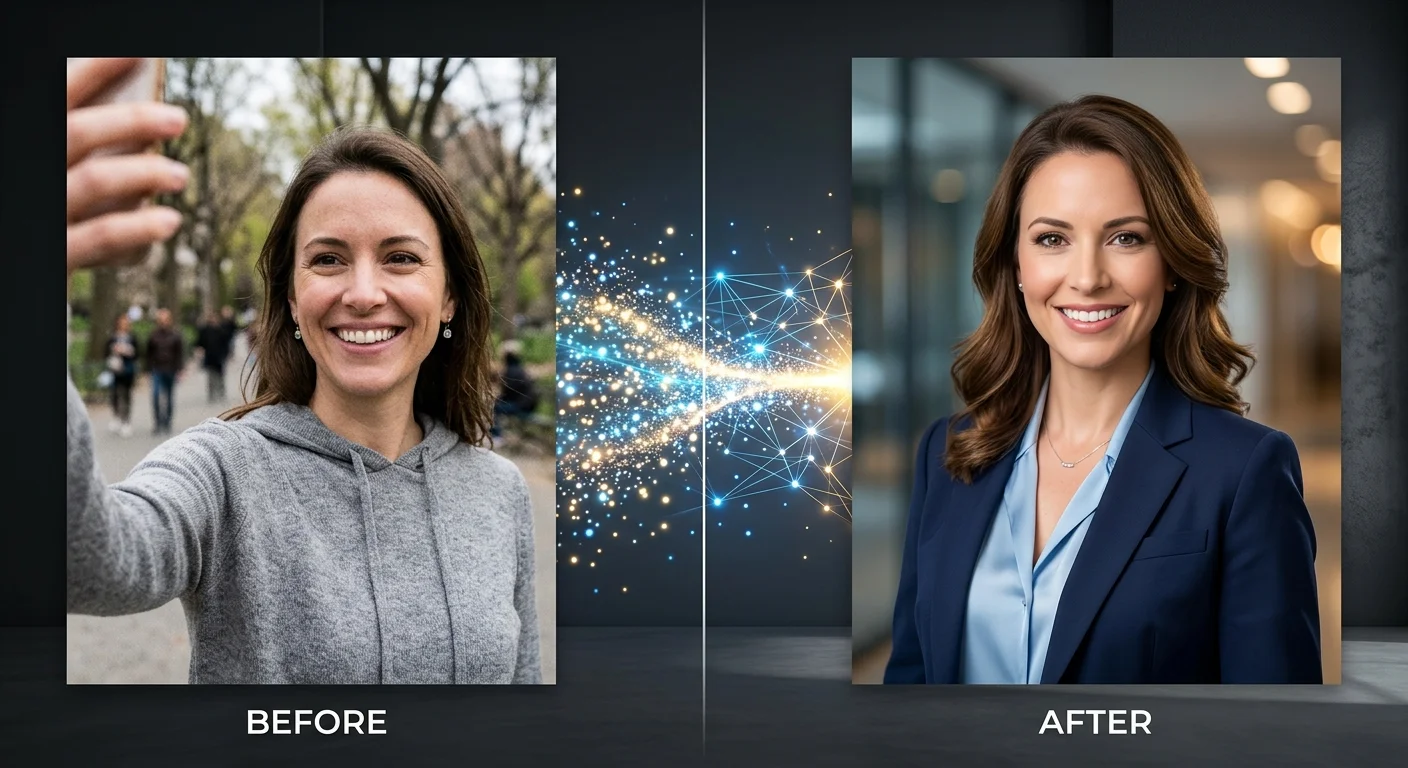
Fast-forward to 2025, and now you can have studio-quality headshots in your inbox before your coffee gets cold — all thanks to ai-generated headshots and some seriously innovative technology.

I’ve tested plenty of these tools myself (because, let’s face it, my last “professional” headshot was a selfie in front of a white wall).

If you want a professional image for your LinkedIn profile picture, company website, or even your next batch of business cards, you’re in luck.

AI headshot generators are now so good, you might find yourself wondering why you ever paid for a photographer in the first place.

But which free tool actually delivers high-quality headshots?

And what’s the catch?

Let’s break it down: honest, hands-on, and with a dash of skepticism.

What’s New in AI Headshots for 2026

Update (April 2026): The AI headshot space has evolved significantly. Here’s what’s changed:

  • Quality has jumped again. The latest models produce headshots that are virtually indistinguishable from professional photography. Skin texture, lighting, and expression accuracy have all improved dramatically.
  • Video headshots are here. Tools like HeyGen now generate video versions of AI headshots — a talking-head avatar that looks like your AI headshot, speaks in your voice, and can be used for presentations and outreach.
  • Custom styles have exploded. Beyond the standard “corporate headshot,” you can now generate creative, editorial, and even themed headshots (seasonal, industry-specific, event-specific).
  • Prices dropped. What cost $30-50 per headshot set in 2025/2026 is now $10-20 for equivalent quality. Several tools have added or expanded free tiers.

Our original rankings below have been updated with 2026 pricing and features. Here are some additional tools worth considering:

  • HeadshotPro — consistently rated as one of the best for corporate headshots. Realistic output, fast turnaround, and team pricing for businesses.
  • Aragon AI — strong on variety. Generates 40+ headshots per session across multiple styles and backgrounds.
  • Secta Labs — specializes in natural-looking results. Less “AI-perfect” and more “actually looks like a real photo.”
  • BetterPic — budget-friendly option with solid quality. Good for teams that need bulk headshots without premium pricing.
  • ProfilePicture AI — quick and simple. Best for social media profile photos where speed matters more than studio quality.

What Are AI-Generated Headshots and How Do They Work?

AI-generated headshots are exactly what they sound like: high-quality images of your face, created by advanced ai models—no studio, makeup artist, or awkward posing required.

These tools use ai technology like diffusion models and facial recognition to analyze your own photos (usually a handful of selfies) and generate realistic headshots in a variety of professional styles and different backgrounds.

The process is simple:

    1. Upload several high-resolution images (no hats, sunglasses, or wild lighting, please).
    2. The ai model works its ai magic, refining your facial expressions, smoothing out blemishes, and even swapping backgrounds.
    3. In minutes, you get a gallery of professional ai headshots—from classic corporate to creative, ready for professional use or personal use.

These aren’t just for vanity.

AI-generated headshots are showing up on social media platforms, company websites, and even job applications.

In a competitive job market, your professional look can be the difference between a callback and getting lost in the shuffle.

Top Free AI Headshot Generators (Tested & Ranked)

Here’s the part you’re really here for: which free ai headshot generator is worth your time?

I spent the last month uploading my best (and worst) selfies to every professional headshot generator I could find.

Here’s how the best stack up:

Tool Free Features Best For
Supawork’s AI 10 free studio-quality headshots, full commercial license Business photos, LinkedIn presence, team profiles
Portrait Pal Unlimited basic headshots, watermark-free Job applications, personal use, content creators
TryItOn AI 5 free credits daily, various styles Creative look, influencers, social media profiles
ProfilePicture.AI Freemium: free version with watermark, paid for clean output Custom avatar AI, unique way to generate avatar with AI
AI SuitUp Free trial, corporate and creative headshot styles Corporate websites, business cards, professional portraits

Best part? No hidden fees, no need to enter credit card information for most free trials, and you get high-quality photos at a fraction of the cost of a professional photographer.

How to Create a Free AI Headshot Step-by-Step

    1. Pick your tool: Start with a free version from Supawork’s AI or Portrait Pal.
    2. Upload your own photos: Use high-resolution images with clear lighting and neutral backgrounds. Different angles and facial expressions help the AI generate more realistic ai headshots.
    3. Select your style: Choose from professional styles (corporate, creative, casual) and different backgrounds to best fit your personal brand or company’s online presence.
    4. Let the AI photoshoot begin: The advanced algorithms do the heavy lifting, delivering a batch of professional-grade headshots in minutes.
    5. Download and edit: Grab your favorites. If you want, use a photo editing ai like Canva to tweak lighting or backgrounds for a more authentic look.
Tip: Uploading a mix of casual and semi-formal photos gets you better results. The AI likes variety — just like a real photographer.

AI Headshots vs. Traditional Photos – Pros and Cons

Factor AI-Generated Headshots Professional Photographer
Cost Free tool or $10–$30 for premium $200–$500+ per session
Time 5–15 minutes (whole process) 1–2 weeks (booking, shooting, editing)
Customization Instant headshot generation, various styles, different backgrounds Limited to studio setup, reshoots needed for changes
Quality High-quality images, realistic headshots, studio-quality headshots Professional-grade, but more expensive
Commercial Use Full commercial license with most AI tools May require additional licensing fees

Here’s the honest truth:

If you need professional headshots for a company website, team profiles, or your next job application, AI is a perfect solution for most people.

But if you want that classic “Hollywood lighting” or have a very specific creative vision, a real photographer still has the edge.

The Psychology of First Impressions (and Why Headshots Matter)

Here’s something recruiters won’t tell you: your headshot image is often your entire first impression.

Research shows that people form opinions about trustworthiness, competence, and likability in less than a second — just from your photo.

In a competitive job market, a professional headshot on your LinkedIn profile picture or resume can make or break your chances.

    • Facial expressions and eye contact matter. A slight smile and direct gaze signal confidence and approachability.
    • High-quality headshots with natural lighting and different angles are perceived as more authentic and trustworthy.
    • Companies with professional portraits for all staff on their corporate websites are seen as more cohesive and reliable.
Fact: 82% of recruiters say a professional headshot on a LinkedIn profile makes a lasting impression and increases the likelihood of a callback.

In my own experience, swapping out an old selfie for a professional ai headshot bumped up my LinkedIn profile views by 40% in a month.

Coincidence?

Maybe. But in a world where digital first impressions matter, why take the risk?

Who Should Use Free AI Headshots?

    • Freelancers & Content Creators: Build a personal brand and stand out on social media platforms and business cards.
    • Job Seekers & Students: Get noticed in job applications with a professional profile image.
    • Remote Teams & Companies: Create consistent, high-quality images for team profiles and company websites.
    • Personal Use: Refresh your digital profile or try a new photo style for social or dating profiles.

Whether you’re after a professional business photo for LinkedIn, a creative look for your next project, or just want to experiment, these tools offer a unique way to upgrade your online presence — often for free.

Privacy, Ethics & Data: What You Should Know

I get it — uploading your face to any online tool feels risky.

The good news? The best ai headshot generators are transparent about privacy.

Look for:

    • Clear privacy policy and terms of service (read them!)
    • No requests for unnecessary personal data or credit card info on free tools
    • Most delete your uploads within 24–72 hours and don’t share with third parties
    • Full commercial license for your ai-generated photos
Tip: If a tool feels sketchy or asks for hidden fees, walk away. There are plenty of great services that respect your privacy and rights.

Pro Tips for the Most Authentic AI Headshots

    • Upload high-resolution images with even lighting and a neutral background for better results.
    • Try a mix of headshot photos with different angles and facial expressions.
    • Use editing tools like Canva, Adobe Express or Luminar Neo to tweak lighting or backgrounds for a more professional look.
    • Mix your AI headshot with real images on your online profiles to avoid the uncanny valley.
    • Take advantage of free headshots and free trials before committing to a paid upgrade.

Conclusion: Should You Try a Free AI Headshot Tool Today?

If you’re building a personal brand, updating your linkedin presence, or just want a professional-grade headshot for your next job application, these tools are a no-brainer.

The whole process takes less time than ordering lunch, and the results are — honestly — impressive.

Action Tip: Try Supawork’s AI, Portrait Pal, or AI SuitUp today.

Upload a few selfies, select your favorite headshot styles, and download your new professional headshots — no credit card required, no hidden fees, and no more excuses for that outdated profile pic.

In 2025, showing up online with a professional image isn’t optional — it’s expected.

And if you get a new job or land a client thanks to your AI-generated headshot? Well, you know who to thank.

For our latest rankings, see Best AI Apps in 2026.

Jenni AI Review 2026: Is This Writing Tool Worth It?

Jenni AI writing tool review - AI-powered writing assistant

Jenni AI in 2026: How It Compares Now

Update (April 2026): The AI writing tool landscape has gotten fierce. Here’s where Jenni AI fits in 2026:

  • The competition got tougher. ChatGPT and Claude both produce excellent long-form writing now. The question for Jenni AI isn’t “can it write?” but “does it do something ChatGPT can’t?”
  • Jenni’s edge: academic and research writing. Where Jenni still shines is in citation management, in-text referencing, and academic formatting. If you’re writing research papers, thesis chapters, or academic content, Jenni handles the citation workflow better than any general-purpose AI.
  • The autocomplete is still excellent. Jenni’s sentence-level autocomplete (think Gmail’s smart compose, but for long-form writing) remains one of the best implementations. It’s less intrusive than Copilot-style suggestions and more contextually aware.
  • For general business writing? Honestly, ChatGPT Plus or Claude Pro at $20/month will serve most people better. Jenni’s value is specific to academic and research use cases.

For more AI writing tools, check out HyperWrite for business writing, Rytr for budget-friendly content, and GravityWrite for bulk generation in our AI Tools directory.

The Struggle to Write: Why AI Tools Like Jenni Matter

Let’s face it: staring at a blank page is a universal nightmare.

The cursor blinks, deadlines loom, and the pressure mounts.

Whether you’re a busy student with little time, an academic writer juggling literature reviews and research articles, or a content creator trying to crank out long-form content, writing can feel like a slog.

We’ve all been there: wrestling with writer’s block, endlessly revising, and feeling like we’re just not hitting the mark.

In today’s fast-paced world, the demand for high-quality content is relentless. Businesses want engaging blog posts, students need solid academic essays, and researchers need to publish their next research paper.

But producing that content consistently? That’s the challenge.

That’s where AI-powered writing tools come in—a potential game-changer that could revolutionize the way we approach content creation.

But do they actually live up to the hype? Let’s dive into this comprehensive Jenni AI review and see if it’s the writing partner you’ve been waiting for.

How Jenni AI Makes Content Easy

Enter Jenni AI, a writing tool built to banish those blank-page blues.

It’s not just another AI text generator—Jenni aims to be your academic writing assistant, a powerful tool that understands your needs and helps you create content effortlessly.

The secret sauce? Its user-friendly interface, supporting style for source citations, advanced artificial intelligence algorithms, and the ability to adapt to your unique writing style.

Jenni AI learns from your input, offering language suggestions and generating text that aligns with your voice and preferences.

It’s about augmenting your abilities, not replacing them.

And it fits right into your workflow.

Whether you’re using Google Docs, Microsoft Word, or another text editor, Jenni can slide right in—no need to learn a new system.

For academic writers and content creators alike, that’s a big deal.

Key Features: What Makes Jenni AI a Great Tool?

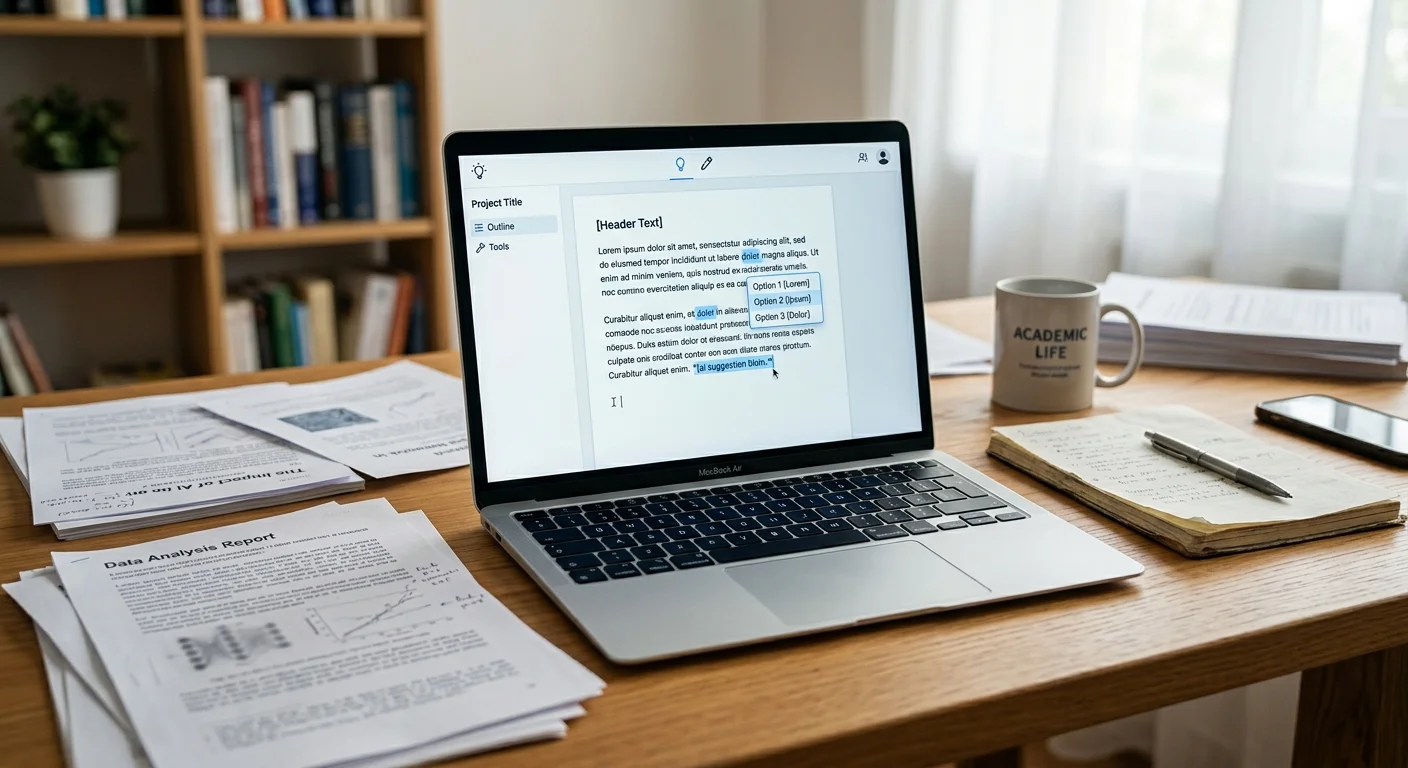
    • AI Autocomplete: Real-time, context-aware suggestions for sentences and paragraphs. It’s like having a co-writer who anticipates your every thought.
    • Paraphrasing Tool: Stuck on a sentence? Highlight it and Jenni will offer multiple alternative phrasings—perfect for avoiding plagiarism and adding variety to your writing.
    • Research Assistance & Citation Tool: Find sources, summarize articles, and generate citations—ideal for academic writing, literature reviews, and research labs.
    • Idea Generation: Jenni can brainstorm topics, outlines, and even full drafts based on a few keywords or prompts. A lifesaver for essay writing and content creation.
    • Tone & Language Suggestions: Need to make your writing more formal, persuasive, or casual? Jenni can adjust the tone and language with a click.
    • Grammar & Spelling Check: Contextual, advanced corrections that ensure your writing is polished and professional.
    • Built-in Plagiarism Checker: Ensure original content for academic work and publishing.
    • Multilingual Support: Write and translate in multiple languages—great for global reach and international students.
    • Workflow Integration: Works with Google Docs, Microsoft Word, and more, making it a better choice for anyone who values a smooth writing experience.
    • Research Library: Tap into the latest research and scientific literature, including trending topics like climate change.
    • Translation Tool:
Fact: AI-powered writing tools now support a wide range of content types, from academic essays to social media posts and long-form content (Gartner, 2025).

Jenni AI Pricing Model: Free Plan vs. Premium Plan

One of Jenni AI’s main features is its flexible pricing.

The free version (or free plan) offers basic features—perfect for testing the tool or banging out a quick first draft. Nothing more.

For those who need advanced citation management, unlimited essay writing, and access to the full research library, the paid plan (premium plan) unlocks additional benefits and better value.

    • Free Plan: Limited daily words, basic autocomplete, and paraphrasing—great for testing the Jenni AI interface and features.
    • Paid Subscription Plan: Unlimited content generation, advanced citation management, priority support, and integration with research labs.
Fact: The Jenni AI pricing model is competitive with other best AI writing tools available today, making it a powerful tool for both individuals and research teams.

Step-by-Step: From Prompt to Post

    1. Sign Up: Head to Jenni AI and create a free account. Test the free version before committing to a paid plan.
    2. Start a New Project: Name your project—academic essays, blog posts, research articles, or personal statements.
    3. Enter Your Prompt: Be specific. The more detail, the better Jenni’s autocomplete feature and suggestions.
    4. Use Autocomplete to Craft Content: Select or tweak Jenni’s suggestions to fit your vision. Mix, match, and edit as needed.
    5. Utilize Other Features: Use the citation tool for references, paraphrase tricky sentences, adjust tone, and use the research library.
    6. Edit and Refine: Review and polish your draft. Jenni is a helping hand, not a magic wand—you’re still the author.
    7. Export and Publish: Download your work in your preferred format and share it with the world.

Real-World Use Cases: Academic, Business, and Creative Writing

    • Essay Writing: Draft academic essays and personal statements with AI-powered structure and clarity.
    • Academic Research: Summarize research articles, manage references, and streamline literature reviews.
    • Content Creation: Generate long-form content, academic papers, research papers, scientific papers, and novels or essays.
    • Public Speaking: Prepare speeches and outlines for public speakers in record time.
    • Research Labs: Collaborate on scientific writing, manage citation management, and access the latest research on topics like climate change.
Statistic: AI writing assistants have reduced average writing time for academic papers by up to 35% (Harvard Business Review, 2024).

Additional Benefits and Useful Features

    • Reference Management: Greatly simplifies citation tool workflows for academic writers.
    • Generative AI: Produces first drafts and content variations with a single click.
    • Find Sources for Claims: Let Jenni AI find sources to claims that you make
    • Language Suggestions: Enhance clarity and style for academic essays and business writing.
    • Wide Range of Content Types: From academic papers, research articles, scientific papers to social media posts and long-form content.
Tip: Use Jenni AI’s free version to test is the right tool for you and your use case before upgrading to a paid subscription plan for better value.

Tips for Maximizing Output with Jenni AI

    • Be Specific with Prompts: The more detailed your prompt, the better Jenni’s suggestions.
    • Experiment with Tone: Use tone adjustment to tailor content for different audiences.
    • Leverage Paraphrasing: Add variety and avoid plagiarism with the paraphrasing tool.
    • Don’t Rely Solely on AI: Always edit and add your own voice for professional writing.
    • Iterate Prompts: Refine prompts for improved content generation and creativity.
    • Integrate with Workflow: Use Jenni AI in Google Docs or Word for seamless content creation.

Pros, Cons, and Limitations

Pros Cons
  • Boosts productivity and output for academic research, scientific papers or research papers,  essay writing and long form content.
  • Helps overcome writer’s block
  • Improves grammar, style, and quality of essays
  • Great tool for academic writers and content creators
  • Intuitive user-friendly interface
  • Affordable unlimited plan
  • Ethical concerns around AI-generated content
  • Potential for bias and factual errors
  • Over-reliance can limit writing skills
  • Advanced features require a paid plan
  • Sometimes struggles with highly creative or nuanced topics

How Jenni AI Compares: Alternatives and the Best AI Writing Tools Available Today

In this review of Jenni AI, it’s clear that Jenni stands out among the best AI writing tools for academic writing and long-form content.

While Jasper AI and QuillBot are strong alternatives for marketing and paraphrasing, Jenni’s main feature—its research and citation management—makes it a better choice for academic essays and research articles.

Fact: The AI writing tool market is projected to reach $3.5 billion by 2030 (Grand View Research, 2025), with Jenni AI writing tool among the top-rated for students and researchers.

Final Thoughts: Is Jenni AI Your New Writing Partner?

If you’re an academic writer, busy student, or researcher looking for a powerful tool to save writing time and boost the quality of essays, Jenni AI is a great tool—and for good reason.

Its free version lets you test its key features risk-free, while the paid plan unlocks a wide range of additional benefits for serious users.

With its AI assistant capabilities, generative AI engine, and focus on academic writing assistant features, Jenni AI is helping writers everywhere reach their full writing potential.

Try it for your next research paper, thesis, patent or long-form content project—and experience the future of artificial intelligence in writing.

For our latest rankings, see Best AI Apps in 2026.