

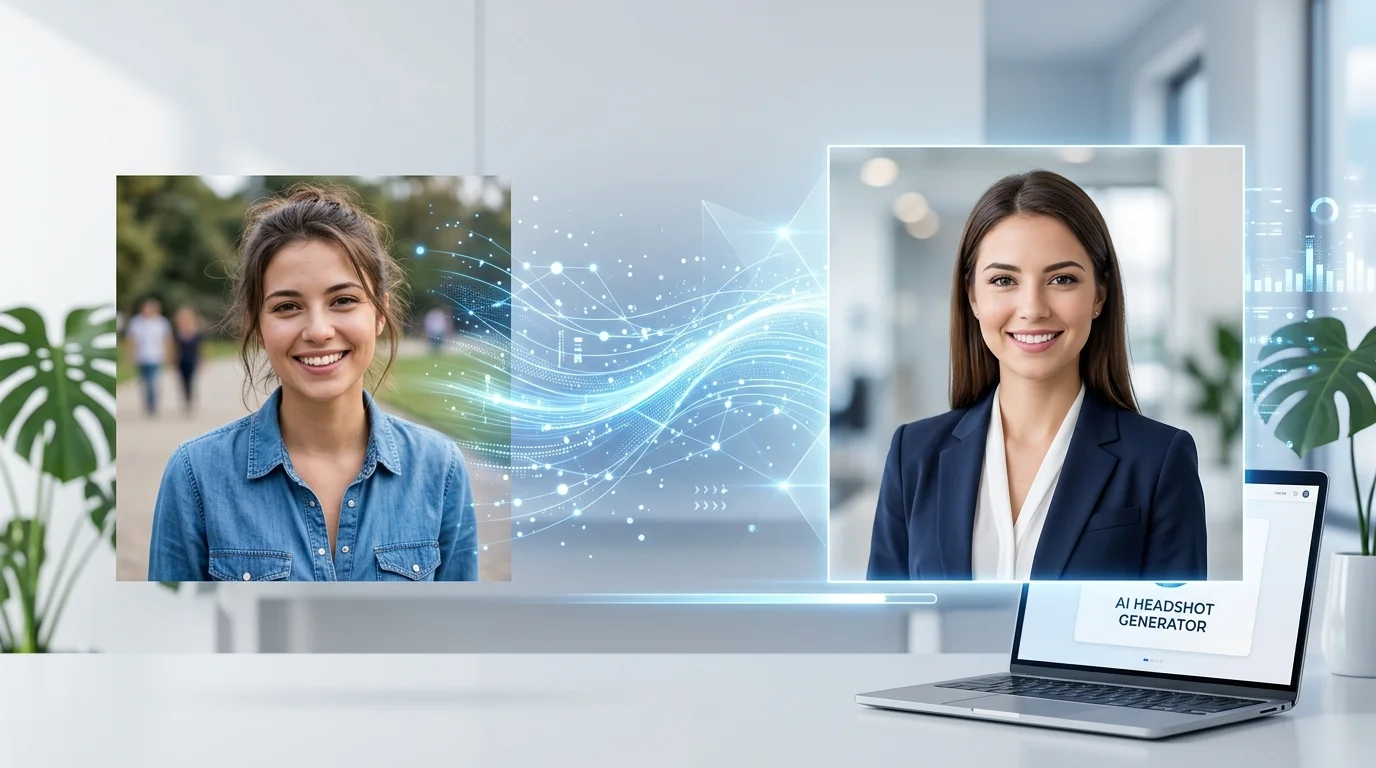
I uploaded the same selfie to 8 different AI headshot generators — and the quality gap was honestly shocking.
Some made me look like a Fortune 500 CEO. Others made me look like a wax figure having an allergic reaction. Same photo, wildly different results.
If you’re shopping for an AI headshot generator and don’t want to waste money on a bad one, this comparison will save you time. I tested each tool on the same criteria: photo realism, background options, turnaround time, and price.
How I Tested
To keep this fair, I used the exact same source photo for every tool — a well-lit, front-facing selfie taken with an iPhone. Nothing fancy.
For each generator, I evaluated:
- Realism — does it actually look like me, or a vaguely similar stranger?
- Professional quality — would I put this on LinkedIn without cringing?
- Background variety — office, studio, outdoor options?
- Speed — how long until results were ready?
- Price — what does it actually cost for usable photos?
Let’s get into the results.
1. HeadshotPro — Best Overall
Realism: 9/10 | Quality: 9/10 | Speed: ~2 hours | Price: From $29
HeadshotPro delivered the most consistently professional results. The skin texture looked natural, lighting was realistic, and the AI nailed my facial features without that uncanny valley weirdness.
You upload 10-20 photos (not just one), and it generates 40+ headshots across different backgrounds and styles. The variety was impressive — corporate, casual, creative. I got 3-4 images I’d genuinely use on LinkedIn or a company website.
The catch: It’s not instant. Results take 1-2 hours. But for the quality you get, that’s a fair trade.
2. Aragon AI — Best for Speed
Realism: 8/10 | Quality: 8/10 | Speed: ~30 minutes | Price: From $29
Aragon AI was the fastest of the bunch that still produced professional-grade results. About 30 minutes from upload to finished headshots.
The quality was a hair below HeadshotPro — some results had slightly over-smoothed skin — but 80% of the outputs were perfectly usable. It also offers a good range of backgrounds and clothing options.
Best for: Anyone who needs results today, not tomorrow.
3. Secta Labs — Best Variety
Realism: 8/10 | Quality: 8/10 | Speed: ~1 hour | Price: From $49
Secta Labs generated the most headshots per session — over 100 different variations. If you want options, this is your tool.
The quality was solid across the board. Not every image was a winner, but with 100+ to choose from, you’re basically guaranteed to find several you love. The interface is clean and makes it easy to browse and download favorites.
Downside: The higher price point. But per-headshot, the value is actually quite good.
4. BetterPic — Best Budget Option
Realism: 7/10 | Quality: 7/10 | Speed: ~1 hour | Price: From $25
BetterPic hits a sweet spot of “good enough” at a lower price. The results weren’t as refined as HeadshotPro or Aragon, but they were solid for the money.
Where BetterPic stands out is outfit variety. It can dress you in different professional attire — suits, business casual, creative looks — which is a nice touch if your source photos are in a t-shirt.
Best for: Freelancers or students who need a professional headshot without spending $50+.
5. ProfilePicture AI — Best for Social Media
Realism: 7/10 | Quality: 7/10 | Speed: ~1 hour | Price: From $19
ProfilePicture AI is more oriented toward social media profiles than corporate headshots. The results have a slightly more polished, “Instagram-ready” vibe.
It also offers fun styles — artistic, cartoon, anime — alongside the professional options. Not as buttoned-up as HeadshotPro, but versatile if you need headshots for multiple platforms.
Best for: Content creators, influencers, or anyone who wants variety beyond corporate looks.
6. Remini — Best Free Option
Realism: 6/10 | Quality: 6/10 | Speed: Instant | Price: Free (with limits)
Remini isn’t primarily a headshot generator — it’s a photo enhancer. But its AI headshot feature is surprisingly decent for a free tool.
The results are more “enhanced selfie” than “professional headshot.” Lighting improvements are good, skin smoothing is acceptable (if a bit heavy-handed), but the backgrounds are limited. You get what you pay for — which in this case is nothing.
Best for: Testing the waters before committing to a paid tool.
7. Fotor AI Headshots — Middle of the Pack
Realism: 6/10 | Quality: 6/10 | Speed: ~30 minutes | Price: From $9.99
Fotor’s AI headshot feature is cheap and fast, but the quality showed it. Several of my results had odd lighting artifacts, and the facial features were noticeably less accurate than the top-tier tools.
At $9.99 it’s hard to complain too much, but I wouldn’t use these for anything beyond a casual social media profile.
8. Generated Photos — Most Artificial
Realism: 4/10 | Quality: 5/10 | Speed: Instant | Price: From $9.99/mo
Generated Photos takes a different approach — it doesn’t enhance your actual photo, it creates a synthetic face that’s supposed to resemble you. The results were… not great. I could see a vague resemblance, but it wasn’t me.
This tool is better for creating stock-style headshots for websites or apps where you don’t need a real person’s face. For personal professional headshots? Hard pass.
The Verdict: Side-by-Side Ranking
| Tool | Realism | Quality | Speed | Price From | Best For |
|---|---|---|---|---|---|
| HeadshotPro | 9/10 | 9/10 | ~2 hrs | $29 | Best overall quality |
| Aragon AI | 8/10 | 8/10 | ~30 min | $29 | Fastest quality results |
| Secta Labs | 8/10 | 8/10 | ~1 hr | $49 | Most variety |
| BetterPic | 7/10 | 7/10 | ~1 hr | $25 | Budget-friendly |
| ProfilePicture AI | 7/10 | 7/10 | ~1 hr | $19 | Social media profiles |
| Remini | 6/10 | 6/10 | Instant | Free | Free option |
| Fotor | 6/10 | 6/10 | ~30 min | $9.99 | Cheap and quick |
| Generated Photos | 4/10 | 5/10 | Instant | $9.99/mo | Synthetic stock photos |
Which One Should You Pick?
Need the best quality? Go with HeadshotPro. The 2-hour wait is worth it for headshots that actually look professional.
Need results fast? Aragon AI delivers near-top-tier quality in 30 minutes.
On a tight budget? BetterPic at $25 gives you decent results without breaking the bank. Or try Remini for free to see if AI headshots even work for your face shape and skin tone.
Want maximum options? Secta Labs generates 100+ variations so you’ll definitely find something you like.
A Few Tips for Better Results
Regardless of which tool you choose:
- Use well-lit photos — natural light, facing a window, is ideal
- Front-facing works best — slight angles are fine, but don’t go full profile
- Upload multiple source photos (if the tool allows) — more input = better output
- Skip heavy filters on your source photo — the AI needs to see your actual features
- Check the fine print — some tools retain usage rights to generated images
Want to explore more AI-powered image tools? Check out our full AI tools directory — we’ve reviewed tools for everything from AI image generation to photo editing and beyond.