

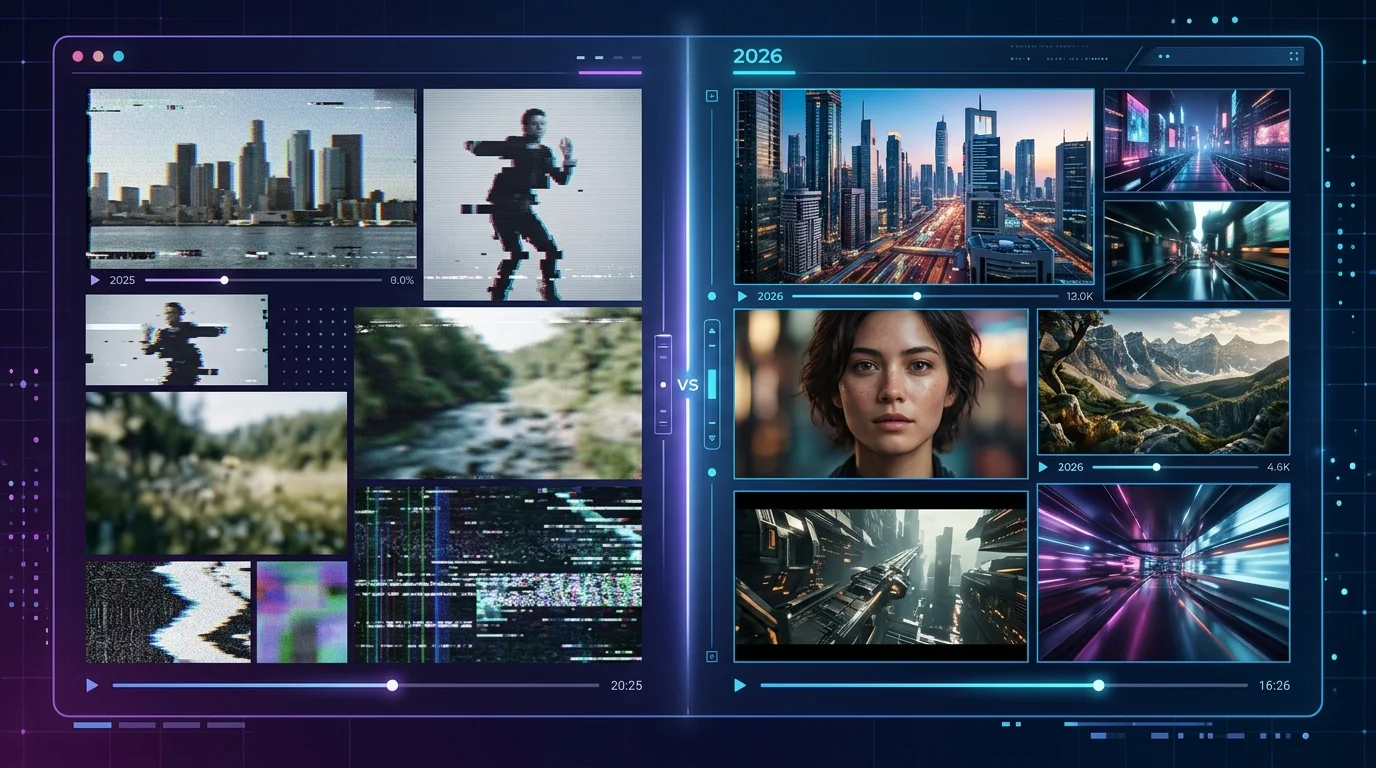
The AI Video Landscape Changed More in 12 Months Than the Previous 5 Years Combined
If you tested AI video creation tools in early 2025, you probably walked away impressed but skeptical. The clips were short. The motion was janky. Hands looked like melted candles. And anything longer than 4 seconds? Forget it.
Fast-forward to 2026, and it’s a completely different story. I’ve been testing these tools across both years — and the gap between where we were and where we are now is staggering.
This isn’t another “best tools” listicle. (We already wrote that one.) Instead, this is a head-to-head look at what actually improved, what’s still broken, and which tools made the biggest leaps — so you can decide if it’s finally time to bring AI video into your workflow.
What AI Video Tools Looked Like in 2025
Let’s set the baseline. In early-to-mid 2025, here’s what the best AI video creation tools could do:
- Clip length: 4–10 seconds was the norm. Runway Gen-2 topped out around 16 seconds.
- Resolution: 720p was standard. 1080p was possible but slow and expensive.
- Motion quality: Objects would warp mid-motion. Camera movements were inconsistent. Physics? Largely imaginary.
- Audio: Completely absent. You’d generate video, then add voiceover or music separately.
- Faces: Hit-or-miss. Talking heads worked okay in Synthesia and HeyGen, but text-to-video faces were unreliable.
- Pricing: Most tools charged per second or per generation. Costs added up fast.
The tools that existed in 2025 — Runway Gen-2, Pika 1.0, Stable Video Diffusion, early Kling — were impressive demos. But for actual business use? Most solopreneurs and small teams stuck with stock footage and screen recordings.
What Changed in 2026: The 7 Biggest Improvements
Here’s what’s genuinely different now — not incremental updates, but fundamental shifts in what these tools can do.
1. Video Length Went From Seconds to Minutes
This was the single biggest bottleneck in 2025. Google Veo 3.1 now generates clips up to 60 seconds in a single pass. Kling 3.0 does 30 seconds natively. Even InVideo AI stitches together multi-minute videos from a single prompt.
In 2025, you’d need to chain multiple 4-second clips together — and good luck getting them to look consistent. That hack is basically dead now.
2. Audio Generation Got Baked In
This one caught everyone off guard. Google Veo 3 launched with native audio generation — dialogue, sound effects, ambient noise, all generated alongside the video. No more silent clips that need post-production.
In 2025, audio was a completely separate step. You’d use one tool for video, another for voiceover, another for music. Now the best tools handle it in one shot.
3. Motion Physics Actually Work
Kling 3.0 made the biggest leap here. Water flows realistically. Objects have weight. Hair and fabric move naturally. The “AI jitter” — that weird wobble where things don’t quite obey gravity — is mostly gone at the top end.
In 2025, even the best outputs had a dreamlike quality where physics were more of a suggestion than a rule. You could spot AI video from across the room.
4. Business-Ready Tools Matured
Synthesia and HeyGen were already decent for avatar-based videos in 2025, but they’ve become genuinely impressive in 2026. Lip-sync accuracy improved dramatically. Custom avatars look more natural. And both now support real-time avatar generation — you can create a training video in minutes, not hours.
Creatify went from a niche ad tool to a full marketing video platform. Script-to-video in under 2 minutes with AI avatars, product shots, and auto-optimized formats for every social platform.
5. Editing Became Conversational
Descript pioneered the “edit video like a document” concept, but 2026 took it further. Now you can tell tools like Runway Gen-4 to “make the sky more dramatic” or “slow down the camera pan” using natural language — and they actually do it.
In 2025, editing meant re-generating from scratch or jumping into traditional video editors. The iteration loop was painfully slow.
6. Image-to-Video Became Reliable
Taking a still image and animating it was technically possible in 2025. In practice, it was a coin flip. Pika and Runway would animate maybe 1 in 3 images convincingly.
Now? Kling 3.0 and Hailuo handle image-to-video with surprising consistency. Product photos come alive. Portraits start talking. Even complex scenes with multiple subjects maintain coherence. (We covered the best free image-to-video tools separately if you want the deep dive.)
7. Pricing Dropped — Significantly
Competition did its thing. Where 2025 tools charged $0.50–$2.00 per generation, many 2026 tools offer subscription models with generous monthly limits. InVideo AI gives you unlimited exports on paid plans. VideoGen offers solid free tiers for faceless content. The barrier to entry is lower than it’s ever been.
Tool-by-Tool: 2025 vs 2026 Comparison
Here’s how the major players evolved. I’m comparing their state in mid-2025 versus where they are now in 2026.
| Tool | 2025 State | 2026 State | Biggest Improvement |
|---|---|---|---|
| Google Veo | Veo 1 (limited access, short clips) | Veo 3.1 (60s clips, native audio, 1080p) | Audio generation + length |
| Runway | Gen-2 (16s max, 720p, no audio) | Gen-4 (natural language editing, better motion) | Conversational editing |
| Kling | v1.0 (decent motion, 5s clips) | 3.0 (30s clips, realistic physics) | Motion physics + length |
| Pika | 1.0 (fun effects, inconsistent quality) | 2.2 (social media optimized, faster) | Speed + consistency |
| Synthesia | Good avatars, stiff movement | Natural avatars, real-time generation | Avatar realism |
| HeyGen | Solid lip-sync, limited customization | Custom avatars, instant video translation | Personalization + localization |
| InVideo AI | Template-based, AI-assisted editing | Full prompt-to-video, multi-minute output | End-to-end AI generation |
| Hailuo (MiniMax) | Early beta, limited access | Fast cinematic output, strong image-to-video | Speed + quality |
| Descript | AI editing features, some generation | Full AI video creation + editing suite | Unified creation + editing |
What’s Still Not Great (Even in 2026)
I don’t want to paint an unrealistically rosy picture. There are still real limitations:
- Consistency across scenes: Generating a single clip? Great. Generating 10 clips that look like they belong in the same video? Still requires manual work.
- Fine control: You can guide the AI, but you can’t direct it like a cinematographer. Specific compositions and exact timing remain hit-or-miss.
- Long-form narrative: Nobody’s generating a coherent 10-minute video from a single prompt yet. You’re still assembling clips.
- Text in video: On-screen text rendering is better but not perfect. Expect occasional garbled letters.
- Ethical guardrails: Deepfake concerns are real. Most tools have stricter content policies now — which is good, but also means some legitimate creative uses get blocked.
Which Tools Are Worth Switching To (Or Starting With)
Based on testing both years, here’s my honest take:
If you tried AI video in 2025 and gave up: Try again. Seriously. The tools that frustrated you 12 months ago are fundamentally different now. Start with InVideo AI if you want the lowest learning curve, or Google Veo 3.1 if you want the most impressive raw output.
If you need business videos (training, demos, sales): Synthesia and HeyGen are no-brainers. The avatar quality jump from 2025 to 2026 is dramatic enough that clients won’t think “that’s AI” anymore.
If you’re a content creator on a budget: VideoGen and Pika 2.2 offer the best free-to-affordable ratio. Pair them with Descript for editing and you’ve got a legitimate production pipeline for under $50/month.
If you want cutting-edge quality: Google Veo 3.1 and Kling 3.0 are the current benchmarks. Neither is cheap, but the output quality would’ve been science fiction 18 months ago.
For the full rundown of what’s available right now, check our complete guide to the 11 best AI video generation tools in 2026. And if you’re exploring AI tools beyond video, browse the full Aixelerate AI tools directory — we’ve got 169+ tools reviewed and categorized.
The Bottom Line
The best AI video creation tools in 2025 were promising experiments. The best ones in 2026 are legitimate production tools. That’s not marketing hype — it’s what happens when an entire industry iterates as fast as this one has.
The question isn’t “is AI video good enough yet?” anymore. It’s “which tool fits my specific workflow?” And honestly? That’s a much better problem to have.