

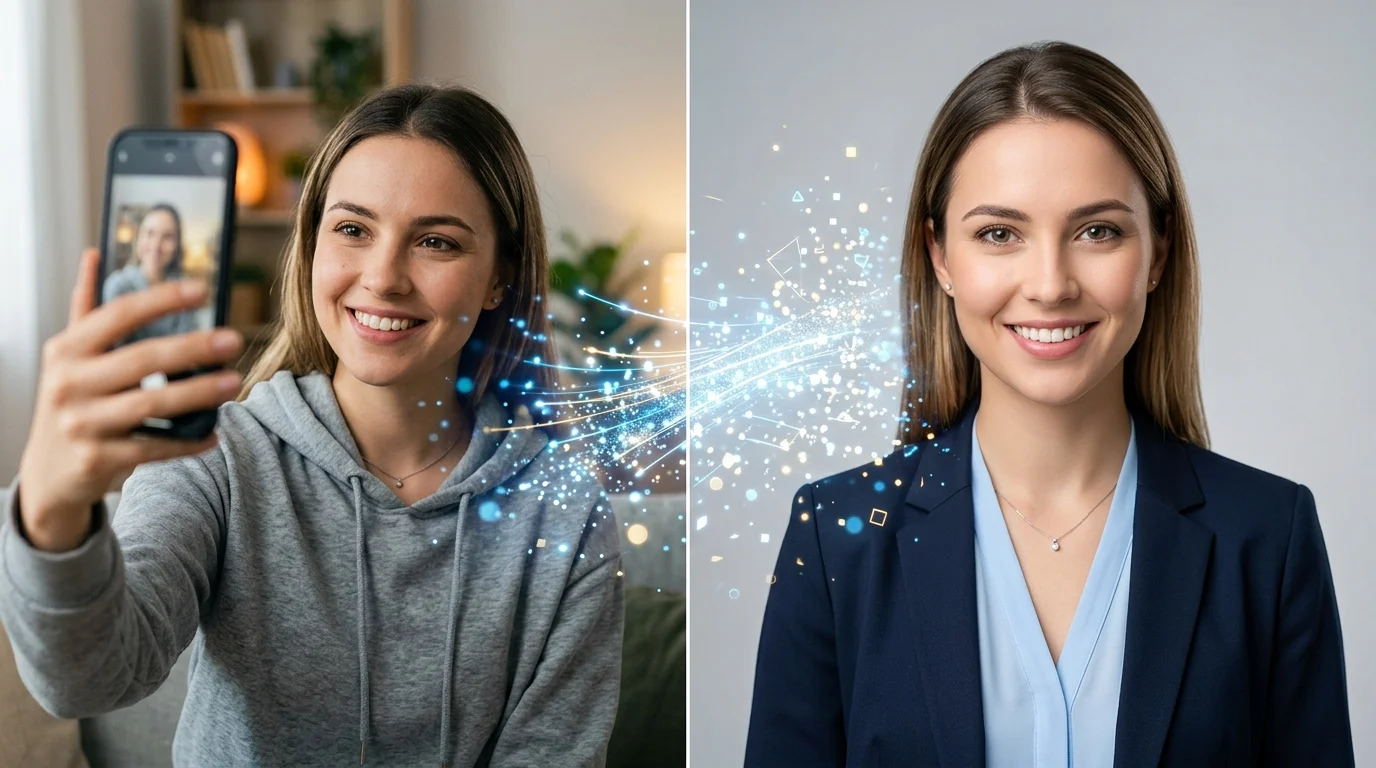
I’ll be honest — when I first tried free AI headshot generators, I expected garbage.
Weird uncanny valley faces, obvious AI artifacts, the kind of photos that scream “this person doesn’t exist.” But the tools available in 2026? They’re genuinely good. Some of them produce headshots I’d actually use on LinkedIn.
The catch — because there’s always a catch — is that “free” means different things to different tools. Some give you unlimited generations with watermarks. Others give you 2-3 premium headshots and then want your credit card.
I’ve tested them all so you don’t have to.
The Best Free AI Headshot Generators (Actually Tested)
HeadshotPro — Best Overall Free Option
HeadshotPro offers a completely free tier that generates professional-quality headshots from your selfies.
The output is consistently the most natural-looking among the free options I tested. Lighting, skin texture, and expression all look realistic — not that “AI smooth” look that gives it away instantly.
Free tier: Limited free headshots. No sign-up required for basic use.
Best for: LinkedIn profile photos, corporate headshots, business websites.
Aragon AI — Most Variety
Aragon AI generates 40+ headshots per session across multiple styles and backgrounds — corporate, creative, casual, outdoor.
The free tier is generous enough to find at least a few shots you’ll love. The variety is where Aragon beats most competitors — instead of 3 similar-looking results, you get genuinely different options.
Free tier: Free headshot generation, no credit card required.
Best for: People who want options. Team headshots where everyone needs a different style.
Secta Labs — Most Natural Results
If your biggest fear is looking like an AI-generated person, Secta Labs is your answer.
Their AI specializes in producing headshots that look like actual photographs rather than AI renders. Less “perfect,” more “realistic” — which is exactly what you want for a professional headshot that people will trust.
Free tier: Limited free generations.
Best for: Anyone who wants a headshot that doesn’t look AI-generated.
ProfilePicture AI — Quickest Option
ProfilePicture AI is the fastest path from selfie to professional headshot.
Upload a photo, pick a style, get results in under a minute. The quality isn’t at HeadshotPro levels, but for social media profile photos where you just need something clean and professional right now, it delivers.
Free tier: Free basic generations.
Best for: Quick social media profile photos. When “good enough fast” beats “perfect eventually.”
BetterPic — Best Budget Option
BetterPic sits in the sweet spot between free and premium.
The output quality is solid — better than most free tools, nearly as good as the premium ones. If you need multiple headshots (for a team, or different platforms), the pricing per headshot is the lowest I’ve found.
Free tier: Limited free trial.
Best for: Teams and businesses that need bulk headshots without premium pricing.
Other Free Options Worth Trying
- Canva AI Headshot Generator — 2 free credits, then wait 24 hours for more. Good if you’re already in Canva.
- Dreamwave — no signup needed. Studio-quality output, limited free use.
- VisualGPT — no sign-up, no ads. Upload and generate. Basic but functional.
- Pixelbin — 3 free HD headshots per month, no signup.
How to Get the Best Results from Free AI Headshots
The tool matters, but your input photos matter more. Here’s what I’ve learned from testing dozens of generations:
Upload Rules
- Use 5-10 photos minimum. More input = better output. The AI needs variety to understand your face.
- Good lighting is non-negotiable. Natural light, face clearly visible, no harsh shadows. Your phone camera near a window is perfect.
- No sunglasses, hats, or heavy filters. The AI needs to see your actual face, hairline, and skin tone.
- Mix angles. Front-facing, slight left turn, slight right turn. Gives the AI a 3D understanding of your face.
- Recent photos only. If you’ve changed your hairstyle, weight, or facial hair — use current photos. The headshot should look like you today.
Choosing the Right Style
- LinkedIn / Corporate: Neutral background, professional clothing, soft smile. HeadshotPro and Aragon excel here.
- Creative / Startup: More relaxed pose, interesting background, personality showing through. Secta Labs nails this.
- Social Media: Bright, approachable, slightly more casual. ProfilePicture AI is fastest for this.
Free vs. Paid: When to Upgrade
| Free AI Headshots | Paid AI Headshots ($10-30) | Real Photographer ($100-500) | |
|---|---|---|---|
| Quality | Good — 7/10 | Great — 9/10 | Best — 10/10 |
| Time | 5 minutes | 5 minutes | 1-3 hours + travel |
| Variety | Limited styles | 40+ styles | Depends on session |
| Consistency | Hit or miss | Reliable | Reliable |
| Best for | Testing, social media | LinkedIn, websites, teams | Executive branding, high-stakes |
My recommendation: Start with the free tier of HeadshotPro or Aragon AI. If you like the results, the paid tiers give you higher resolution and more options. Only book a real photographer if you’re a C-suite executive, public speaker, or someone whose personal brand depends on having the absolute best photo.
The Bottom Line
Free AI headshot generators in 2026 are good enough for 90% of professional use cases.
The days of needing a photographer for a decent LinkedIn photo are over. Upload 5-10 selfies, pick a style, and you’ll have a professional headshot in minutes.
The only question is which tool matches your needs — and now you know.
For our full comparison including paid options, check our complete AI headshots guide. Or browse all AI tools in our AI Tools directory.