

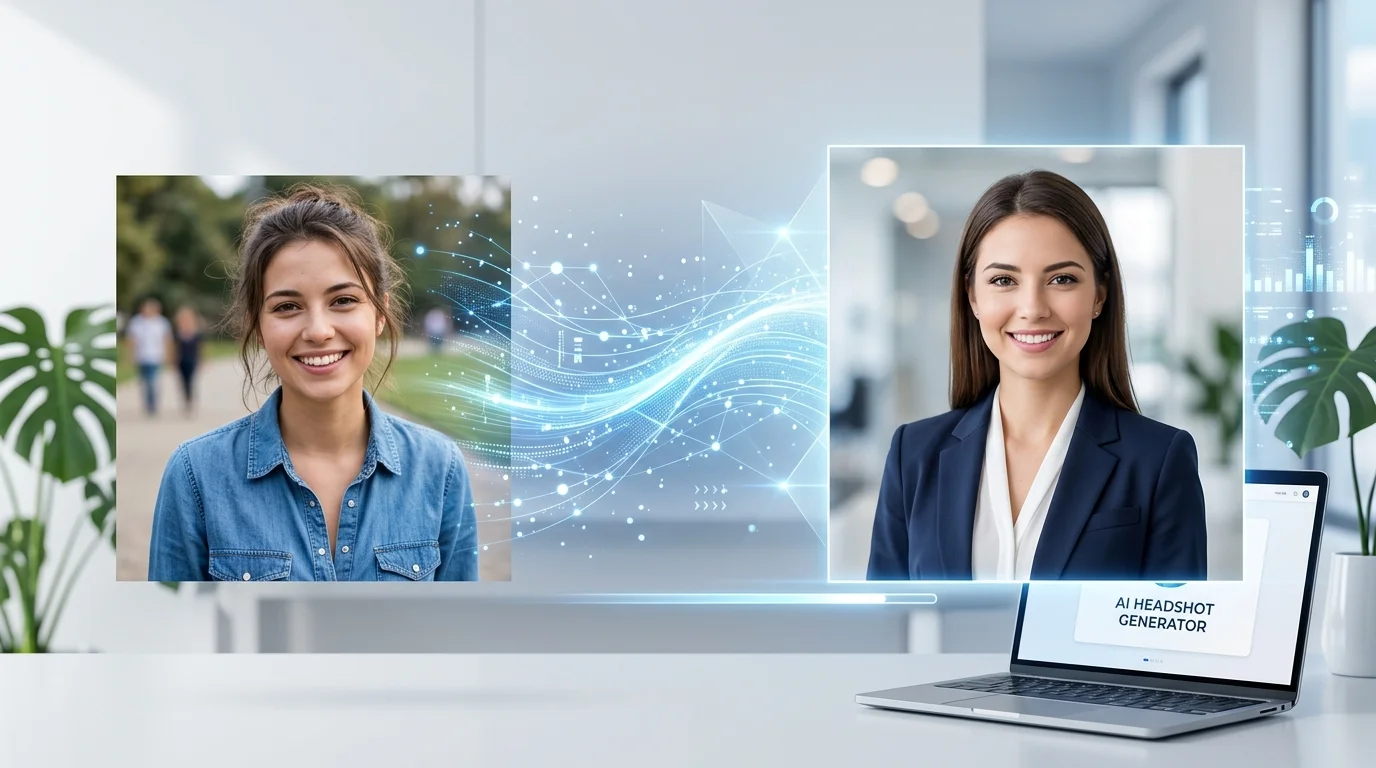
Professional headshots used to mean hiring a photographer, booking a studio, and dropping $200+. Then AI headshot generators showed up — but most of them still charge $30-50 per session.
Good news: you don’t actually need to pay anything. Several free AI headshot generator tools now produce results that are genuinely good enough for LinkedIn profiles, company team pages, and social media.
I tested over a dozen free options and narrowed it down to the 7 that actually deliver professional-looking results. Here’s what works, what doesn’t, and which ones are worth your time.
What Makes a Good Free AI Headshot Generator?
Before we get into the list — not all free AI headshot tools are created equal. Here’s what I looked for:
- Actually free — no hidden paywalls after you upload your photo
- Professional quality — clean backgrounds, proper lighting, realistic skin tones
- No watermarks — usable output without upgrading
- Reasonable likeness — it should still look like you
1. HeadshotPro Free Tier
HeadshotPro is one of the most well-known AI headshot generators, and their free tier gives you a taste of what the paid version offers. Upload a few selfies, and their AI generates studio-quality headshots with professional backgrounds and lighting.
Free offer: Limited headshots per session with lower resolution. Good enough for social media profiles, but you’ll want the paid version for print-quality images.
Best for: Quick LinkedIn profile updates when you need something that looks polished in minutes.
2. ProfilePicture.AI
ProfilePicture AI specializes in — you guessed it — profile pictures. Their AI is trained specifically on professional portrait styles, which means the output looks natural rather than obviously AI-generated.
Free offer: A set of AI-generated profile pictures from your uploaded photos. The free tier covers the basics for anyone who needs a professional-looking headshot fast.
Best for: Social media profiles across multiple platforms. Generate one session and use the results everywhere.
3. Fotor AI Headshot Generator
Fotor has been in the photo editing space for years, and their free AI headshot generator is surprisingly capable. It handles background removal, lighting adjustments, and even generates multiple style options from a single photo.
Free offer: Basic AI headshot generation with standard backgrounds. The interface is clean and the results are consistent.
Best for: Users who want headshots and basic photo editing in one tool — no need to switch between apps.
4. Canva AI Headshots
Canva added AI headshot generation to their free plan in late 2025, and it’s become one of the easiest options available. If you already use Canva for anything (and let’s be honest — most solopreneurs do), this is the path of least resistance.
Free offer: AI-enhanced headshots with Canva’s background library. Limited styles on the free plan, but enough for professional use.
Best for: Solopreneurs who already live in Canva and want headshots without adding another tool to their stack.
5. Aragon AI Free Trial
Aragon focuses exclusively on professional headshots and has built their entire model around corporate photography styles. The free trial gives you enough output to decide if the quality meets your standards.
Free offer: Trial generation with a handful of headshot variations. The AI handles different outfits, backgrounds, and lighting conditions impressively well.
Best for: Corporate team pages where consistency across multiple headshots matters.
6. Remini
Remini started as a photo enhancement tool but has expanded into AI headshot generation. What sets it apart is the enhancement focus — it doesn’t just generate a headshot, it upscales and refines every detail.
Free offer: Daily free generations with their mobile app. The quality is excellent, especially for enhancing existing photos into headshot-quality images.
Best for: Mobile-first users who want to turn a decent selfie into a professional headshot on their phone.
7. PhotoRoom
PhotoRoom is technically a background removal tool, but their AI headshot features have gotten genuinely good. Upload any photo, and it’ll generate professional backgrounds, fix lighting, and produce business-ready headshots.
Free offer: AI background generation and basic headshot features on the free plan. Some premium backgrounds require an upgrade.
Best for: E-commerce sellers and solopreneurs who need professional photos for multiple purposes — headshots, product images, and social content.
Free vs. Paid: When Should You Upgrade?
For most solopreneurs, a free AI headshot generator is more than enough. Here’s when you might consider paying:
- Print materials — free tiers usually cap resolution. If you need headshots for brochures or large displays, you’ll want higher resolution output.
- Team consistency — if you’re generating headshots for a whole team, paid tools offer batch processing and style matching.
- Specific backgrounds — want a custom office backdrop or branded background? That’s usually behind the paywall.
For LinkedIn, your website about page, and social profiles? Free works perfectly fine.
If you want a deeper comparison of both free and paid options — including pricing breakdowns and quality comparisons — check out our complete AI headshot generator guide.
Tips for Getting Better Results
Regardless of which free AI headshot generator you choose, these tips will get you better output:
- Start with a good photo. Well-lit, front-facing, neutral expression. AI can enhance — but it can’t fix a blurry, poorly-lit selfie.
- Upload multiple angles. Tools that accept multiple photos (like HeadshotPro) produce more accurate results.
- Keep it simple. Plain clothing, minimal accessories. Let the AI focus on your face, not your outfit.
- Compare outputs. Try 2-3 generators with the same photo. Different AI models produce different results — pick the one that looks most natural.
The Bottom Line
You don’t need to spend money on a professional headshot anymore. These 7 free AI headshot generators produce results that are good enough for any professional context — and they keep getting better.
Start with HeadshotPro or ProfilePicture AI for the most polished results, or use Canva if you’re already in their ecosystem. The whole process takes under 10 minutes.
Looking for more AI tools to streamline your business? Browse our complete AI tools directory — we’ve reviewed over 160 tools across every category.