ChatGPT Agents Explained: What They Are, How They Work, and Why Solopreneurs Should Care

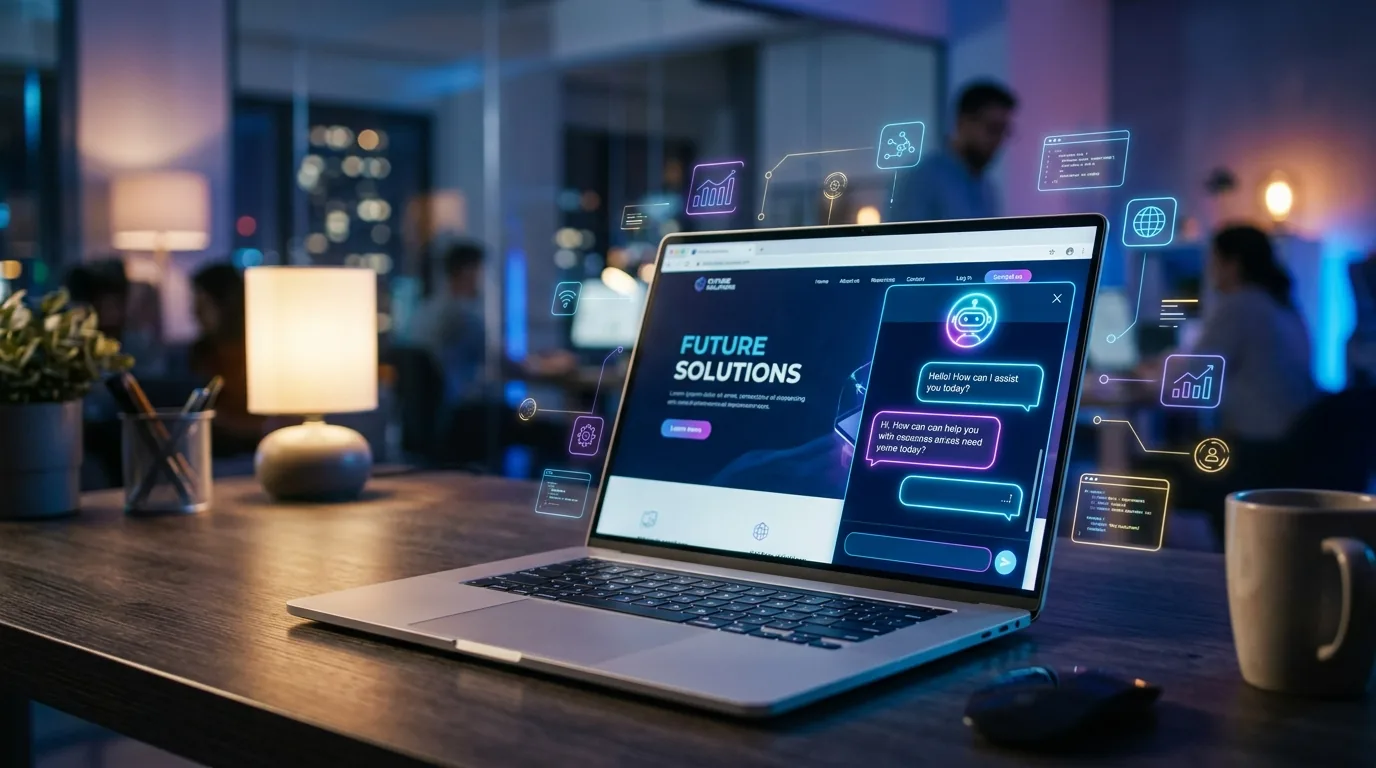
AI agent concept illustration showing a friendly robot assistant interacting with digital tools and workflows

If you’ve been using ChatGPT as a fancy search engine or writing assistant, you’re missing the biggest update OpenAI has shipped. ChatGPT agents can now browse the web, write and run code, analyze files, and chain multiple actions together — all without you babysitting every step.

That’s a fundamental shift. Instead of copy-pasting prompts back and forth, you give an agent a goal and it figures out the steps to get there.

Here’s what that actually means for solopreneurs running lean businesses.

What Are ChatGPT Agents?

ChatGPT agents are AI systems that go beyond simple question-and-answer. They can:

  • Take actions — browse websites, run Python code, create files, analyze data
  • Make decisions — choose which tool to use based on what the task requires
  • Chain steps — complete multi-step workflows without waiting for your input at each stage
  • Use tools — access the internet, code interpreter, file uploads, DALL-E, and third-party plugins

Think of it this way: regular ChatGPT is like texting a really smart friend. A ChatGPT agent is like hiring a smart intern who can actually do things — not just tell you what to do.

How Do ChatGPT Agents Work?

Under the hood, agents follow a loop that looks like this:

  1. Receive a goal — you tell the agent what you want accomplished
  2. Plan — the agent breaks the goal into steps
  3. Execute — it runs each step using available tools (browser, code interpreter, etc.)
  4. Evaluate — it checks if the output matches what you asked for
  5. Iterate — if something’s off, it adjusts and tries again

This is called the ReAct loop (Reasoning + Acting), and it’s what makes agents qualitatively different from a standard chatbot. They don’t just predict the next word — they plan, act, and self-correct.

Real Use Cases for Solopreneurs

This isn’t theoretical. Here’s how solopreneurs are actually using ChatGPT agents right now:

Market Research on Autopilot

“Research my top 5 competitors in the AI consulting space. For each one, find their pricing, main services, recent blog posts, and social media presence. Put it all in a comparison table.”

The agent will browse each competitor’s website, pull relevant data, and compile everything into a structured table — work that would take you 2-3 hours done in minutes.

Data Analysis Without the Learning Curve

Upload a CSV of your sales data and ask: “Find trends, identify my best-performing products, and suggest which ones I should promote more.” The agent writes Python code, runs the analysis, creates charts, and gives you actionable recommendations.

No pandas knowledge required. No Excel formulas. Just plain English.

Content Repurposing

“Take this 2,000-word blog post and create: a LinkedIn post, 5 tweets, an email newsletter intro, and a YouTube script outline.” One piece of content, multiple formats, done in one conversation.

Customer Email Drafting

“Here are 10 customer support emails I received today. Draft personalized responses for each one, matching my brand voice. Flag any that need my personal attention.” The agent handles the routine ones and escalates the tricky situations to you.

ChatGPT Agents vs. Custom GPTs: What’s the Difference?

This confuses a lot of people. Here’s the quick breakdown:

  • Custom GPTs — pre-configured ChatGPT instances with custom instructions, knowledge files, and specific tools. Think of them as specialized chatbots you build once.
  • ChatGPT agents — dynamic, multi-step executors that decide which tools to use in real-time. They’re more flexible and autonomous than Custom GPTs.

You can combine both: build a Custom GPT with your business context loaded, then use it in agent mode for complex tasks. That’s where things get really powerful.

Getting Started: Your First Agent Workflow

You don’t need any technical setup. If you have ChatGPT Plus or Team, you already have access to agents. Here’s how to start:

  1. Pick a repetitive task — something you do weekly that takes 30+ minutes
  2. Write a clear goal — be specific about what the output should look like
  3. Include context — upload relevant files, share URLs, provide examples
  4. Let it run — resist the urge to interrupt. Let the agent complete its workflow.
  5. Refine — review the output, give feedback, save the working prompt for next time

Pro tip: Start simple. Don’t try to automate your entire business on day one. Pick one task, get it working reliably, then expand.

Limitations to Know About

ChatGPT agents are impressive, but they’re not magic:

  • They make mistakes. Always review agent output before acting on it — especially for anything client-facing or financial.
  • Web browsing is imperfect. Some sites block AI crawlers, and the agent can’t access paywalled content.
  • Context limits exist. Very long conversations can cause the agent to “forget” earlier instructions. Break complex workflows into smaller chunks.
  • No persistent memory between sessions. Each new conversation starts fresh (unless you use Custom GPTs with uploaded knowledge).

What’s Coming Next

OpenAI is actively expanding agent capabilities. The direction is clear: ChatGPT agents will get better at connecting to external services, maintaining state across sessions, and handling increasingly complex workflows.

For solopreneurs, this means the gap between what a one-person business can do and what a 10-person team can do keeps shrinking. The people who learn to work with agents now will have a significant advantage as these tools mature.

Start Using Agents Today

You don’t need to wait for the perfect setup. Open ChatGPT, give it a real task from your business, and see what happens. The worst case? You learn what works and what doesn’t. The best case? You save hours every week.

Want to explore more AI tools that can automate your business? Check out our AI tools directory — we’ve reviewed over 160 tools across every business category. And if you’re looking for AI assistants beyond ChatGPT, take a look at CustomGPT.ai for building custom knowledge-base chatbots.

Free AI Headshot Generator: Get Professional Photos Without Paying a Dime

Free AI headshot generator - selfie to professional photo transformation

I’ll be honest — when I first tried free AI headshot generators, I expected garbage.

Weird uncanny valley faces, obvious AI artifacts, the kind of photos that scream “this person doesn’t exist.” But the tools available in 2026? They’re genuinely good. Some of them produce headshots I’d actually use on LinkedIn.

The catch — because there’s always a catch — is that “free” means different things to different tools. Some give you unlimited generations with watermarks. Others give you 2-3 premium headshots and then want your credit card.

I’ve tested them all so you don’t have to.

The Best Free AI Headshot Generators (Actually Tested)

HeadshotPro — Best Overall Free Option

HeadshotPro offers a completely free tier that generates professional-quality headshots from your selfies.

The output is consistently the most natural-looking among the free options I tested. Lighting, skin texture, and expression all look realistic — not that “AI smooth” look that gives it away instantly.

Free tier: Limited free headshots. No sign-up required for basic use.

Best for: LinkedIn profile photos, corporate headshots, business websites.

Aragon AI — Most Variety

Aragon AI generates 40+ headshots per session across multiple styles and backgrounds — corporate, creative, casual, outdoor.

The free tier is generous enough to find at least a few shots you’ll love. The variety is where Aragon beats most competitors — instead of 3 similar-looking results, you get genuinely different options.

Free tier: Free headshot generation, no credit card required.

Best for: People who want options. Team headshots where everyone needs a different style.

Secta Labs — Most Natural Results

If your biggest fear is looking like an AI-generated person, Secta Labs is your answer.

Their AI specializes in producing headshots that look like actual photographs rather than AI renders. Less “perfect,” more “realistic” — which is exactly what you want for a professional headshot that people will trust.

Free tier: Limited free generations.

Best for: Anyone who wants a headshot that doesn’t look AI-generated.

ProfilePicture AI — Quickest Option

ProfilePicture AI is the fastest path from selfie to professional headshot.

Upload a photo, pick a style, get results in under a minute. The quality isn’t at HeadshotPro levels, but for social media profile photos where you just need something clean and professional right now, it delivers.

Free tier: Free basic generations.

Best for: Quick social media profile photos. When “good enough fast” beats “perfect eventually.”

BetterPic — Best Budget Option

BetterPic sits in the sweet spot between free and premium.

The output quality is solid — better than most free tools, nearly as good as the premium ones. If you need multiple headshots (for a team, or different platforms), the pricing per headshot is the lowest I’ve found.

Free tier: Limited free trial.

Best for: Teams and businesses that need bulk headshots without premium pricing.

Other Free Options Worth Trying

  • Canva AI Headshot Generator — 2 free credits, then wait 24 hours for more. Good if you’re already in Canva.
  • Dreamwave — no signup needed. Studio-quality output, limited free use.
  • VisualGPT — no sign-up, no ads. Upload and generate. Basic but functional.
  • Pixelbin — 3 free HD headshots per month, no signup.

How to Get the Best Results from Free AI Headshots

The tool matters, but your input photos matter more. Here’s what I’ve learned from testing dozens of generations:

Upload Rules

  1. Use 5-10 photos minimum. More input = better output. The AI needs variety to understand your face.
  2. Good lighting is non-negotiable. Natural light, face clearly visible, no harsh shadows. Your phone camera near a window is perfect.
  3. No sunglasses, hats, or heavy filters. The AI needs to see your actual face, hairline, and skin tone.
  4. Mix angles. Front-facing, slight left turn, slight right turn. Gives the AI a 3D understanding of your face.
  5. Recent photos only. If you’ve changed your hairstyle, weight, or facial hair — use current photos. The headshot should look like you today.

Choosing the Right Style

  • LinkedIn / Corporate: Neutral background, professional clothing, soft smile. HeadshotPro and Aragon excel here.
  • Creative / Startup: More relaxed pose, interesting background, personality showing through. Secta Labs nails this.
  • Social Media: Bright, approachable, slightly more casual. ProfilePicture AI is fastest for this.

Free vs. Paid: When to Upgrade

Free AI Headshots Paid AI Headshots ($10-30) Real Photographer ($100-500)
Quality Good — 7/10 Great — 9/10 Best — 10/10
Time 5 minutes 5 minutes 1-3 hours + travel
Variety Limited styles 40+ styles Depends on session
Consistency Hit or miss Reliable Reliable
Best for Testing, social media LinkedIn, websites, teams Executive branding, high-stakes

My recommendation: Start with the free tier of HeadshotPro or Aragon AI. If you like the results, the paid tiers give you higher resolution and more options. Only book a real photographer if you’re a C-suite executive, public speaker, or someone whose personal brand depends on having the absolute best photo.

The Bottom Line

Free AI headshot generators in 2026 are good enough for 90% of professional use cases.

The days of needing a photographer for a decent LinkedIn photo are over. Upload 5-10 selfies, pick a style, and you’ll have a professional headshot in minutes.

The only question is which tool matches your needs — and now you know.

For our full comparison including paid options, check our complete AI headshots guide. Or browse all AI tools in our AI Tools directory.

7 Free AI Headshot Generators That Actually Look Professional in 2026

AI headshot generator transforming a casual selfie into a professional headshot

Professional headshots used to mean hiring a photographer, booking a studio, and dropping $200+. Then AI headshot generators showed up — but most of them still charge $30-50 per session.

Good news: you don’t actually need to pay anything. Several free AI headshot generator tools now produce results that are genuinely good enough for LinkedIn profiles, company team pages, and social media.

I tested over a dozen free options and narrowed it down to the 7 that actually deliver professional-looking results. Here’s what works, what doesn’t, and which ones are worth your time.

What Makes a Good Free AI Headshot Generator?

Before we get into the list — not all free AI headshot tools are created equal. Here’s what I looked for:

  • Actually free — no hidden paywalls after you upload your photo
  • Professional quality — clean backgrounds, proper lighting, realistic skin tones
  • No watermarks — usable output without upgrading
  • Reasonable likeness — it should still look like you

1. HeadshotPro Free Tier

HeadshotPro is one of the most well-known AI headshot generators, and their free tier gives you a taste of what the paid version offers. Upload a few selfies, and their AI generates studio-quality headshots with professional backgrounds and lighting.

Free offer: Limited headshots per session with lower resolution. Good enough for social media profiles, but you’ll want the paid version for print-quality images.

Best for: Quick LinkedIn profile updates when you need something that looks polished in minutes.

2. ProfilePicture.AI

ProfilePicture AI specializes in — you guessed it — profile pictures. Their AI is trained specifically on professional portrait styles, which means the output looks natural rather than obviously AI-generated.

Free offer: A set of AI-generated profile pictures from your uploaded photos. The free tier covers the basics for anyone who needs a professional-looking headshot fast.

Best for: Social media profiles across multiple platforms. Generate one session and use the results everywhere.

3. Fotor AI Headshot Generator

Fotor has been in the photo editing space for years, and their free AI headshot generator is surprisingly capable. It handles background removal, lighting adjustments, and even generates multiple style options from a single photo.

Free offer: Basic AI headshot generation with standard backgrounds. The interface is clean and the results are consistent.

Best for: Users who want headshots and basic photo editing in one tool — no need to switch between apps.

4. Canva AI Headshots

Canva added AI headshot generation to their free plan in late 2025, and it’s become one of the easiest options available. If you already use Canva for anything (and let’s be honest — most solopreneurs do), this is the path of least resistance.

Free offer: AI-enhanced headshots with Canva’s background library. Limited styles on the free plan, but enough for professional use.

Best for: Solopreneurs who already live in Canva and want headshots without adding another tool to their stack.

5. Aragon AI Free Trial

Aragon focuses exclusively on professional headshots and has built their entire model around corporate photography styles. The free trial gives you enough output to decide if the quality meets your standards.

Free offer: Trial generation with a handful of headshot variations. The AI handles different outfits, backgrounds, and lighting conditions impressively well.

Best for: Corporate team pages where consistency across multiple headshots matters.

6. Remini

Remini started as a photo enhancement tool but has expanded into AI headshot generation. What sets it apart is the enhancement focus — it doesn’t just generate a headshot, it upscales and refines every detail.

Free offer: Daily free generations with their mobile app. The quality is excellent, especially for enhancing existing photos into headshot-quality images.

Best for: Mobile-first users who want to turn a decent selfie into a professional headshot on their phone.

7. PhotoRoom

PhotoRoom is technically a background removal tool, but their AI headshot features have gotten genuinely good. Upload any photo, and it’ll generate professional backgrounds, fix lighting, and produce business-ready headshots.

Free offer: AI background generation and basic headshot features on the free plan. Some premium backgrounds require an upgrade.

Best for: E-commerce sellers and solopreneurs who need professional photos for multiple purposes — headshots, product images, and social content.

Free vs. Paid: When Should You Upgrade?

For most solopreneurs, a free AI headshot generator is more than enough. Here’s when you might consider paying:

  • Print materials — free tiers usually cap resolution. If you need headshots for brochures or large displays, you’ll want higher resolution output.
  • Team consistency — if you’re generating headshots for a whole team, paid tools offer batch processing and style matching.
  • Specific backgrounds — want a custom office backdrop or branded background? That’s usually behind the paywall.

For LinkedIn, your website about page, and social profiles? Free works perfectly fine.

If you want a deeper comparison of both free and paid options — including pricing breakdowns and quality comparisons — check out our complete AI headshot generator guide.

Tips for Getting Better Results

Regardless of which free AI headshot generator you choose, these tips will get you better output:

  1. Start with a good photo. Well-lit, front-facing, neutral expression. AI can enhance — but it can’t fix a blurry, poorly-lit selfie.
  2. Upload multiple angles. Tools that accept multiple photos (like HeadshotPro) produce more accurate results.
  3. Keep it simple. Plain clothing, minimal accessories. Let the AI focus on your face, not your outfit.
  4. Compare outputs. Try 2-3 generators with the same photo. Different AI models produce different results — pick the one that looks most natural.

The Bottom Line

You don’t need to spend money on a professional headshot anymore. These 7 free AI headshot generators produce results that are good enough for any professional context — and they keep getting better.

Start with HeadshotPro or ProfilePicture AI for the most polished results, or use Canva if you’re already in their ecosystem. The whole process takes under 10 minutes.

Looking for more AI tools to streamline your business? Browse our complete AI tools directory — we’ve reviewed over 160 tools across every category.