9 Best AI Photo Editing Tools in 2026: From Quick Fixes to Pro-Level Edits

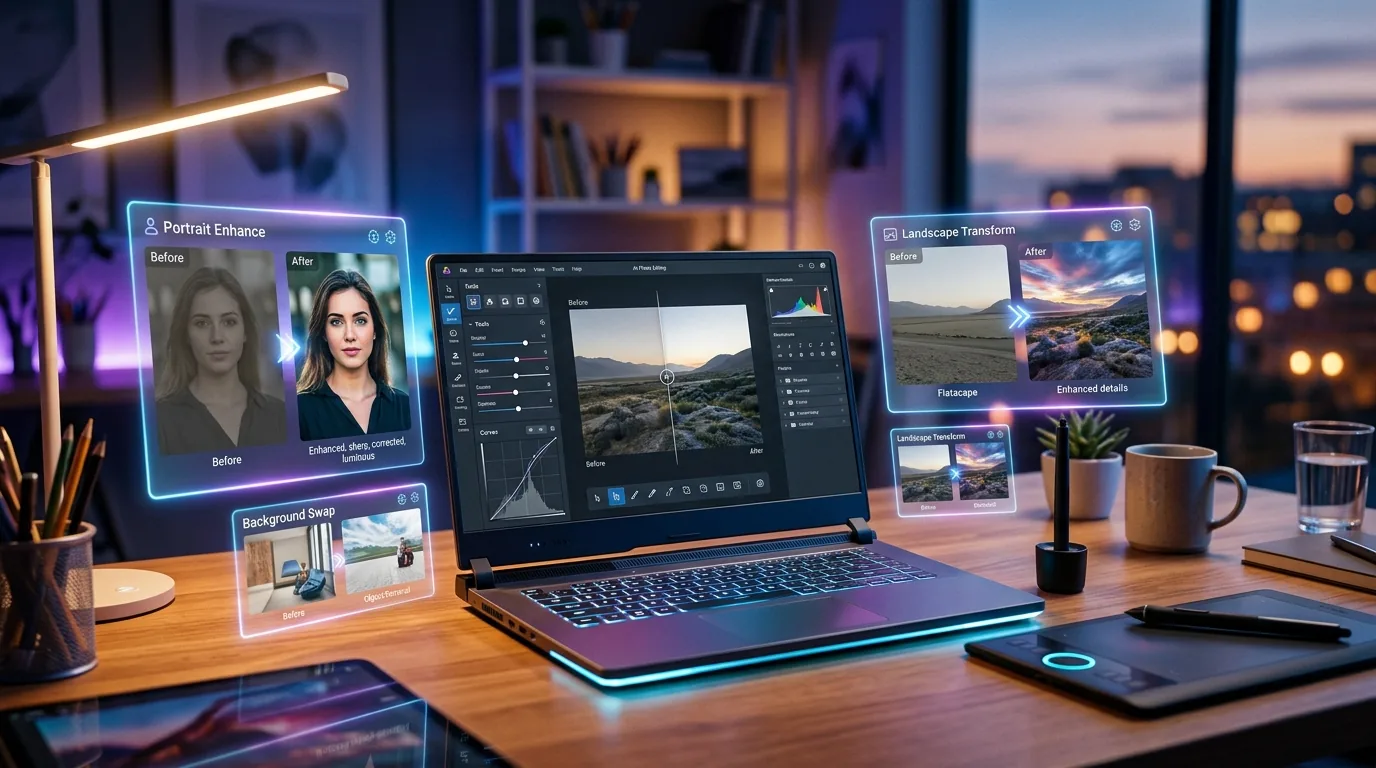
AI-powered photo editing workspace showing holographic before-and-after image transformations on a modern laptop, representing the best AI photo editing tools available in 2026.

AI photo editors went from “neat party trick” to “I genuinely don’t need Photoshop anymore” in about six months. If you haven’t checked in since 2025 — you’re in for a surprise.

I’ve tested over 30 AI photo editing tools this year. Most are mediocre. Some are outright bad. But these 9? They actually deliver. Whether you need a quick background removal or full-blown product photography — there’s something here for you.

And if you’re building an AI-powered workflow, make sure to browse our full AI tools directory — we’ve got 169+ tools reviewed and categorized.

What Makes a Great AI Photo Editor in 2026?

Before we dive in — here’s what I’m actually evaluating:

  • Output quality — Does it produce images you’d actually use in production?
  • Speed — How fast does it process edits?
  • Ease of use — Can a non-designer get results in under 5 minutes?
  • Free tier — Is there a usable free plan, or is “free” just marketing?
  • Specific strengths — What’s this tool uniquely good at?

1. Adobe Firefly (Best for Professional Workflows)

Adobe Firefly is the elephant in the room — and honestly, it deserves to be. The generative fill is absurdly good now. You can erase objects, extend backgrounds, and swap textures with results that look like a human spent 30 minutes in Photoshop.

The killer feature? It’s built directly into Creative Cloud. If you’re already paying for Photoshop or Lightroom, you get Firefly baked in. No extra subscription, no separate app.

Best for: Professionals already in the Adobe ecosystem.
Pricing: Included with Creative Cloud; standalone free tier available (25 credits/month).

2. Pixlr (Best Free All-Rounder)

Pixlr has been quietly becoming the best free photo editor on the internet. The AI-powered tools — background removal, object eraser, AI enhance — all work surprisingly well. And the interface is clean enough that you won’t feel lost.

The free tier is genuinely usable (not a “here’s 3 pixels” situation). You get enough credits for day-to-day edits without hitting a paywall.

Best for: Solopreneurs and small teams who need solid editing without paying Adobe prices.
Pricing: Free tier with AI credits; Premium from $7.99/month.

3. Canva AI (Best for Non-Designers)

Look — Canva isn’t a “photo editor” in the traditional sense. But their AI editing tools have gotten really good. Magic Eraser, Magic Edit, Background Remover — they all work with one click, and the results are honestly better than most dedicated editing apps.

If you’re already using Canva for social media graphics (and let’s be honest, you probably are), the AI photo editing is just… there. No extra tool needed.

Best for: Content creators and social media managers who live in Canva.
Pricing: Free tier; Pro at $12.99/month.

4. Remove.bg (Best for Background Removal)

Sometimes you don’t need a full editor. You just need to remove a background — fast, clean, no fuss. That’s Remove.bg, and it’s still the best at this one thing.

The AI handles hair, transparent objects, and complex edges better than anything else I’ve tested. Process time? Usually under 5 seconds. It’s the tool I reach for when I need a cutout and nothing else.

Best for: Quick background removal for product photos, headshots, or marketing assets.
Pricing: Free (low-res); credits from $1.99 for high-res downloads.

5. Luminar Neo (Best for Photographers)

Luminar Neo is built specifically for photographers, and it shows. The AI tools are designed around real photography workflows — sky replacement, portrait retouching, noise reduction, AI structure enhancement.

What sets it apart is the layer-based editing system combined with AI. You get the creative control of a traditional editor with the speed of AI. Sky replacements look natural (not like those early 2024 disasters). Portrait edits are subtle, not plastic.

Best for: Photographers who want AI acceleration without sacrificing creative control.
Pricing: From $14.95/month or one-time purchase available.

6. GetImg AI (Best for AI-Generated Product Photos)

GetImg AI is a different beast. Instead of just editing existing photos, it generates entirely new images from text prompts — and the quality has reached a point where you can use these for actual product marketing.

Need a product shot on a marble countertop with morning light? Type it. Need 20 variations? Batch generate. The real-time editor lets you paint regions and regenerate just those areas — incredibly useful for e-commerce.

Best for: E-commerce sellers and marketers who need product imagery at scale.
Pricing: Free tier (100 images/month); Pro from $12/month.

7. Photoroom (Best for E-Commerce)

Photoroom is what happens when you build a photo editor specifically for product listings. Background removal, shadow generation, batch processing, brand-consistent templates — it does everything an e-commerce seller needs.

The magic is in the batch workflows. Upload 50 product photos, apply the same background/shadow/resize combo, and download them all in minutes. For Shopify and Amazon sellers, this is a genuine time saver.

Best for: E-commerce businesses with high-volume product photography needs.
Pricing: Free tier; Pro from $12.99/month.

8. Clipdrop (Best for Quick Creative Edits)

Clipdrop (by Stability AI) gives you a suite of AI editing tools that each do one thing really well — upscaling, relighting, uncropping, text removal, sketch-to-image. Think of it as a Swiss Army knife for creative edits.

The Reimagine feature is wild — upload a photo, and it generates variations that keep the composition but change the style. Great for brainstorming creative directions without starting from scratch.

Best for: Creatives and content teams who need fast, varied edits.
Pricing: Free with limits; Pro at $9/month.

9. ProductScope AI (Best for AI Product Staging)

ProductScope AI takes your bare product photos and drops them into professional lifestyle scenes — all generated by AI. No photographer, no studio, no props. Just upload your product and describe the scene you want.

The results are consistently impressive. We’re talking product photos that look like they came from a real photoshoot. For brands that can’t afford (or don’t want to hire) a professional photographer for every SKU — this is a game changer.

Best for: DTC brands and Amazon sellers who want premium product imagery without studio costs.
Pricing: Free trial; plans from $29/month.

How to Pick the Right AI Photo Editor

Here’s the honest take — there’s no single “best” tool. It depends entirely on what you’re editing and why:

  • Running an e-commerce store? Photoroom or ProductScope AI.
  • Photographer who wants AI enhancement? Luminar Neo.
  • Non-designer who needs quick edits? Canva AI or Pixlr.
  • Just need background removal? Remove.bg. Don’t overthink it.
  • Want the most powerful option and already use Adobe? Firefly.

Most of these have free tiers, so test 2-3 before committing. Your workflow will tell you which one sticks.

The Bottom Line

AI photo editing in 2026 is genuinely impressive. Tasks that used to require Photoshop expertise and 30+ minutes now take seconds — with results that are often indistinguishable from manual edits.

The tools on this list represent the best of what’s available right now. Whether you’re a solopreneur editing product shots or a creative team producing content at scale, there’s an AI editor here that’ll save you serious time.

Want to explore more? Check out our full AI tools directory — we’ve reviewed and categorized 169+ tools across every category, including Pixlr, GetImg AI, and ProductScope AI.


The 25 Best AI Tools in 2026 — Tested and Ranked by Real Users

A modern workspace with AI tool icons floating above a laptop screen, representing the best AI tools of 2026

I Tested 200+ AI Tools So You Don’t Have To

The best AI tools in 2026 aren’t necessarily the ones with the biggest marketing budgets. They’re the ones that actually save you time, produce quality output, and don’t require a PhD to set up.

I’ve been testing AI tools full-time for over a year now — running them through real business scenarios, not toy demos. This list is the result of putting 200+ tools through their paces and keeping only the 25 that earned their spot.

Every tool on this list is one I’d recommend to a friend. No filler. No “honorable mentions” that are actually just padding. Let’s get into it.

How I Ranked These Tools

Three criteria. That’s it.

  • Output quality — does the tool produce something you’d actually use without heavy editing?
  • Ease of use — can a non-technical solopreneur figure it out in under 30 minutes?
  • Value for money — is the pricing fair for what you get? Free tiers count.

I weighted output quality highest because that’s what matters when you’re running a business. A beautiful interface means nothing if the results are garbage.

Best AI Writing Tools

1. Claude (Anthropic)

Best for: Long-form content, research, and nuanced writing.

Claude 4 changed the game. The writing quality is noticeably better than anything else I’ve tested — fewer filler phrases, better structure, and it actually follows complex instructions. If you write blog posts, emails, or reports, this is your tool.

Pricing: Free tier available. Pro starts at $20/month.

2. ChatGPT (OpenAI)

Best for: Versatility and plugin ecosystem.

Still the most well-rounded AI assistant. The GPT store gives you access to thousands of specialized bots, and the new memory features mean it actually learns your preferences over time. Not the best at any single thing, but consistently good at everything.

Pricing: Free tier. Plus at $20/month.

3. Jasper

Best for: Marketing teams and brand voice consistency.

Jasper’s brand voice feature is genuinely useful if you’re managing content for multiple clients or products. It’s pricier than the competition, but the team collaboration features justify it for agencies.

Pricing: Starts at $39/month.

4. Frase

Best for: SEO-optimized content creation.

Frase combines AI writing with SEO research in one tool. It analyzes top-ranking pages for your keyword, builds a content brief, and then helps you write content that actually competes. The SERP analysis alone is worth the subscription.

Pricing: Starts at $15/month.

5. Creaitor AI

Best for: Multilingual content at scale.

If you’re creating content in multiple languages, Creaitor handles it better than most. The output quality in non-English languages is surprisingly good — not perfect, but way better than running things through a translator.

Pricing: Free tier. Pro starts at $9/month.

Best AI Video Tools

6. HeyGen

Best for: AI avatar videos for marketing and training.

HeyGen’s avatars crossed the uncanny valley this year. The lip sync is near-perfect, the voice cloning is impressive, and the instant translation feature is a game-changer for international businesses. I use it for product demos and it saves me hours of filming.

Pricing: Free tier. Creator plan at $24/month.

7. InVideo AI

Best for: Turning text into polished videos fast.

Type a prompt, get a video. It’s that simple — and the results are actually usable. InVideo AI handles script, visuals, voiceover, and music in one pass. Not Hollywood quality, but perfect for social media and YouTube Shorts.

Pricing: Free tier. Plus starts at $25/month.

8. Opus Clip

Best for: Repurposing long videos into viral clips.

Feed Opus Clip a podcast or webinar and it finds the best moments automatically. The AI-powered reframing and captioning save serious time. If you’re doing any kind of video content marketing, this tool pays for itself fast.

Pricing: Free tier. Starter at $15/month.

9. Creatify

Best for: AI-generated product ads.

Creatify turns a product URL into a video ad complete with script, visuals, and AI spokesperson. The quality of the output blew me away — some of these ads look better than what agencies produce. Ideal for e-commerce and DTC brands.

Pricing: Starts at $29/month.

Best AI Image Tools

10. Midjourney

Best for: Artistic and creative image generation.

Still the king of aesthetic quality. Midjourney v7 produces images that look like they were shot by a professional photographer. The learning curve is steeper than DALL-E, but the output quality justifies it.

Pricing: Starts at $10/month.

11. GetImg AI

Best for: Batch image generation and editing.

GetImg lets you generate, edit, and upscale images with multiple AI models — all in one interface. The real-time canvas feature is incredibly useful for iterating on designs quickly.

Pricing: Free tier. Basic at $12/month.

12. Pixlr

Best for: Quick AI-powered photo editing.

Pixlr added AI features that make it a serious alternative to Photoshop for everyday tasks. Background removal, object removal, and style transfer — all fast and surprisingly accurate. Perfect for solopreneurs who don’t want to learn complex software.

Pricing: Free tier. Premium at $7.99/month.

Best AI SEO & Marketing Tools

13. RankIQ

Best for: Finding low-competition keywords fast.

RankIQ’s hand-picked keyword library is what sets it apart. Instead of drowning you in data, it shows you keywords you can actually rank for. The content optimizer tells you exactly what to include. Bloggers love this tool for a reason.

Pricing: $49/month.

14. NeuralText

Best for: AI-powered content briefs and keyword clustering.

NeuralText automates the research phase of content creation. Give it a keyword, and it generates a comprehensive brief with questions to answer, topics to cover, and competitor analysis. The keyword clustering feature alone saves hours.

Pricing: Starts at $19/month.

15. ContentStudio

Best for: Social media management with AI content suggestions.

ContentStudio combines scheduling, analytics, and AI content generation in one dashboard. The AI writer generates post ideas based on trending topics in your niche. Solid all-in-one option for social media managers.

Pricing: Starts at $25/month.

Best AI Productivity & Automation Tools

16. Fireflies AI

Best for: Meeting transcription and action items.

Fireflies joins your meetings, transcribes everything, and extracts action items automatically. The search feature is brilliant — ask it “what did we decide about pricing?” and it finds the exact moment. Every meeting should be running this.

Pricing: Free tier. Pro at $18/month.

17. Miro

Best for: AI-enhanced visual collaboration and brainstorming.

Miro’s AI features turn brainstorming sessions into organized action plans. It clusters sticky notes, generates summaries, and even suggests next steps. The AI mind-mapping feature is particularly useful for solopreneurs planning projects.

Pricing: Free tier. Business at $12/month per member.

18. Coda

Best for: AI-powered documents that work like apps.

Coda blurs the line between documents and software. Build custom workflows, automate repetitive tasks, and use AI to analyze data — all inside a doc. It replaced three separate tools in my workflow.

Pricing: Free tier. Pro at $10/month.

Best AI Sales & Outreach Tools

19. Instantly AI

Best for: Cold email at scale without getting flagged.

Instantly handles email warmup, deliverability, and AI-personalized sequences. The lead finder gives you verified contacts, and the analytics show you exactly which messages are working. If you’re doing cold outreach, this is the tool.

Pricing: Starts at $30/month.

20. Seamless AI

Best for: Finding verified B2B contact information.

Seamless AI crawls the web in real-time to find accurate phone numbers and email addresses. The data quality has improved dramatically this year — fewer bounces, more direct dials. Essential for sales teams.

Pricing: Free tier. Pro pricing on request.

21. Reply.io

Best for: Multi-channel outreach automation.

Reply.io combines email, LinkedIn, and phone into one automated sequence. The AI writes personalized follow-ups based on prospect behavior. It’s what Instantly would be if it covered more than just email.

Pricing: Starts at $49/month.

Best AI Customer Service Tools

22. Tidio

Best for: AI chatbots for small business websites.

Tidio’s Lyro AI bot handles customer questions with surprising accuracy. It learns from your FAQs and support docs, and knows when to hand off to a human. Setup takes about 15 minutes. For the price, it’s hard to beat.

Pricing: Free tier. Communicator at $29/month.

23. Dante AI

Best for: Custom AI chatbots trained on your data.

Dante lets you build a chatbot that knows your business inside and out. Upload your docs, website, or knowledge base and it creates a conversational AI that actually gives accurate answers. No coding required.

Pricing: Free tier. Pro at $49/month.

Best AI Education & Learning Tools

24. Speechify

Best for: Text-to-speech that sounds human.

Speechify turns any text into natural-sounding audio. The AI voices are remarkably good — good enough that I use them for voiceovers in actual content. The Chrome extension reads web pages aloud, which is great for consuming content on the go.

Pricing: Free tier. Premium at $11.58/month.

25. Talkio AI

Best for: Practicing language conversation with AI.

Talkio lets you have voice conversations with an AI tutor in 50+ languages. It corrects pronunciation, explains grammar, and adapts to your level. I’ve been using it for Spanish and the progress after two months is real.

Pricing: Starts at $9.99/month.

The Common Thread

Every tool on this list does one thing exceptionally well: it saves you time without sacrificing quality. That’s the bar in 2026. The AI hype has settled, and what’s left are tools that genuinely make businesses more productive.

If you’re just getting started with AI, don’t try to adopt all 25. Pick one or two from the category that matters most to your business, learn them deeply, and expand from there.

Want to explore more options? Browse our complete AI tools directory — we’ve tested and reviewed over 170 tools across every category, so you can find exactly what fits your workflow.

How to Turn Any Image Into a Professional Video Using Free AI Tools

A still photograph transforming into a dynamic video with motion effects showing the AI image-to-video conversion process

From Static Image to Polished Video in Under 10 Minutes

I turned a single product photo into a 30-second promo video last week. No editing software. No video skills. No budget. Just a free AI tool and about 7 minutes of my time.

Here’s the exact process — step by step — so you can do the same thing today.

What You’ll Need Before Starting

Minimal setup. Seriously:

  • One image — a product photo, illustration, screenshot, or even an AI-generated image. JPG, PNG, or WebP all work.
  • A free account on one of the tools below (no credit card needed).
  • A rough idea of what you want the video to show — camera movement, mood, action.

That’s it. If you already have an image ready, you can follow along right now.

Step 1: Choose Your Free AI Image-to-Video Tool

Not all tools are equal. I’ve tested the major options (see our full comparison of free AI image-to-video tools), and here’s what I recommend for this tutorial:

Best for beginners: Kling AI

Kling AI offers a generous free tier — 66 credits daily, which gets you several video generations. The interface is dead simple: upload image, describe what you want, hit generate. The output quality on the free plan is surprisingly good for social media and web use.

Best for quality: Hailuo AI (MiniMax)

Hailuo AI produces some of the most realistic motion I’ve seen from a free tool. The physics are better — fabric moves naturally, lighting shifts convincingly. Free users get a limited number of daily generations, but the quality-per-generation ratio is hard to beat.

Best for control: Runway Gen-3 (free trial)

Runway gives you the most precise control over camera movement and motion. The free trial includes limited credits, but it’s worth burning a few to see what’s possible. Once you understand the workflow, you can decide whether the paid plan makes sense for your volume.

For this tutorial, I’ll use Kling AI since it’s the most accessible. The process is nearly identical across all three tools.

Step 2: Upload Your Image and Write a Motion Prompt

This is where most people mess up. They upload an image and write something vague like “make it move.” That gets you garbage output.

Here’s how to write a prompt that actually works:

The formula

[Camera movement] + [subject action] + [atmosphere/mood]

Examples that produce great results

  • Product photo: “Slow dolly zoom into the product, soft studio lighting shifts from cool to warm, shallow depth of field”
  • Landscape image: “Gentle camera pan left to right, clouds drift slowly across the sky, golden hour lighting intensifies”
  • Portrait/headshot: “Subtle camera push-in, subject blinks naturally, hair moves slightly as if from a gentle breeze”
  • Food photo: “Steam rises from the dish, camera slowly orbits 45 degrees, background bokeh twinkles”

What to avoid in your prompt

  • Don’t describe the image itself — the AI already sees it. Describe the motion you want.
  • Don’t ask for too much action — these tools generate 3-5 second clips. One smooth motion looks professional. Three competing movements look chaotic.
  • Don’t use abstract language — “make it cinematic” means nothing. “Slow push-in with rack focus” means everything.

Step 3: Generate and Evaluate

Hit generate. Wait 1-3 minutes (varies by tool and queue).

When your video comes back, evaluate it on three things:

  1. Does the motion look natural? Watch for warping, especially at edges and on faces.
  2. Does it match your intent? If you asked for a dolly zoom and got a random pan, refine your prompt.
  3. Is the quality sufficient? Free tiers usually output 720p. Fine for social media, might need an upgrade for website headers.

Pro tip: Generate 2-3 variations with slightly different prompts. AI video generation has randomness baked in — the second attempt might nail what the first one missed.

Step 4: Download and Optimize

Download your video (usually MP4). Before posting anywhere, do these quick optimizations:

For social media

  • Trim the first/last half-second — AI video tools sometimes have a “settling in” frame at the start.
  • Loop it — if the motion works as a loop, platforms like Instagram will auto-replay it, boosting engagement.
  • Add text overlay — use your phone’s native editor or a free tool like CapCut. A simple title or CTA makes the video functional.

For your website

  • Compress the file — use a free tool like HandBrake to reduce file size without visible quality loss. Web videos should be under 5MB.
  • Convert to WebM — better browser compression than MP4. Most video compressors handle this.
  • Add a poster frame — set a static image as the video thumbnail so your page loads fast.

Step 5: Level Up With Multiple Clips

One 3-5 second clip is useful. Three clips edited together is a professional-looking video.

Here’s the workflow for a 15-30 second promo:

  1. Shot 1: Wide establishing shot (slow zoom in on the product/scene)
  2. Shot 2: Detail shot (close-up with subtle motion)
  3. Shot 3: Hero shot (the money angle with the best lighting/motion)

Use the same source image or different angles. Stitch them together in CapCut (free), iMovie, or even Canva’s video editor. Add background music from a royalty-free library and you’ve got something that looks like it cost $500 to produce.

Real-World Use Cases (What I’ve Actually Made)

This isn’t theoretical. Here’s what I’ve used AI image-to-video tools for in the past month:

  • Product teasers for social media — static product shots turned into 10-second looping videos. Engagement was 3x higher than the static image posts.
  • Blog header videos — subtle motion on hero images makes pages feel more premium. Takes 5 minutes per post.
  • Email campaign assets — GIF-style product animations embedded in emails. Click-through rates improved noticeably.
  • Client presentations — instead of static mockups, animated concept videos. Clients love this.

When Free Tools Aren’t Enough

The free tiers work for most solopreneurs and small businesses. But here’s when you should consider paying:

  • Volume — if you need more than 5-10 videos per day, free credits won’t cut it.
  • Resolution — need 1080p or 4K output? That’s usually a paid feature.
  • Longer clips — free tiers typically max out at 5 seconds. Paid plans offer 10-15 seconds per generation.
  • No watermarks — some free tools add subtle branding. Paid removes it.

For a deeper dive into which paid plans are actually worth it, check out our best AI video generation tools comparison. And if you’re curious about how these tools compare to what was available just last year, our 2025 vs 2026 video tools comparison shows how dramatically the quality has improved.

Start With One Image Today

Seriously — grab any photo from your phone, sign up for Kling AI’s free tier, and follow steps 2-4 above. The whole process takes under 10 minutes, and you’ll immediately see whether AI video fits into your content workflow.

Once you’ve got the basics down, explore the full range of AI tools in our directory — there are tools for every step of the content creation process, from ideation to publishing.

The barrier to professional-looking video content just dropped to zero. The only question is whether you’ll take advantage of it.