Paperpal AI vs Grammarly vs QuillBot: Which AI Editor Actually Works for Research?

Side-by-side comparison of Paperpal AI, Grammarly, and QuillBot AI writing editors for academic research

Three AI editors. One research paper. I ran the same draft through Paperpal AI, Grammarly, and QuillBot to see which one actually helps when you’re writing for publication — not just fixing typos.

Here’s what happened.

The Test Setup

I took a real 3,000-word research draft — messy, first-draft quality, written by a non-native English speaker. The kind of paper that needs serious editing before it goes anywhere near a journal.

I ran it through all three tools and compared them on five dimensions:

  1. Grammar and language accuracy
  2. Academic tone and phrasing
  3. Consistency checking
  4. Rewriting quality
  5. Submission readiness

Let’s break it down.

Grammar and Language: All Three Are Solid

No surprises here. Grammarly caught the most grammar errors — 47 total. Paperpal found 39. QuillBot flagged 31.

But raw numbers are misleading. Grammarly’s extra flags included stylistic preferences that don’t apply to academic writing (like suggesting contractions or more “engaging” tone). In a research paper, that’s noise, not signal.

Paperpal’s grammar suggestions were the most relevant for the context. It understood that passive voice is sometimes appropriate in a methods section. Grammarly kept trying to “fix” perfectly valid academic constructions.

Winner: Paperpal (for academic writing) / Grammarly (for general writing)

Academic Tone and Phrasing

This is where the gap gets wide.

Paperpal suggested replacing “a lot of studies” with “a substantial body of literature” and “we found out that” with “our findings indicate that.” These aren’t just fancier words — they’re the language reviewers expect.

Grammarly Premium offered some tone adjustments, but they were generic. It doesn’t know the difference between a literature review and a blog post. Its suggestions made the paper sound more “readable” — which isn’t always what you want in academic writing.

QuillBot is primarily a paraphrasing tool. It can rephrase sentences, but it doesn’t understand academic conventions. It might turn a perfectly good hypothesis statement into something that reads like a news headline.

Winner: Paperpal — by a mile

Consistency Checking

Paperpal flagged 12 consistency issues — mixed abbreviations (WHO vs. W.H.O.), inconsistent capitalization of technical terms, and a figure reference that didn’t match the actual figure number. This alone saved me an embarrassing revision.

Grammarly caught some inconsistencies (3 total), mostly around spelling variations (analyze vs. analyse). Helpful, but surface-level.

QuillBot doesn’t do consistency checking at all. It processes text paragraph by paragraph, so it can’t see document-wide patterns.

Winner: Paperpal — the only tool that treats your document as a whole

Rewriting Quality

I picked five awkward sentences and asked each tool to rewrite them.

QuillBot actually shines here — it’s a dedicated paraphrasing engine with multiple modes (Fluency, Formal, Academic). The Academic mode produced clean, readable alternatives that kept the meaning intact. For pure sentence-level rewriting, it’s hard to beat.

Paperpal’s rewrites were more conservative but academically appropriate. It didn’t change the structure dramatically — it polished without transforming. For researchers who want their voice preserved, that’s ideal.

Grammarly’s rewriting suggestions were the weakest for academic content. They leaned toward conversational tone, which defeats the purpose.

Winner: QuillBot (for raw paraphrasing) / Paperpal (for academic-appropriate rewrites)

Submission Readiness

This category isn’t even a contest.

Paperpal is the only tool that checks whether your paper is ready for journal submission. It flagged a missing conflict-of-interest statement, an incomplete author contribution section, and two references that didn’t match the target journal’s citation format.

Grammarly and QuillBot don’t do this. They’re not built for it.

Winner: Paperpal — no competition

Pricing Comparison

Tool Free Plan Paid Plan Best For
Paperpal Basic checks ~$12/mo (annual) Academic writing
Grammarly Grammar + spelling ~$12/mo (annual) General writing
QuillBot Limited paraphrasing ~$10/mo (annual) Paraphrasing & rewording

All three are priced similarly. The question isn’t cost — it’s what kind of writing you’re doing.

The Verdict: Which One Should You Pick?

Choose Paperpal AI if you write research papers, theses, or manuscripts for journal submission. It’s the only tool that truly understands academic writing — from language to formatting to submission requirements.

Choose Grammarly if you need an all-purpose writing assistant for emails, reports, blog posts, and everything else. It’s the Swiss Army knife of writing tools — good at many things, specialized at none.

Choose QuillBot if you primarily need to rephrase and paraphrase. It’s the best pure rewriting tool of the three — especially the Academic mode. Great for non-native speakers working on sentence-level clarity.

The bottom line: For academic and research writing, Paperpal wins. It’s not even close. For everything else, Grammarly is still the default. And QuillBot is the budget-friendly paraphrasing specialist.

👉 Browse all three tools — and 160+ more — in our AI Tools directory.

Best AI Image Generators in 2026 — Tested & Ranked for Speed, Quality, and Price

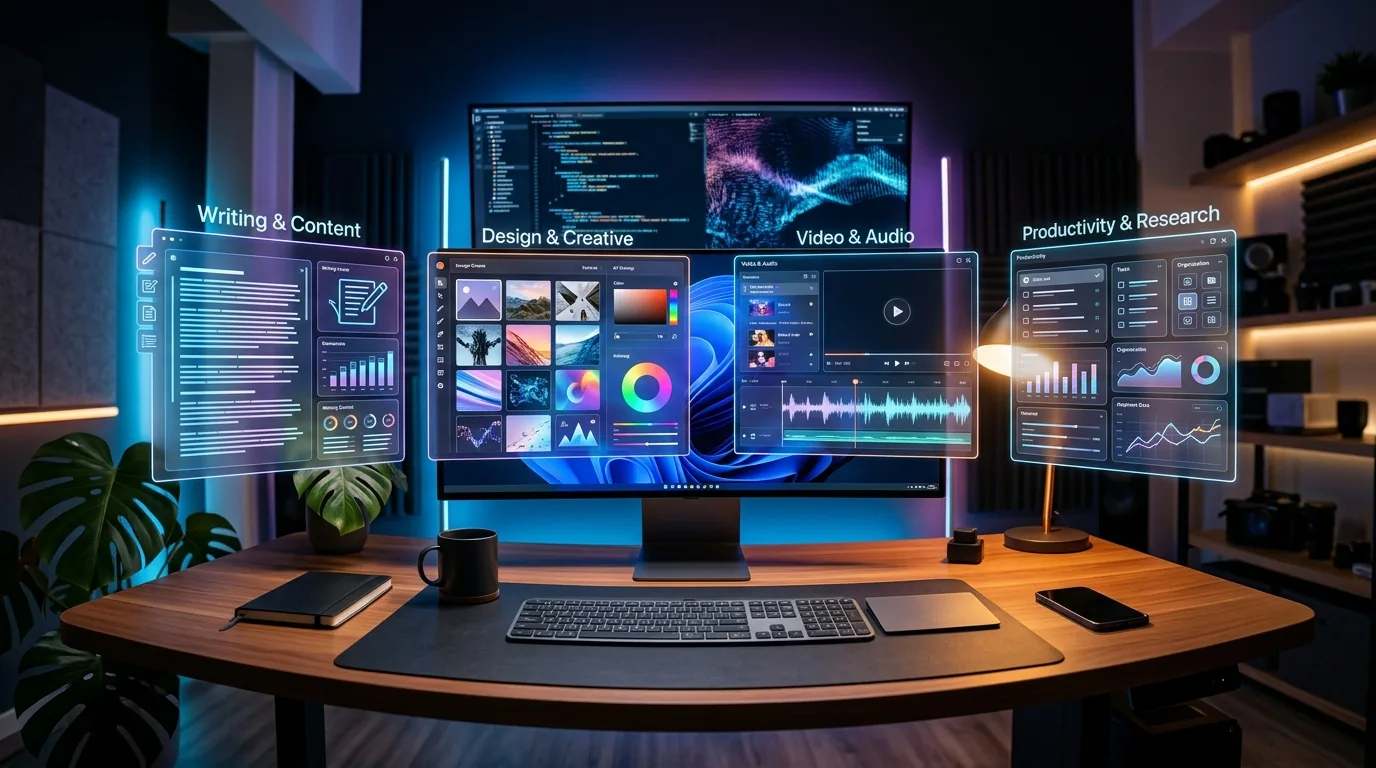
Comparison of the best AI image generators in 2026 showing diverse art styles from photorealistic to abstract digital art floating as holographic panels above a modern creative workspace

Every “best AI image generator” list reads like a press release.

Tool X is “revolutionary.” Tool Y “transforms your creative workflow.” Tool Z is “the future of visual content.” Cool. But which one actually generates a usable image on the first try — without making everyone look like they have seven fingers?

I’ve spent the last three months testing every major AI image generator I could get my hands on. I generated over 500 images across the same set of prompts — product mockups, blog headers, portrait shots, abstract art, and photorealistic scenes. Then I ranked them on three things that actually matter: speed, quality, and price.

Here’s what’s genuinely worth your money (and your time) in 2026.

How I Tested These AI Image Generators

Every tool got the exact same 10 prompts. Same wording, same level of detail. I measured:

  • Speed: Time from hitting “generate” to seeing a finished image
  • Quality: Sharpness, prompt accuracy, artifact frequency, hand/face quality
  • Price: Cost per image on each tool’s most popular plan
  • Usability: How intuitive the interface is for non-designers

I also looked at commercial licensing, resolution options, and how well each tool handles edge cases — like text in images, specific brand colors, and multi-subject compositions.

The Best AI Image Generators in 2026

1. Midjourney — Best Overall Quality

Midjourney is still the king of aesthetics. Version 7 produces images that look like they came from a professional photographer or digital artist — not an AI. The default style has this cinematic quality that other tools can’t match.

The catch? You need Discord (or their newer web app, which is finally decent). And the learning curve is steeper than alternatives. But once you get the prompting down, the results are consistently stunning.

Speed: ~15 seconds per image
Price: From $10/month (200 images)
Best for: Marketing visuals, social media content, artistic projects
Commercial license: Yes, on all paid plans

2. DALL-E 3 (via ChatGPT) — Best for Prompt Accuracy

If you want an AI image generator that actually listens to what you type, DALL-E 3 wins. It handles complex, multi-element prompts better than anything else I tested. “A red bicycle leaning against a yellow wall with a cat sleeping on the seat” — DALL-E nails it. Most others give you a random cat floating near a vaguely yellow rectangle.

The integration with ChatGPT is the real selling point. You can iterate on images through conversation — “make the cat orange,” “zoom out a bit,” “add morning sunlight.” It feels natural.

Speed: ~10 seconds per image
Price: Included with ChatGPT Plus ($20/month)
Best for: Specific compositions, product concepts, illustrations
Commercial license: Yes

3. Google Imagen 3 — Best for Photorealism

Google’s Imagen 3 (available through Gemini Advanced) quietly became one of the best AI image generators for photorealistic output. Skin textures, lighting, reflections — it handles the subtle stuff that makes images look real instead of AI-generated.

It’s particularly strong with portrait photography prompts. Where other tools give you that telltale “AI smoothness,” Imagen produces natural-looking imperfections — pores, slight asymmetry, realistic hair strands. It’s almost unsettling how good it is.

Speed: ~8 seconds per image
Price: Included with Gemini Advanced ($20/month)
Best for: Photorealistic images, portraits, product photography
Commercial license: Yes, with Gemini Advanced

4. Stable Diffusion 3.5 — Best for Control Freaks

Stable Diffusion isn’t for everyone. But if you want total control over your AI image generation — ControlNet, inpainting, LoRA models, custom training — nothing else comes close.

The open-source model runs locally on your hardware (free) or through hosted services like Stability AI’s API. SD 3.5 finally solved the hands problem and dramatically improved text rendering. The community ecosystem is massive — there are specialized models for everything from anime to architecture.

Speed: 5-30 seconds (depends on hardware/settings)
Price: Free (local) or from $10/month (hosted)
Best for: Custom workflows, batch generation, developers, artists who want granular control
Commercial license: Yes (check specific model licenses)

5. Adobe Firefly 3 — Best for Design Integration

If you already use Photoshop, Illustrator, or any Creative Cloud app — Firefly is a no-brainer. It’s baked directly into the tools you’re already using. Generative Fill in Photoshop is genuinely magical for editing existing images.

The standalone generator is solid too. Image quality took a huge leap with version 3 — it’s competitive with Midjourney for marketing assets. The “Structure Reference” feature lets you upload a rough sketch and get a polished image that follows the exact composition.

Speed: ~12 seconds per image
Price: Included with Creative Cloud ($23/month) or standalone ($5/month)
Best for: Design workflows, photo editing, brand-consistent content
Commercial license: Yes — trained exclusively on licensed content

6. Imagine Art — Best Free Option With Style Variety

Imagine Art gives you a surprisingly generous free tier with access to multiple AI models and art styles. From oil painting to 3D render to anime — the style presets are genuinely useful, not just gimmicky filters slapped on the same output.

The paid plans are affordable too. If you need variety without committing to a $20/month subscription, this is where I’d start. Check out our full Imagine Art review in the AI tools directory.

Speed: ~10 seconds per image
Price: Free tier available; Pro from $7/month
Best for: Style exploration, casual creators, budget-conscious users
Commercial license: Yes, on paid plans

7. Flux 1.1 Pro — The Dark Horse

Flux came out of nowhere and immediately earned respect from the AI art community. Built by former Stability AI researchers, it produces images with remarkable detail and coherence — especially for complex scenes with multiple subjects.

The text rendering is among the best I’ve tested. If you need text on images (posters, mockups, social media graphics), Flux handles it cleanly where others turn letters into abstract squiggles.

Speed: ~12 seconds per image
Price: From $8/month via API, or free through community tools
Best for: Text-heavy designs, complex compositions, high-detail scenes
Commercial license: Yes (Pro version)

8. Leonardo.ai — Best for Game & Concept Art

Leonardo carved out a strong niche in game assets, concept art, and fantasy illustration. The model fine-tuning and training features let you create consistent characters and styles — essential for game developers and content creators.

The real-time canvas feature is addictive. You sketch rough shapes, and Leonardo transforms them into polished concept art instantly. It’s the closest thing to having an AI art director watching over your shoulder.

Speed: ~8 seconds per image
Price: Free tier (150 images/day); Paid from $12/month
Best for: Game art, character design, concept illustration
Commercial license: Yes, on paid plans

9. Cabina AI Image Editor — Best for Photo Editing Specifically

Cabina isn’t a generator in the traditional sense — it’s an AI-powered photo editor that takes existing images and transforms them. Background removal, style transfer, object removal, face enhancement. If your workflow is more about editing than creating from scratch, Cabina does it faster than Photoshop.

See our detailed Cabina review for a full breakdown of what it can do.

Speed: 3-5 seconds per edit
Price: Free tier; Pro from $9/month
Best for: Photo retouching, background replacement, batch editing
Commercial license: Yes

10. Microsoft Designer (DALL-E Powered) — Best Truly Free Option

Here’s a secret most people miss — Microsoft Designer gives you DALL-E image generation completely free with any Microsoft account. The quality is excellent (it’s the same underlying model), and you get a decent daily quota.

The built-in design templates are a bonus. Generate an image, drop it into a social media template, export. Three clicks, zero cost.

Speed: ~10 seconds per image
Price: Free
Best for: Zero-budget creators, social media graphics, quick mockups
Commercial license: Yes

Quick Comparison: AI Image Generators at a Glance

Tool Best For Price Speed Quality
Midjourney Overall quality From $10/mo ~15s ★★★★★
DALL-E 3 Prompt accuracy $20/mo (ChatGPT+) ~10s ★★★★☆
Google Imagen 3 Photorealism $20/mo (Gemini) ~8s ★★★★★
Stable Diffusion 3.5 Customization Free / $10/mo 5-30s ★★★★☆
Adobe Firefly 3 Design workflow From $5/mo ~12s ★★★★☆
Imagine Art Style variety Free / $7/mo ~10s ★★★☆☆
Flux 1.1 Pro Text in images From $8/mo ~12s ★★★★☆
Leonardo.ai Game/concept art Free / $12/mo ~8s ★★★★☆
Cabina AI Photo editing Free / $9/mo 3-5s ★★★★☆
MS Designer Free option Free ~10s ★★★★☆

Which AI Image Generator Should You Pick?

Here’s my honest take after testing all of them:

  • For most people: Start with DALL-E 3 through ChatGPT. You’re probably already paying for Plus, and the conversational editing is incredibly intuitive.
  • For the best visual quality: Midjourney. Nothing else produces consistently beautiful images with this little effort.
  • For business/marketing: Adobe Firefly if you use Creative Cloud. The integration alone is worth it.
  • For zero budget: Microsoft Designer first, then Imagine Art for variety.
  • For developers/power users: Stable Diffusion locally, or Flux via API.

Don’t overthink it. Pick one, learn the prompting style, and switch later if it doesn’t fit. Most offer free tiers or trials — there’s zero risk in experimenting.

AI Image Generation Tips That Actually Help

Be specific about what you DON’T want. Negative prompts matter more than positive ones. “No text, no watermark, no extra fingers” saves you more regeneration time than any clever prompt engineering.

Reference a style, not a vibe. “Cinematic lighting like a Christopher Nolan film” works better than “moody and dramatic.” Specific references give the AI concrete targets.

Iterate, don’t start over. Every major AI image generator now supports some form of image-to-image editing. Get 80% of the way there with generation, then refine with inpainting or variation controls.

Check the license before you publish. Some free tiers don’t include commercial usage rights. If you’re using AI-generated images for business — ads, blog posts, products — verify you have the right license.

What’s Next for AI Image Generation?

Video generation is the obvious frontier — tools like Sora, Runway, and Kling are already producing impressive short clips. But for static images, expect to see better text rendering, more consistent multi-image generation (same character across multiple scenes), and tighter integration with design tools.

The tools that win in 2027 will be the ones that fit seamlessly into existing creative workflows — not the ones that generate the prettiest single image in isolation.

Want to explore more AI tools beyond image generation? Browse the full Aixelerate AI tools directory — we’ve reviewed and categorized 170+ tools across every category from writing to automation to design.

Paperpal AI Review 2026: Is It the Best Academic Writing Assistant?

Paperpal AI academic writing assistant showing AI-powered editing suggestions on a research manuscript

If you write research papers, grant proposals, or any kind of academic content — Paperpal AI might just save you hours of editing. I’ve been testing it for the past few weeks, and here’s what I actually think.

Most AI writing tools are built for marketers and bloggers. Paperpal is different. It’s built specifically for academic and scientific writing — by Cactus Communications, a company that’s been in the scholarly publishing space for over two decades.

That matters more than you’d think.

What Paperpal AI Actually Does

At its core, Paperpal is an AI-powered academic writing assistant that checks your manuscripts for language, grammar, and technical accuracy. But it goes way beyond a spell-checker.

Here’s what sets it apart:

  • Academic language suggestions — it doesn’t just fix errors, it recommends more precise, publication-ready phrasing
  • Consistency checks — catches inconsistencies in terminology, abbreviations, and formatting across your entire paper
  • Journal submission readiness — flags issues that would get your paper desk-rejected before peer review even starts
  • Citation and reference checks — identifies incomplete or improperly formatted citations
  • AI-powered rewriting — rephrase awkward sentences while keeping the technical meaning intact

The Word plugin is where most researchers will spend their time. It integrates directly into Microsoft Word — no copy-pasting into a browser, no context-switching. You write, Paperpal reviews in real-time.

The Good: Where Paperpal Shines

Academic-specific AI is the killer feature. Tools like Grammarly catch grammar mistakes, sure. But they don’t understand that “significant” has a specific statistical meaning in a research context. Paperpal does.

The journal submission checks are genuinely useful. Before you submit, Paperpal runs your manuscript against common rejection criteria — missing sections, formatting issues, incomplete disclosures. I’ve seen papers get desk-rejected for exactly these kinds of fixable problems.

The consistency engine is underrated. If you write “COVID-19” in paragraph two and “Covid-19” in paragraph forty, Paperpal flags it. Sounds trivial, but reviewers notice.

And the rewriting suggestions actually make sense in an academic context. It won’t turn your methods section into a blog post (looking at you, ChatGPT).

The Not-So-Good: Where It Falls Short

The free plan is limited. You get basic grammar and language checks, but the real value — consistency checks, submission readiness, advanced rewriting — lives behind the paywall. Fair enough, but the free tier doesn’t give you a real taste of what the tool can do.

It’s not a content generator. If you’re looking for an AI to write your paper for you, this isn’t it. Paperpal is an editor and polisher, not a ghostwriter. That’s actually a feature, not a bug — but it’s worth knowing upfront.

Non-academic writing feels weird. If you try to use Paperpal for blog posts or marketing copy, the suggestions will feel off. It’s trained on scholarly language, and it shows. Use the right tool for the right job.

Pricing: What Does Paperpal Cost?

Paperpal offers a freemium model:

  • Free — basic grammar and language checks, limited suggestions per document
  • Prime — around $12/month (billed annually) for unlimited checks, advanced features, consistency analysis, and submission readiness reports
  • Teams/Institutional — custom pricing for universities and research groups

For what you get, the Prime plan is reasonable — especially if you’re publishing regularly. A single desk rejection costs more in wasted time than a year of Paperpal.

Who Should Use Paperpal AI?

This tool is purpose-built for:

  • Graduate students writing theses and dissertations
  • Researchers preparing manuscripts for journal submission
  • Non-native English speakers in academia who need language polishing
  • Research teams who want consistent quality across collaborative papers

If you’re a solopreneur writing blog content, this isn’t your tool. Check out our AI Tools directory for general-purpose writing assistants instead.

The Verdict

Paperpal AI is the best AI writing tool for academics, period. It’s not trying to be everything to everyone — it’s laser-focused on scholarly writing, and it shows in every suggestion it makes.

The free plan lets you kick the tires, but the real value is in Prime. If you publish more than a couple of papers a year, it pays for itself by catching the kind of issues that lead to revision requests and desk rejections.

Rating: 8.5/10 — Loses half a point for the limited free tier and another for the narrow use case. But for its target audience, it’s nearly perfect.

👉 Check out Paperpal in our AI Tools directory and see if it’s right for your research workflow.